FPS Encounter Strike Offline

FPS Encounter Strike Offline

Adventure

| Iron Cloud Studio

Play on PC with BlueStacks or from our cloud

  • Overview
  • Game Features
  • How to Play

Page Modified On: October 24, 2025

Play FPS Encounter Strike Offline on PC or Mac

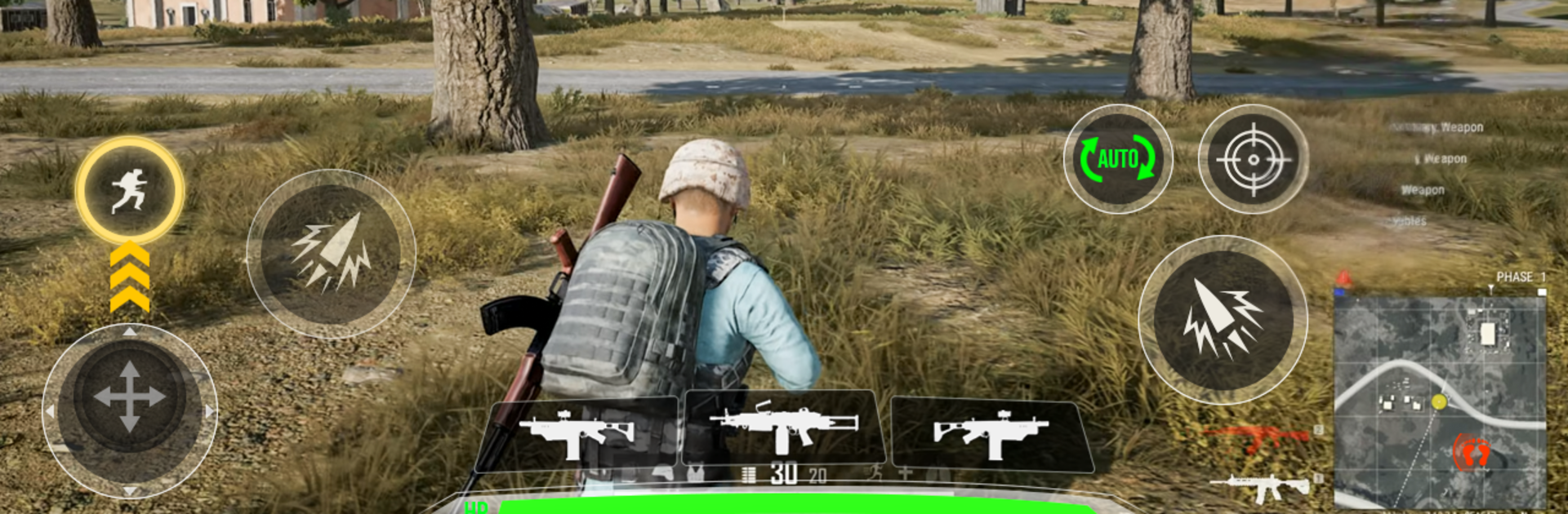
FPS Encounter Strike Offline brings the Adventure genre to life, and throws up exciting challenges for gamers. Developed by Iron Cloud Studio, this Android game is best experienced on BlueStacks, the World’s #1 app player for PC and Mac users.

FPS Encounter Strike Offline feels like a straight-up commando shooter that does not waste time. It drops the player into quick missions where a one-man special ops soldier clears out squads of trained enemies with rifles, shotguns, snipers, grenades, the usual loadout. Maps jump between tight corridors and open lanes, so there is a nice mix of peek-and-shoot and longer sightlines. The tone is secret mission style rather than story driven. Objectives are simple, move through the area, wipe the threat, survive. It is offline friendly, so it works well for short sessions or when a connection is spotty, and there are team deathmatch style modes for a change of pace.

What stands out is the weapon variety and the punchy feedback. Headshots land with a crisp pop, recoil feels light but not weightless, and sound effects sell the action more than flashy effects. Missions stack up fast and earning cash to unlock better guns adds a simple loop that keeps things moving. Enemies do not just stand still, they push, flank a bit, toss a grenade now and then, so careless rushing gets punished. On PC with BlueStacks, mouse aim and keyboard controls make tracking targets a lot easier, and higher frames on a bigger screen help spot snipers before they ruin the run. It is not a tactical simulator, more a fast, arcade-paced shooter with smooth controls and plenty of small battlegrounds to learn, which is honestly alot of the appeal here.

Start your journey now. Download the game on BlueStacks, invite your friends, and march on a new adventure.


Game Features

Enhancements

  • Macros
  • Multi Instance
  • Multi Instance Sync
  • Script
  • Enhancements
Macros

Macros

Automate the predictable in FPS Encounter Strike Offline and transform your gameplay with Macros. Get access to inventive Macros in the BlueStacks Macro Community
Multi Instance

Multi Instance

Play FPS Encounter Strike Offline on one window. And chat with your friend on the other. Press CTRL + Shift + 8 to open the Multi-Instance Manager. And start creating fresh instances or clone an existing one.
Multi Instance Sync

Multi Instance Sync

Play FPS Encounter Strike Offline with the power of Multi-Instance Sync. Replicate what you are doing on the main instance on all other instances. Level up faster, play more.
Script

Script

Script your way to gaming glory in FPS Encounter Strike Offline with BlueStacks Script. Write and run a set of commands to automate repeated tasks. Trigger the command by assigning it to any key.
Read More

How to Download and Play FPS Encounter Strike Offline on PC or Mac

  • Download and install BlueStacks on your PC or Mac

  • Complete Google sign-in to access the Play Store, or do it later

  • Look for FPS Encounter Strike Offline in the search bar at the top right corner

  • Click to install FPS Encounter Strike Offline from the search results

  • Complete Google sign-in (if you skipped step 2) to install FPS Encounter Strike Offline

  • Click the FPS Encounter Strike Offline icon on the home screen to start playing

video
Watch Video

Minimum System Requirements

With BlueStacks 5, you can get started on a PC that fulfills the following requirements.

  • Operating System

    Microsoft Windows 7 or above, macOS 11 (Big Sur) or above

  • Processor

    Intel, AMD or Apple Silicon Processor

  • RAM

    at least 4GB

  • HDD

    10GB Free Disk Space

Note:

* You must be an Administrator on your PC. Up to date graphics drivers from Microsoft or the chipset vendor.

FPS Encounter Strike Offline - FAQs

  • How to play FPS Encounter Strike Offline on Windows PC & Mac?

    Play FPS Encounter Strike Offline on your PC or Mac by following these simple steps.

    • Click on 'Play FPS Encounter Strike Offline on PC’ to download BlueStacks
    • Install it and log-in to Google Play Store
    • Launch and play the game.
  • Why is BlueStacks the fastest and safest platform to play games on PC?

    BlueStacks respects your privacy and is always safe and secure to use. It does not carry any malware, spyware, or any sort of additional software that could harm your PC.

    It is engineered to optimize speed and performance for a seamless gaming experience.

  • What are FPS Encounter Strike Offline PC requirements?

    Minimum requirement to run FPS Encounter Strike Offline on your PC

    • OS: Microsoft Windows 7 or above MacOS 11 (Big Sur) or above
    • Processor: Intel, AMD or Apple Silicon Processor
    • RAM: Your PC must have at least 4GB of RAM. (Note that having 4GB or more disk space is not a substitute for RAM)
    • HDD: 10GB Free Disk Space.
    • You must be an Administrator on your PC.