Wild Animal Hunting Games Gun

Wild Animal Hunting Games Gun

Role Playing

| Iron Cloud Studio

Play on PC with BlueStacks or from our cloud

  • Overview
  • Game Features
  • How to Play

Page Modified On: November 28, 2025

Play Wild Animal Hunting Games Gun on PC or Mac

Step into the World of Wild Animal Hunting Games Gun, a thrilling Role Playing game from the house of Iron Cloud Studio. Play this Android game on BlueStacks App Player and experience immersive gaming on PC or Mac.

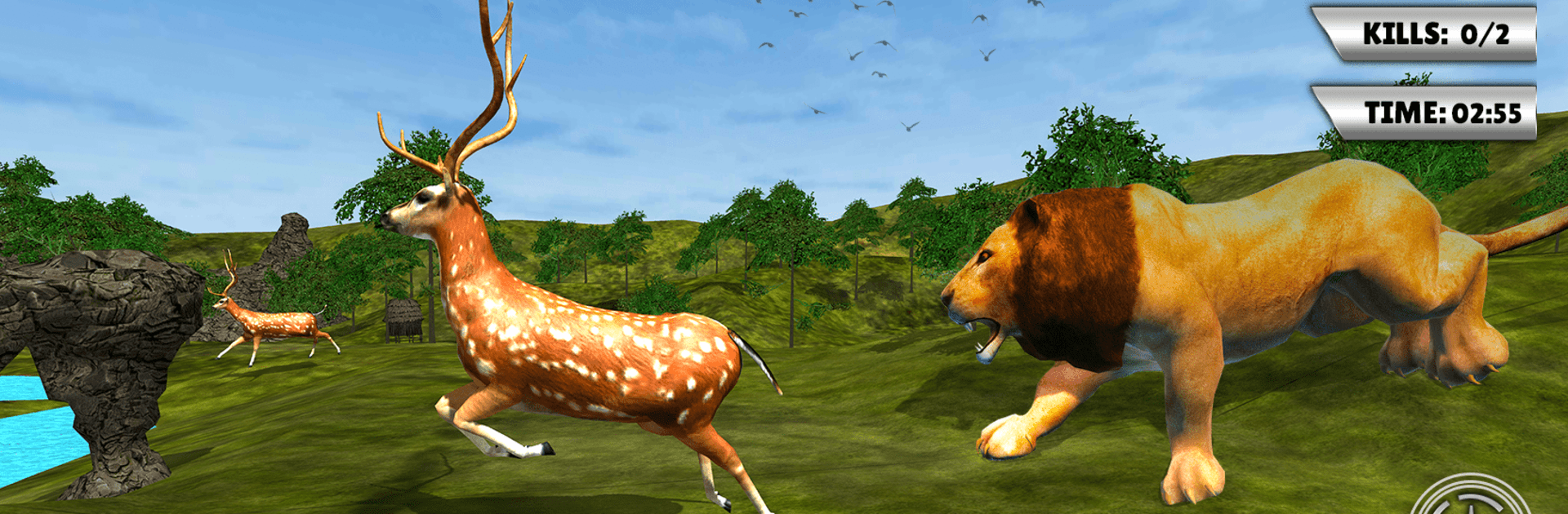
Wild Animal Hunting Games Gun is one of those safari shooters where patience pays off. It drops the player into wide jungle maps, asks for quiet stalking, then a quick clean shot when an animal wanders into range. The focus is on lining up scopes, going for head shots, and earning coins for better gear. Rifles, shotguns, long range snipers, even a crossbow for anyone who likes that slower, sport hunting feel. Missions usually want specific animals or careful shots, so rushing around just scares everything off and wastes ammo. The animals do bolt and weave, so timing and a steady hand matter more than spraying bullets.

The presentation leans realistic. Thick grass, open plains, and animals that look decent in motion. Sound is simple but it helps, especially when something moves in the brush. There is a basic training path that teaches the ropes, then it ramps up with tougher targets and longer distances. Scoring clean head shots gives more points and coins, which go into upgrades or new guns, and that loop is the hook. There are hunts for deer and other big game, plus side stuff like dino themed stages or water hunts show up in some sets, so it does not feel like the same animal forever. It runs offline, and on PC with BlueStacks the mouse aim feels steadier and makes those long shots less frustrating.

Start your journey now. Download the game on BlueStacks, invite your friends, and march on a new adventure.


Game Features

Enhancements

  • Macros
  • Rerolling
  • Eco Mode
  • Multi Instance Sync
  • Enhancements
Macros

Macros

Focus more on the fun part of the game, skip the tedious aspects. Master Wild Animal Hunting Games Gun with Macros. Record yourself completing the monotonous tasks you wish to automate and replay them later with just one keypress.
Rerolling

Rerolling

Speed up the rerolling process in Wild Animal Hunting Games Gun. Perform multiple summons and keep looking for the best Heroes. Use Multi-Instance sync to replicate the rerolling mechanism in all instances.
Eco Mode

Eco Mode

Farm in-game resources with ease in Wild Animal Hunting Games Gun. Enable the Eco Mode when running the game in multiple instances. And lower your PC's resource consumption.
Multi Instance Sync

Multi Instance Sync

With the Multi-instance Sync, you can do even more in Wild Animal Hunting Games Gun. Sync the action of the main instance and repeat them in real time for all other instances. Sync and sit back, let the game progress unfold.
Read More

How to Download and Play Wild Animal Hunting Games Gun on PC or Mac

  • Download and install BlueStacks on your PC or Mac

  • Complete Google sign-in to access the Play Store, or do it later

  • Look for Wild Animal Hunting Games Gun in the search bar at the top right corner

  • Click to install Wild Animal Hunting Games Gun from the search results

  • Complete Google sign-in (if you skipped step 2) to install Wild Animal Hunting Games Gun

  • Click the Wild Animal Hunting Games Gun icon on the home screen to start playing

video
Watch Video

Minimum System Requirements

With BlueStacks 5, you can get started on a PC that fulfills the following requirements.

  • Operating System

    Microsoft Windows 7 or above, macOS 11 (Big Sur) or above

  • Processor

    Intel, AMD or Apple Silicon Processor

  • RAM

    at least 4GB

  • HDD

    10GB Free Disk Space

Note:

* You must be an Administrator on your PC. Up to date graphics drivers from Microsoft or the chipset vendor.

Wild Animal Hunting Games Gun - FAQs

  • How to play Wild Animal Hunting Games Gun on Windows PC & Mac?

    Play Wild Animal Hunting Games Gun on your PC or Mac by following these simple steps.

    • Click on 'Play Wild Animal Hunting Games Gun on PC’ to download BlueStacks
    • Install it and log-in to Google Play Store
    • Launch and play the game.
  • Why is BlueStacks the fastest and safest platform to play games on PC?

    BlueStacks respects your privacy and is always safe and secure to use. It does not carry any malware, spyware, or any sort of additional software that could harm your PC.

    It is engineered to optimize speed and performance for a seamless gaming experience.

  • What are Wild Animal Hunting Games Gun PC requirements?

    Minimum requirement to run Wild Animal Hunting Games Gun on your PC

    • OS: Microsoft Windows 7 or above MacOS 11 (Big Sur) or above
    • Processor: Intel, AMD or Apple Silicon Processor
    • RAM: Your PC must have at least 4GB of RAM. (Note that having 4GB or more disk space is not a substitute for RAM)
    • HDD: 10GB Free Disk Space.
    • You must be an Administrator on your PC.