Frost Land Survival
Frost Land Survival

Frost Land Survival

Adventure

| CASUAL AZUR GAMES

Play on PC with BlueStacks or from our cloud

  • Overview
  • Game Features
  • How to Play

Page Modified On: August 17, 2026

Play Frost Land Survival on PC or Mac

Frost Land Survival brings the Adventure genre to life, and throws up exciting challenges for gamers. Developed by CASUAL AZUR GAMES, this Android game is best experienced on BlueStacks, the World’s #1 app player for PC and Mac users.

About the Game

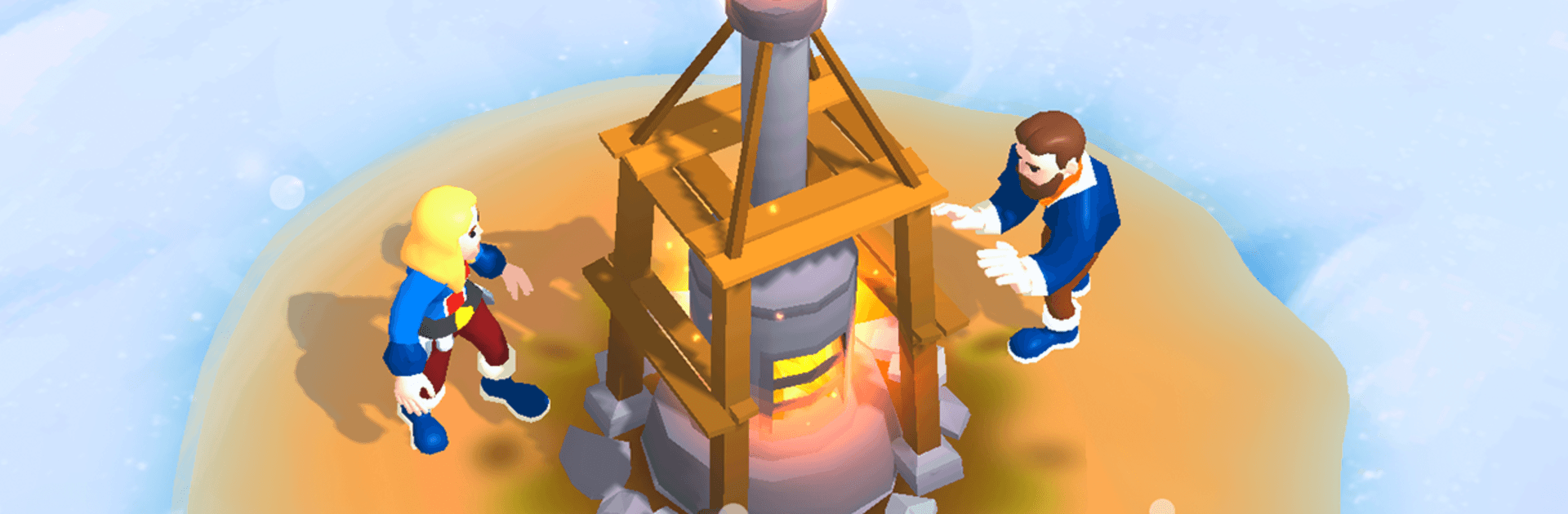
Frost Land Survival is an Adventure where you’re in charge of the last town clinging to life on a frozen Earth. Gather what you can, keep your people warm and fed, and hold the line against blizzards, wildlife, and whatever crawls out of the snow. Prefer playing on a larger screen? It runs smoothly on PC with BlueStacks without getting in your way.

Game Features

  • Lead a desperate city: Make the tough calls—who explores, who crafts, who rests—and keep morale from cracking as the cold bears down.
  • Strategy-first survival: Prioritize what matters most, from fuel and food to medicine and tools. Every choice has a cost when resources are tight.
  • Explore the white unknown: Send teams across snowbound ruins to uncover hidden caches, rare materials, and new routes through the ice.
  • Crafting that keeps you alive: Turn scavenged scraps into gear, weapons, heaters, and more to protect your people and push farther into the frost.
  • From camp to stronghold: Start with a rough shelter and build it into a fortified base that can weather brutal storms and sudden threats.
  • Research that changes everything: Unlock new methods, tech, and upgrades to improve survival odds and open smarter ways to manage your town.
  • Weather that fights back: Endure shifting conditions—from blinding blizzards to lethal cold snaps—and adapt quickly or pay the price.
  • Easy to learn, hard to quit: Clean controls and clear systems make it approachable, while layered decision-making keeps you hooked.
  • Chilling atmosphere: Crisp visuals and icy soundscapes sell the bleak, beautiful world and make every firelit room feel like a win.

Get ready for a buttery smooth, high-performance gaming action only on BlueStacks.

Game Features

Enhancements

  • Macros
  • Multi Instance
  • Multi Instance Sync
  • Script
  • Enhancements
Macros

Macros

Automate the predictable in Frost Land Survival and transform your gameplay with Macros. Get access to inventive Macros in the BlueStacks Macro Community
Multi Instance

Multi Instance

Play Frost Land Survival on one window. And chat with your friend on the other. Press CTRL + Shift + 8 to open the Multi-Instance Manager. And start creating fresh instances or clone an existing one.
Multi Instance Sync

Multi Instance Sync

Play Frost Land Survival with the power of Multi-Instance Sync. Replicate what you are doing on the main instance on all other instances. Level up faster, play more.
Script

Script

Script your way to gaming glory in Frost Land Survival with BlueStacks Script. Write and run a set of commands to automate repeated tasks. Trigger the command by assigning it to any key.
Read More

How to Download and Play Frost Land Survival on PC or Mac

  • Download and install BlueStacks on your PC or Mac

  • Complete Google sign-in to access the Play Store, or do it later

  • Look for Frost Land Survival in the search bar at the top right corner

  • Click to install Frost Land Survival from the search results

  • Complete Google sign-in (if you skipped step 2) to install Frost Land Survival

  • Click the Frost Land Survival icon on the home screen to start playing

video
Watch Video

Minimum System Requirements

With BlueStacks 5, you can get started on a PC that fulfills the following requirements.

  • Operating System

    Microsoft Windows 7 or above, macOS 11 (Big Sur) or above

  • Processor

    Intel, AMD or Apple Silicon Processor

  • RAM

    at least 4GB

  • HDD

    10GB Free Disk Space

Note:

* You must be an Administrator on your PC. Up to date graphics drivers from Microsoft or the chipset vendor.

Frost Land Survival - FAQs

  • How to play Frost Land Survival on Windows PC & Mac?

    Play Frost Land Survival on your PC or Mac by following these simple steps.

    • Click on 'Play Frost Land Survival on PC’ to download BlueStacks
    • Install it and log-in to Google Play Store
    • Launch and play the game.
  • Why is BlueStacks the fastest and safest platform to play games on PC?

    BlueStacks respects your privacy and is always safe and secure to use. It does not carry any malware, spyware, or any sort of additional software that could harm your PC.

    It is engineered to optimize speed and performance for a seamless gaming experience.

  • What are Frost Land Survival PC requirements?

    Minimum requirement to run Frost Land Survival on your PC

    • OS: Microsoft Windows 7 or above MacOS 11 (Big Sur) or above
    • Processor: Intel, AMD or Apple Silicon Processor
    • RAM: Your PC must have at least 4GB of RAM. (Note that having 4GB or more disk space is not a substitute for RAM)
    • HDD: 10GB Free Disk Space.
    • You must be an Administrator on your PC.