Highway Police Simulator 2026

Highway Police Simulator 2026

Adventure

| Enfotrea Sutolrca

Play on PC with BlueStacks or from our cloud

  • Overview
  • Game Features
  • How to Play

Page Modified On: October 21, 2026

Play Highway Police Simulator 2026 on PC or Mac

Highway Police Simulator 2026 by Enfotrea Sutolrca has plenty to keep you busy. BlueStacks lets you play it on PC or Mac with more screen space, better control, and fewer mobile limits.

About the Game

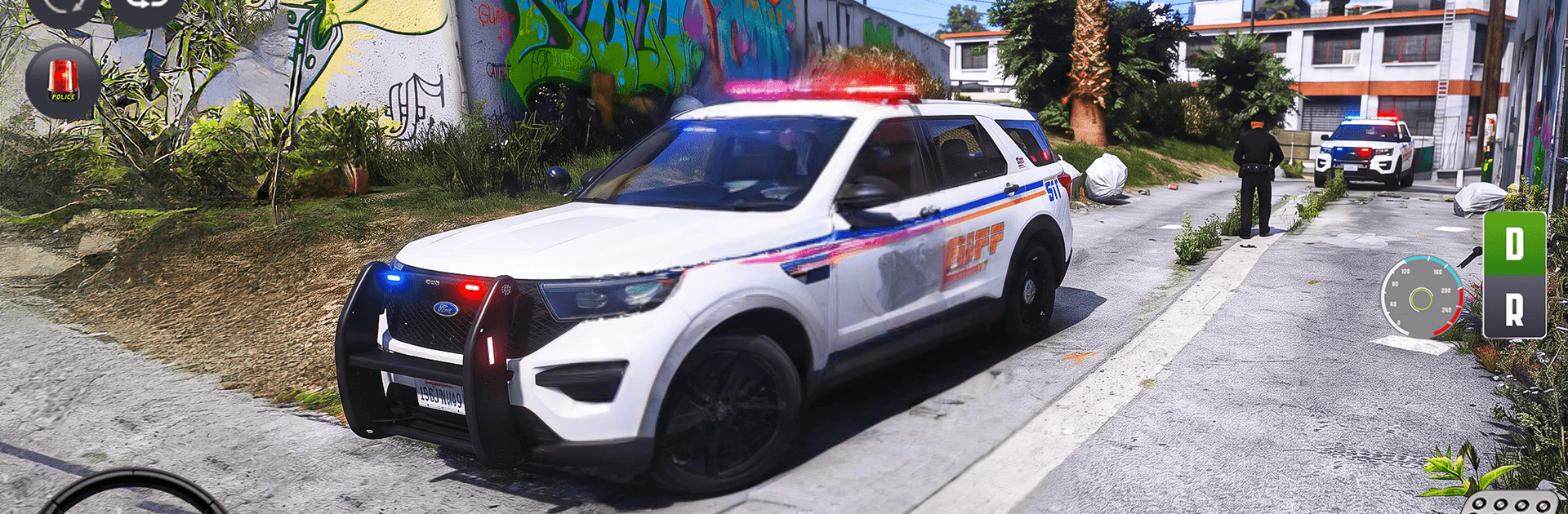
Highway Police Simulator 2026 puts you in the driver’s seat of a patrol car and lets you handle the rush, patience, and precision that come with the badge. It’s an Adventure game built around three distinct driving challenges—high-speed pursuits, style-heavy drifting, and tight-space parking—so there’s always something different to master. Prefer playing on PC? It runs smoothly on BlueStacks without getting in your way.

Game Features

  • Chase Mode: Lock onto speeding suspects, manage traffic and corners, and bring the pursuit to a clean stop with that classic Police Chase Game energy.
  • Drift Mode: Thread precise slides through winding tracks, control the angle and throttle, and keep the car gliding exactly where you want it.
  • Parking Mode: Slow it down and show patience as you edge through cones, barriers, and awkward gaps to nail picture‑perfect parking.
  • Garage & Collection: Browse your lineup, pick the patrol car that fits your style, and feel how each one handles differently on the road.
  • Multiple Patrol Cars: Swap between distinct vehicles with unique handling profiles so every mission feels fresh.
  • Smooth, Responsive Controls: Steering, braking, and throttle react cleanly, helping you focus on timing, racing lines, and situational awareness.
  • Varied Roads and Environments: From curvy backroads to busy straights, the mix of layouts keeps Highway Police scenarios challenging and unpredictable.
  • Immersive 3D Presentation: Crisp Police Game 3D visuals, flashing lights, and camera angles that sell the speed and pressure of a real Cop Chase Simulator.
  • Play on PC with BlueStacks: Enjoy steady performance and sharp visuals if you’d rather run this Police Car Driving Game on your desktop setup.

BlueStacks gives you more room to focus on the game and less time adjusting around mobile limitations.


Game Features

Enhancements

  • Macros
  • Multi Instance
  • Multi Instance Sync
  • Script
  • Enhancements
Macros

Macros

Automate the predictable in Highway Police Simulator 2026 and transform your gameplay with Macros. Get access to inventive Macros in the BlueStacks Macro Community
Multi Instance

Multi Instance

Play Highway Police Simulator 2026 on one window. And chat with your friend on the other. Press CTRL + Shift + 8 to open the Multi-Instance Manager. And start creating fresh instances or clone an existing one.
Multi Instance Sync

Multi Instance Sync

Play Highway Police Simulator 2026 with the power of Multi-Instance Sync. Replicate what you are doing on the main instance on all other instances. Level up faster, play more.
Script

Script

Script your way to gaming glory in Highway Police Simulator 2026 with BlueStacks Script. Write and run a set of commands to automate repeated tasks. Trigger the command by assigning it to any key.
Read More

How to Download and Play Highway Police Simulator 2026 on PC or Mac

  • Download and install BlueStacks on your PC or Mac

  • Complete Google sign-in to access the Play Store, or do it later

  • Look for Highway Police Simulator 2026 in the search bar at the top right corner

  • Click to install Highway Police Simulator 2026 from the search results

  • Complete Google sign-in (if you skipped step 2) to install Highway Police Simulator 2026

  • Click the Highway Police Simulator 2026 icon on the home screen to start playing

video
Watch Video

Minimum System Requirements

With BlueStacks 5, you can get started on a PC that fulfills the following requirements.

  • Operating System

    Microsoft Windows 7 or above, macOS 11 (Big Sur) or above

  • Processor

    Intel, AMD or Apple Silicon Processor

  • RAM

    at least 4GB

  • HDD

    10GB Free Disk Space

Note:

* You must be an Administrator on your PC. Up to date graphics drivers from Microsoft or the chipset vendor.

Highway Police Simulator 2026 - FAQs

  • How to play Highway Police Simulator 2026 on Windows PC & Mac?

    Play Highway Police Simulator 2026 on your PC or Mac by following these simple steps.

    • Click on 'Play Highway Police Simulator 2026 on PC’ to download BlueStacks
    • Install it and log-in to Google Play Store
    • Launch and play the game.
  • Why is BlueStacks the fastest and safest platform to play games on PC?

    BlueStacks respects your privacy and is always safe and secure to use. It does not carry any malware, spyware, or any sort of additional software that could harm your PC.

    It is engineered to optimize speed and performance for a seamless gaming experience.

  • What are Highway Police Simulator 2026 PC requirements?

    Minimum requirement to run Highway Police Simulator 2026 on your PC

    • OS: Microsoft Windows 7 or above MacOS 11 (Big Sur) or above
    • Processor: Intel, AMD or Apple Silicon Processor
    • RAM: Your PC must have at least 4GB of RAM. (Note that having 4GB or more disk space is not a substitute for RAM)
    • HDD: 10GB Free Disk Space.
    • You must be an Administrator on your PC.