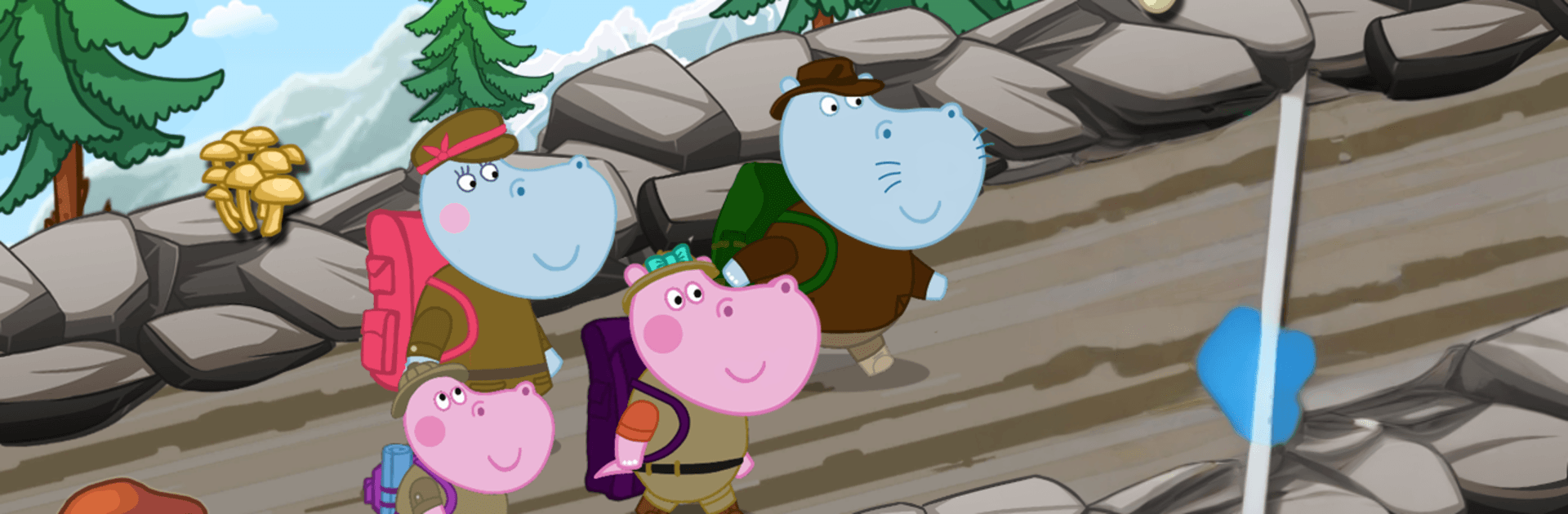
Kids Mountain Adventures. Family Camping

Kids Mountain Adventures. Family Camping

Adventure

| Hippo Kids Games

Play on PC with BlueStacks or from our cloud

  • Overview
  • Game Features
  • How to Play

Page Modified On: August 14, 2026

Play Kids Mountain Adventures. Family Camping on PC or Mac

Explore a whole new adventure with Kids Mountain Adventures. Family Camping, a Adventure game created by Hippo Kids Games. Experience great gameplay with BlueStacks, the most popular gaming platform to play Android games on your PC or Mac.

About the Game

Kids Mountain Adventures. Family Camping is a warm, hands-on Adventure built for young explorers and the grown-ups playing with them. Join a cheerful hippo family on a mountain getaway filled with hiking, cozy camp setups, and playful problem-solving as you work your way to the summit. It also runs nicely on BlueStacks if you prefer bigger visuals and comfy controls.

Game Features

  • Trail Planning: Pick safe routes through forests and snowfields to reach hidden spots and high peaks.
  • Safe Climbing Skills: Clip in with a belay, test wobbly bridges, and handle tricky crossings without the stress.
  • Outdoor Challenges: Wade across streams, skirt valleys, and duck into a cave when rocks start tumbling.
  • Rafting Burst: Steer a speedy raft through a lively river for a quick, splashy thrill.
  • Rescue Moments: Help stranded treasure seekers who bit off more than they could chew.
  • Camp Builder: Pitch tents, light a fire, and turn your campsite into a snug base for the crew.
  • Foraging Fun: Collect mushrooms and berries along the trail and stash them for later.
  • Trail Kitchen: Stir up warm porridge and keep everyone fueled for the climb.
  • Snow Gear Fixes: Mend snowshoes, swap to skis or a snowboard, and glide over deep powder.
  • Star Spotting: Track down the mountaintop observatory and take a peek at the night sky.
  • Meet the Guardian: A mysterious figure near the summit checks your courage in a kid-friendly way.
  • Summit Goal: Plant the Hippo flag and celebrate a day well spent outdoors.
  • Family Play: Short tasks, gentle pacing, and clear guidance make it easy to co-play and enjoy together.

Start your journey now. Download the game on BlueStacks, invite your friends, and march on a new adventure.


Game Features

Enhancements

  • Macros
  • Multi Instance
  • Multi Instance Sync
  • Script
  • Enhancements
Macros

Macros

Automate the predictable in Kids Mountain Adventures. Family Camping and transform your gameplay with Macros. Get access to inventive Macros in the BlueStacks Macro Community
Multi Instance

Multi Instance

Play Kids Mountain Adventures. Family Camping on one window. And chat with your friend on the other. Press CTRL + Shift + 8 to open the Multi-Instance Manager. And start creating fresh instances or clone an existing one.
Multi Instance Sync

Multi Instance Sync

Play Kids Mountain Adventures. Family Camping with the power of Multi-Instance Sync. Replicate what you are doing on the main instance on all other instances. Level up faster, play more.
Script

Script

Script your way to gaming glory in Kids Mountain Adventures. Family Camping with BlueStacks Script. Write and run a set of commands to automate repeated tasks. Trigger the command by assigning it to any key.
Read More

How to Download and Play Kids Mountain Adventures. Family Camping on PC or Mac

  • Download and install BlueStacks on your PC or Mac

  • Complete Google sign-in to access the Play Store, or do it later

  • Look for Kids Mountain Adventures. Family Camping in the search bar at the top right corner

  • Click to install Kids Mountain Adventures. Family Camping from the search results

  • Complete Google sign-in (if you skipped step 2) to install Kids Mountain Adventures. Family Camping

  • Click the Kids Mountain Adventures. Family Camping icon on the home screen to start playing

video
Watch Video

Minimum System Requirements

With BlueStacks 5, you can get started on a PC that fulfills the following requirements.

  • Operating System

    Microsoft Windows 7 or above, macOS 11 (Big Sur) or above

  • Processor

    Intel, AMD or Apple Silicon Processor

  • RAM

    at least 4GB

  • HDD

    10GB Free Disk Space

Note:

* You must be an Administrator on your PC. Up to date graphics drivers from Microsoft or the chipset vendor.

Kids Mountain Adventures. Family Camping - FAQs

  • How to play Kids Mountain Adventures. Family Camping on Windows PC & Mac?

    Play Kids Mountain Adventures. Family Camping on your PC or Mac by following these simple steps.

    • Click on 'Play Kids Mountain Adventures. Family Camping on PC’ to download BlueStacks
    • Install it and log-in to Google Play Store
    • Launch and play the game.
  • Why is BlueStacks the fastest and safest platform to play games on PC?

    BlueStacks respects your privacy and is always safe and secure to use. It does not carry any malware, spyware, or any sort of additional software that could harm your PC.

    It is engineered to optimize speed and performance for a seamless gaming experience.

  • What are Kids Mountain Adventures. Family Camping PC requirements?

    Minimum requirement to run Kids Mountain Adventures. Family Camping on your PC

    • OS: Microsoft Windows 7 or above MacOS 11 (Big Sur) or above
    • Processor: Intel, AMD or Apple Silicon Processor
    • RAM: Your PC must have at least 4GB of RAM. (Note that having 4GB or more disk space is not a substitute for RAM)
    • HDD: 10GB Free Disk Space.
    • You must be an Administrator on your PC.