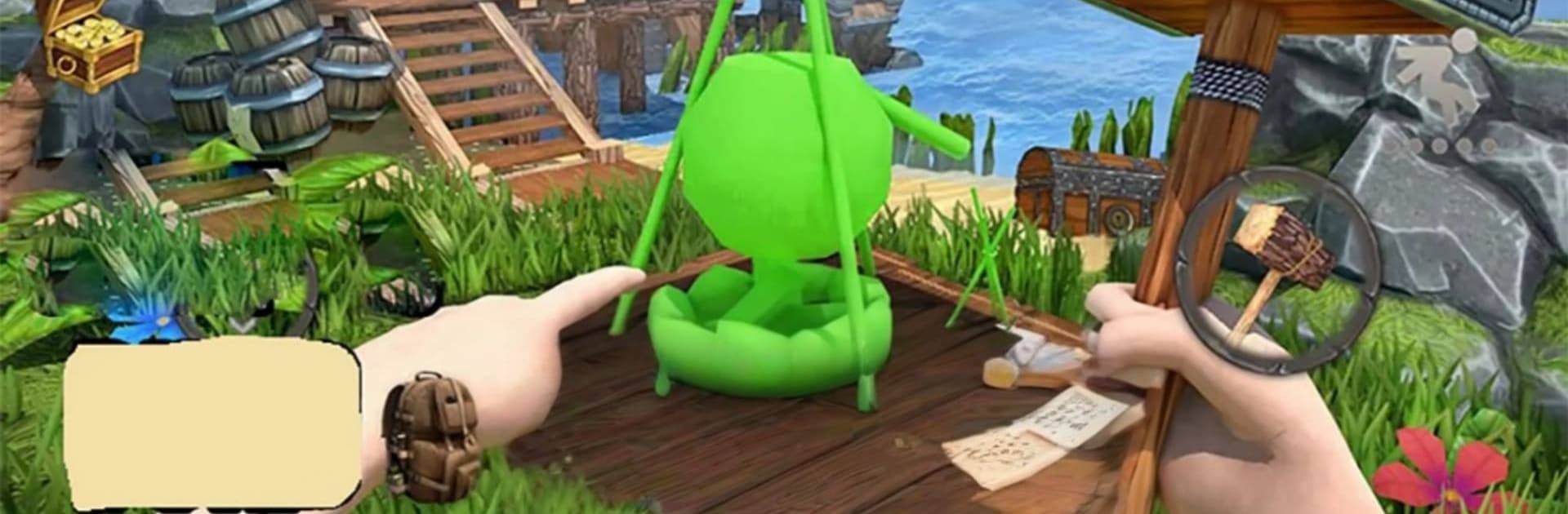
Island Ocean Jungle Survival

Island Ocean Jungle Survival

Adventure

| 爱游游戏(AiGGame)

Play on PC with BlueStacks or from our cloud

  • Overview
  • Game Features
  • How to Play

Page Modified On: October 21, 2026

Play Island Ocean Jungle Survival on PC or Mac

Island Ocean Jungle Survival by 爱游游戏(AiGGame) has plenty to keep you busy. BlueStacks lets you play it on PC or Mac with more screen space, better control, and fewer mobile limits.

About the Game

Stranded with nothing but your wits, Island Ocean Jungle Survival drops you into a first-person fight to stay alive across sandy shores and thick jungle. This Adventure leans into gritty resource management—finding clean water, scrounging food, and staying alert as the island pushes back. It also plays nicely on BlueStacks if you want a bigger view and flexible controls.

Game Features

  • First-person immersion: See everything through your survivor’s eyes, making every creak, splash, and rustle feel close and personal.
  • Harsh island ecosystem: Juggle thirst, hunger, and safety while dealing with wildlife and hazardous terrain that can punish careless steps.
  • Scavenging and supplies: Hunt for water sources, edible plants, and useful finds tucked along beaches, in brush, and beneath the canopy.
  • Improvised shelter and fire: Throw together cover and keep a fire going to rest, recover, and push back the chill of long nights.
  • Makeshift tools and gear: Improvise essential items from what you gather so you can cut, carry, and protect yourself more effectively.
  • Weather and day-night rhythm: Plan your moves around shifting skies and fading light; storms and darkness change how you explore and survive.
  • Risk-versus-reward exploration: Venture deeper for better resources, but weigh the danger of leaving your safe spot behind.

Ready to top the leaderboard? We bet you do. Let precise controls and sharp visuals optimized on BlueStacks lead you to victory.


Game Features

Enhancements

  • Macros
  • Multi Instance
  • Multi Instance Sync
  • Script
  • Enhancements
Macros

Macros

Automate the predictable in Island Ocean Jungle Survival and transform your gameplay with Macros. Get access to inventive Macros in the BlueStacks Macro Community
Multi Instance

Multi Instance

Play Island Ocean Jungle Survival on one window. And chat with your friend on the other. Press CTRL + Shift + 8 to open the Multi-Instance Manager. And start creating fresh instances or clone an existing one.
Multi Instance Sync

Multi Instance Sync

Play Island Ocean Jungle Survival with the power of Multi-Instance Sync. Replicate what you are doing on the main instance on all other instances. Level up faster, play more.
Script

Script

Script your way to gaming glory in Island Ocean Jungle Survival with BlueStacks Script. Write and run a set of commands to automate repeated tasks. Trigger the command by assigning it to any key.
Read More

How to Download and Play Island Ocean Jungle Survival on PC or Mac

  • Download and install BlueStacks on your PC or Mac

  • Complete Google sign-in to access the Play Store, or do it later

  • Look for Island Ocean Jungle Survival in the search bar at the top right corner

  • Click to install Island Ocean Jungle Survival from the search results

  • Complete Google sign-in (if you skipped step 2) to install Island Ocean Jungle Survival

  • Click the Island Ocean Jungle Survival icon on the home screen to start playing

video
Watch Video

Minimum System Requirements

With BlueStacks 5, you can get started on a PC that fulfills the following requirements.

  • Operating System

    Microsoft Windows 7 or above, macOS 11 (Big Sur) or above

  • Processor

    Intel, AMD or Apple Silicon Processor

  • RAM

    at least 4GB

  • HDD

    10GB Free Disk Space

Note:

* You must be an Administrator on your PC. Up to date graphics drivers from Microsoft or the chipset vendor.

Island Ocean Jungle Survival - FAQs

  • How to play Island Ocean Jungle Survival on Windows PC & Mac?

    Play Island Ocean Jungle Survival on your PC or Mac by following these simple steps.

    • Click on 'Play Island Ocean Jungle Survival on PC’ to download BlueStacks
    • Install it and log-in to Google Play Store
    • Launch and play the game.
  • Why is BlueStacks the fastest and safest platform to play games on PC?

    BlueStacks respects your privacy and is always safe and secure to use. It does not carry any malware, spyware, or any sort of additional software that could harm your PC.

    It is engineered to optimize speed and performance for a seamless gaming experience.

  • What are Island Ocean Jungle Survival PC requirements?

    Minimum requirement to run Island Ocean Jungle Survival on your PC

    • OS: Microsoft Windows 7 or above MacOS 11 (Big Sur) or above
    • Processor: Intel, AMD or Apple Silicon Processor
    • RAM: Your PC must have at least 4GB of RAM. (Note that having 4GB or more disk space is not a substitute for RAM)
    • HDD: 10GB Free Disk Space.
    • You must be an Administrator on your PC.