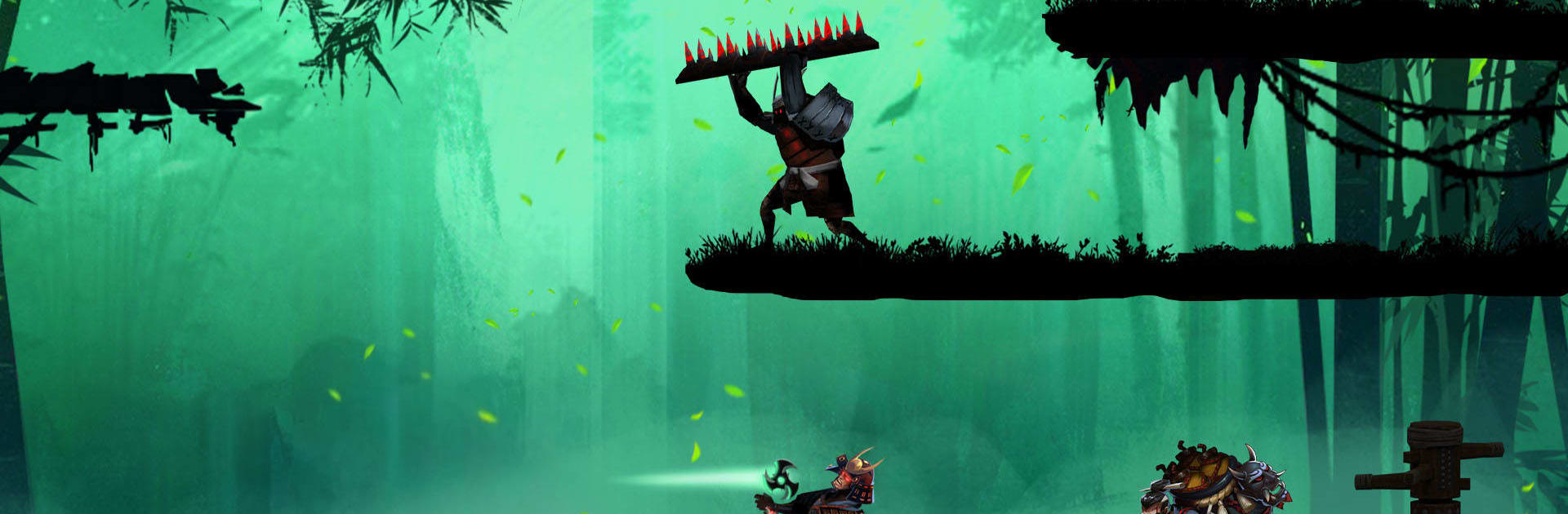
Kaz Warrior 3 - Shinobi Legend

Kaz Warrior 3 - Shinobi Legend

Adventure

| TOH Games

Play on PC with BlueStacks or from our cloud

  • Overview
  • Game Features
  • How to Play

Page Modified On: September 07, 2026

Play Kaz Warrior 3 - Shinobi Legend on PC or Mac

Step into the World of Kaz Warrior 3 – Shinobi Legend, a thrilling Adventure game from the house of TOH Games. Play this Android game on BlueStacks App Player and experience immersive gaming on PC or Mac.

About the Game

Kaz Warrior 3 – Shinobi Legend throws you into a gritty Adventure where a lone shinobi fights to reclaim stolen relics and protect a village on the brink. You’ll track ruthless foes, face towering bosses, and master a lethal toolkit that blends stealth, sorcery, and razor‑sharp steel. Prefer playing on a bigger screen? It runs smoothly on BlueStacks, too.

Game Features

  • Tight, responsive combat: Chain quick sword strikes with well-timed dodges and counters, then finish the job with a perfectly placed shuriken.
  • Shadow skills to master: Wield fire techniques, go silent with disguises, blink across gaps, and pull off slick acrobatics to outsmart enemies.
  • Story with real stakes: Follow Kaz’s path from loss to resolve as he hunts down the boss’s lieutenants and recovers sacred scrolls that were ripped from his home.
  • Epic boss encounters: Learn patterns, exploit openings, and bring down hulking warlords in battles that feel tense, fair, and incredibly satisfying.
  • Build your own style: Mix weapons like swords, darts, and poisons, then tweak gear to match an aggressive, stealthy, or hybrid approach.
  • Cinematic look and sound: Moody backdrops, bold silhouettes, and punchy audio make every clash, parry, and explosion hit harder.
  • Agile movement, your way: Wall-jump, vault, and teleport through layered stages that reward clean routes and clever positioning.
  • Meaningful progression: Unlock skills, earn materials, and craft upgrades that open fresh tactics without overcomplicating the flow.
  • Plenty of challenges: Tackle handcrafted missions and optional gauntlets that test precision, patience, and raw nerve.
  • Lightweight and smooth: An optimized build keeps load times snappy and action fluid, even when things get chaotic.

Start your journey now. Download the game on BlueStacks, invite your friends, and march on a new adventure.


Game Features

Enhancements

  • Macros
  • Multi Instance
  • Multi Instance Sync
  • Script
  • Enhancements
Macros

Macros

Automate the predictable in Kaz Warrior 3 - Shinobi Legend and transform your gameplay with Macros. Get access to inventive Macros in the BlueStacks Macro Community
Multi Instance

Multi Instance

Play Kaz Warrior 3 - Shinobi Legend on one window. And chat with your friend on the other. Press CTRL + Shift + 8 to open the Multi-Instance Manager. And start creating fresh instances or clone an existing one.
Multi Instance Sync

Multi Instance Sync

Play Kaz Warrior 3 - Shinobi Legend with the power of Multi-Instance Sync. Replicate what you are doing on the main instance on all other instances. Level up faster, play more.
Script

Script

Script your way to gaming glory in Kaz Warrior 3 - Shinobi Legend with BlueStacks Script. Write and run a set of commands to automate repeated tasks. Trigger the command by assigning it to any key.
Read More

How to Download and Play Kaz Warrior 3 - Shinobi Legend on PC or Mac

  • Download and install BlueStacks on your PC or Mac

  • Complete Google sign-in to access the Play Store, or do it later

  • Look for Kaz Warrior 3 - Shinobi Legend in the search bar at the top right corner

  • Click to install Kaz Warrior 3 - Shinobi Legend from the search results

  • Complete Google sign-in (if you skipped step 2) to install Kaz Warrior 3 - Shinobi Legend

  • Click the Kaz Warrior 3 - Shinobi Legend icon on the home screen to start playing

video
Watch Video

Minimum System Requirements

With BlueStacks 5, you can get started on a PC that fulfills the following requirements.

  • Operating System

    Microsoft Windows 7 or above, macOS 11 (Big Sur) or above

  • Processor

    Intel, AMD or Apple Silicon Processor

  • RAM

    at least 4GB

  • HDD

    10GB Free Disk Space

Note:

* You must be an Administrator on your PC. Up to date graphics drivers from Microsoft or the chipset vendor.

Kaz Warrior 3 - Shinobi Legend - FAQs

  • How to play Kaz Warrior 3 - Shinobi Legend on Windows PC & Mac?

    Play Kaz Warrior 3 - Shinobi Legend on your PC or Mac by following these simple steps.

    • Click on 'Play Kaz Warrior 3 - Shinobi Legend on PC’ to download BlueStacks
    • Install it and log-in to Google Play Store
    • Launch and play the game.
  • Why is BlueStacks the fastest and safest platform to play games on PC?

    BlueStacks respects your privacy and is always safe and secure to use. It does not carry any malware, spyware, or any sort of additional software that could harm your PC.

    It is engineered to optimize speed and performance for a seamless gaming experience.

  • What are Kaz Warrior 3 - Shinobi Legend PC requirements?

    Minimum requirement to run Kaz Warrior 3 - Shinobi Legend on your PC

    • OS: Microsoft Windows 7 or above MacOS 11 (Big Sur) or above
    • Processor: Intel, AMD or Apple Silicon Processor
    • RAM: Your PC must have at least 4GB of RAM. (Note that having 4GB or more disk space is not a substitute for RAM)
    • HDD: 10GB Free Disk Space.
    • You must be an Administrator on your PC.