Last Hero: Zombie Shooter Pro

Last Hero: Zombie Shooter Pro

Adventure

| Gem Jam

Play on PC with BlueStacks or from our cloud

  • Overview
  • Game Features
  • How to Play

Page Modified On: August 31, 2026

Play Last Hero: Zombie Shooter Pro on PC or Mac

Last Hero: Zombie Shooter Pro by Gem Jam has plenty to keep you busy. BlueStacks lets you play it on PC or Mac with more screen space, better control, and fewer mobile limits.

About the Game

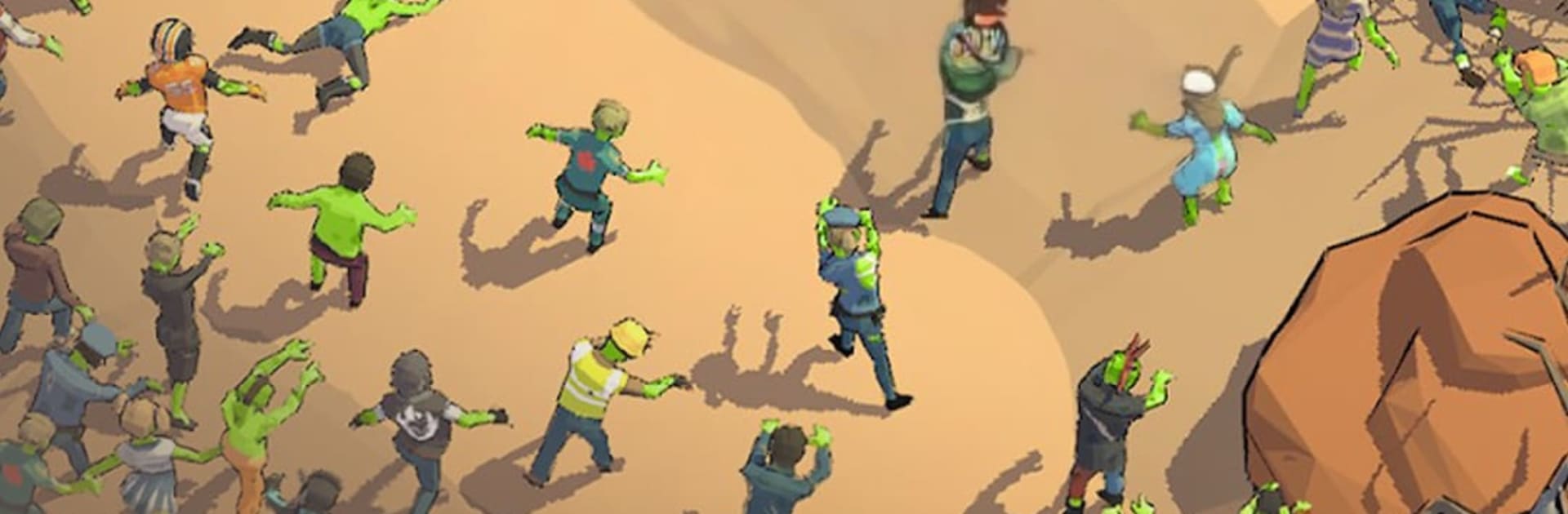
Last Hero: Zombie Shooter Pro is a fast, no-nonsense blaster where you’re the lone survivor tearing through swarms of the undead from a top-down view. Genre: Adventure—expect short, high-intensity runs, roguelike builds, and plenty of “just one more try” moments as you experiment with wild power combos. Prefer a bigger screen and steadier aim? It feels great on BlueStacks with a keyboard and mouse.

Game Features

  • Run-and-gun action: Keep moving, weave through screen-filling hordes, and let auto-fire handle the heat while you focus on positioning and survival.
  • Roguelike builds: Stack perks and combine abilities to create absurdly strong synergies; every run pushes you to try a new setup.
  • Deep arsenal and gear: Unlock and upgrade a wide range of auto-guns, then tune your survivor’s speed, accuracy, and toughness to match your playstyle.
  • Light extraction vibes: Push your luck, scoop up power-ups and resources mid-run, and make it out alive to bank progress for the next outing.
  • Big, nasty bosses: Learn patterns, dodge brutal attacks, and blast through armored brutes that cap off the most chaotic arenas.
  • Tactical arenas: Fight through tight clinic corridors, reactor zones, and deep mines where the layout helps you funnel, kite, and outsmart the horde.
  • Pick-up-and-play controls: Intuitive one-handed controls and auto-aim make it easy to jump in, survive a few waves, and chase a new high.
  • Clean 3D look: Crisp, low-poly style keeps combat readable when bullets and biters are everywhere, so your clutch dodges actually feel earned.

Start your journey now. Download the game on BlueStacks, invite your friends, and march on a new adventure.


Game Features

Enhancements

  • Macros
  • Multi Instance
  • Multi Instance Sync
  • Script
  • Enhancements
Macros

Macros

Automate the predictable in Last Hero: Zombie Shooter Pro and transform your gameplay with Macros. Get access to inventive Macros in the BlueStacks Macro Community
Multi Instance

Multi Instance

Play Last Hero: Zombie Shooter Pro on one window. And chat with your friend on the other. Press CTRL + Shift + 8 to open the Multi-Instance Manager. And start creating fresh instances or clone an existing one.
Multi Instance Sync

Multi Instance Sync

Play Last Hero: Zombie Shooter Pro with the power of Multi-Instance Sync. Replicate what you are doing on the main instance on all other instances. Level up faster, play more.
Script

Script

Script your way to gaming glory in Last Hero: Zombie Shooter Pro with BlueStacks Script. Write and run a set of commands to automate repeated tasks. Trigger the command by assigning it to any key.
Read More

How to Download and Play Last Hero: Zombie Shooter Pro on PC or Mac

  • Download and install BlueStacks on your PC or Mac

  • Complete Google sign-in to access the Play Store, or do it later

  • Look for Last Hero: Zombie Shooter Pro in the search bar at the top right corner

  • Click to install Last Hero: Zombie Shooter Pro from the search results

  • Complete Google sign-in (if you skipped step 2) to install Last Hero: Zombie Shooter Pro

  • Click the Last Hero: Zombie Shooter Pro icon on the home screen to start playing

video
Watch Video

Minimum System Requirements

With BlueStacks 5, you can get started on a PC that fulfills the following requirements.

  • Operating System

    Microsoft Windows 7 or above, macOS 11 (Big Sur) or above

  • Processor

    Intel, AMD or Apple Silicon Processor

  • RAM

    at least 4GB

  • HDD

    10GB Free Disk Space

Note:

* You must be an Administrator on your PC. Up to date graphics drivers from Microsoft or the chipset vendor.

Last Hero: Zombie Shooter Pro - FAQs

  • How to play Last Hero: Zombie Shooter Pro on Windows PC & Mac?

    Play Last Hero: Zombie Shooter Pro on your PC or Mac by following these simple steps.

    • Click on 'Play Last Hero: Zombie Shooter Pro on PC’ to download BlueStacks
    • Install it and log-in to Google Play Store
    • Launch and play the game.
  • Why is BlueStacks the fastest and safest platform to play games on PC?

    BlueStacks respects your privacy and is always safe and secure to use. It does not carry any malware, spyware, or any sort of additional software that could harm your PC.

    It is engineered to optimize speed and performance for a seamless gaming experience.

  • What are Last Hero: Zombie Shooter Pro PC requirements?

    Minimum requirement to run Last Hero: Zombie Shooter Pro on your PC

    • OS: Microsoft Windows 7 or above MacOS 11 (Big Sur) or above
    • Processor: Intel, AMD or Apple Silicon Processor
    • RAM: Your PC must have at least 4GB of RAM. (Note that having 4GB or more disk space is not a substitute for RAM)
    • HDD: 10GB Free Disk Space.
    • You must be an Administrator on your PC.