Lost Lands 2 CE
Lost Lands 2 CE

Lost Lands 2 CE

Adventure

| FIVE-BN GAMES

Play on PC with BlueStacks or from our cloud

  • Overview
  • Game Features
  • How to Play

Page Modified On: October 23, 2026

Play Lost Lands 2 CE on PC or Mac

Play Lost Lands 2 CE by FIVE-BN GAMES on PC or Mac with BlueStacks. Use a bigger screen, mouse and keyboard controls, and smoother performance while you play.

About the Game

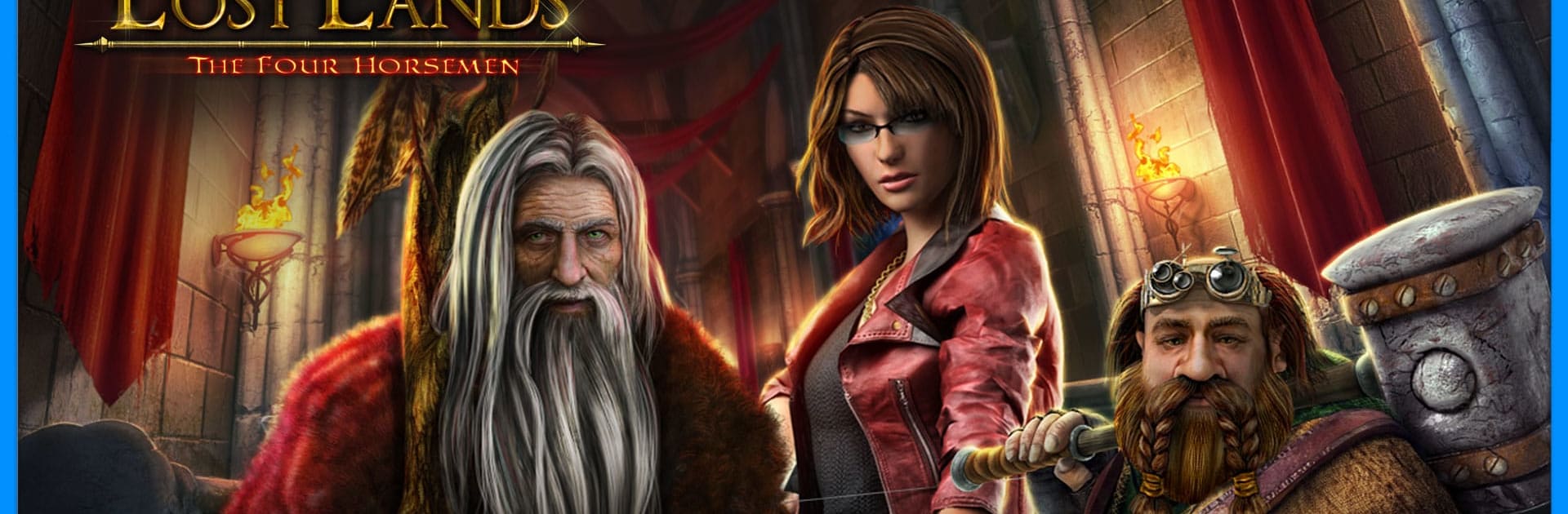
Lost Lands 2 CE drops you into a sweeping Adventure where an ordinary woman, Susan, is yanked back through a mysterious fog to a realm she once saved. The Four Horsemen—Heat, Coldness, Death, and Darkness—are tearing that world apart, and she’s the one brave (or stubborn) enough to stand in their way. Expect story-rich exploration, clever hidden-object scenes, and plenty of puzzles; it also runs nicely on BlueStacks if you’d rather unravel clues on your computer.

Game Features

  • Epic Quest Across the Lost Lands: Travel through more than 50 distinct locations, from sun-baked ruins to icy strongholds, as you chase the Horsemen’s trail.
  • Brain-Teasing Mini-Games: Tackle over 40 varied puzzles and mini-games that reward pattern-spotting, logic, and a bit of creative problem-solving.
  • Interactive Hidden-Object Scenes: Search layered environments where you’ll combine items, trigger mechanisms, and piece together multi-step tasks.
  • Collections, Morphs, and Achievements: Keep an eye out for sneaky morphing objects, complete themed collections, and check off a robust list of achievements.
  • Uncover Each Horseman’s Weakness: Dig into lore, connect clues, and craft the right tools to counter Heat, Coldness, Death, and Darkness for good.
  • Memorable Allies and Foes: Meet the peoples of the Lost Lands, trade words with the druid hermit Maaron, and push back against the Black Horsemen’s influence.
  • Storybook Fantasy Vibe: Enjoy a fairy-tale tone carried by atmospheric scenes and discoveries that make the world feel old, strange, and alive.
  • Smooth on Big Screens with BlueStacks: Prefer playing on your computer? BlueStacks lets the art shine and makes point-and-click navigation feel extra comfy.

Ready to top the leaderboard? We bet you do. Let precise controls and sharp visuals optimized on BlueStacks lead you to victory.


Game Features

Enhancements

  • Macros
  • Multi Instance
  • Multi Instance Sync
  • Script
  • Enhancements
Macros

Macros

Automate the predictable in Lost Lands 2 CE and transform your gameplay with Macros. Get access to inventive Macros in the BlueStacks Macro Community
Multi Instance

Multi Instance

Play Lost Lands 2 CE on one window. And chat with your friend on the other. Press CTRL + Shift + 8 to open the Multi-Instance Manager. And start creating fresh instances or clone an existing one.
Multi Instance Sync

Multi Instance Sync

Play Lost Lands 2 CE with the power of Multi-Instance Sync. Replicate what you are doing on the main instance on all other instances. Level up faster, play more.
Script

Script

Script your way to gaming glory in Lost Lands 2 CE with BlueStacks Script. Write and run a set of commands to automate repeated tasks. Trigger the command by assigning it to any key.
Read More

How to Download and Play Lost Lands 2 CE on PC or Mac

  • Download and install BlueStacks on your PC or Mac

  • Complete Google sign-in to access the Play Store, or do it later

  • Look for Lost Lands 2 CE in the search bar at the top right corner

  • Click to install Lost Lands 2 CE from the search results

  • Complete Google sign-in (if you skipped step 2) to install Lost Lands 2 CE

  • Click the Lost Lands 2 CE icon on the home screen to start playing

video
Watch Video

Minimum System Requirements

With BlueStacks 5, you can get started on a PC that fulfills the following requirements.

  • Operating System

    Microsoft Windows 7 or above, macOS 11 (Big Sur) or above

  • Processor

    Intel, AMD or Apple Silicon Processor

  • RAM

    at least 4GB

  • HDD

    10GB Free Disk Space

Note:

* You must be an Administrator on your PC. Up to date graphics drivers from Microsoft or the chipset vendor.

Lost Lands 2 CE - FAQs

  • How to play Lost Lands 2 CE on Windows PC & Mac?

    Play Lost Lands 2 CE on your PC or Mac by following these simple steps.

    • Click on 'Play Lost Lands 2 CE on PC’ to download BlueStacks
    • Install it and log-in to Google Play Store
    • Launch and play the game.
  • Why is BlueStacks the fastest and safest platform to play games on PC?

    BlueStacks respects your privacy and is always safe and secure to use. It does not carry any malware, spyware, or any sort of additional software that could harm your PC.

    It is engineered to optimize speed and performance for a seamless gaming experience.

  • What are Lost Lands 2 CE PC requirements?

    Minimum requirement to run Lost Lands 2 CE on your PC

    • OS: Microsoft Windows 7 or above MacOS 11 (Big Sur) or above
    • Processor: Intel, AMD or Apple Silicon Processor
    • RAM: Your PC must have at least 4GB of RAM. (Note that having 4GB or more disk space is not a substitute for RAM)
    • HDD: 10GB Free Disk Space.
    • You must be an Administrator on your PC.