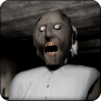
MadGran 2: Horror Runaway

MadGran 2: Horror Runaway

Adventure

| Kotzilla Games

Play on PC with BlueStacks or from our cloud

  • Overview
  • Game Features
  • How to Play

Page Modified On: June 25, 2026

Play MadGran 2: Horror Runaway on PC or Mac

Bring your A-game to MadGran 2: Horror Runaway, the Adventure game sensation from Kotzilla Games. Give your gameplay the much-needed boost with precise game controls, high FPS graphics, and top-tier features on your PC or Mac with BlueStacks.

About the Game

MadGran 2: Horror Runaway locks you inside a crumbling old mansion with one job: outsmart the meanest granny in town and get out in one piece. You’re not fighting—just thinking, sneaking, and staying quiet while she stalks the halls listening for the slightest noise. It’s a tense, nerve-prickling Adventure that rewards patience, careful movement, and sharp eyes. Prefer playing on a bigger screen? It runs nicely on BlueStacks, too.

Game Features

  • Sound-aware hunter: She reacts to footsteps, dropped items, and slammed doors—make a racket and she’ll be on you fast.
  • Sneak, hide, survive: Hug shadows, peek before you move, and use old furniture and tight corners to stay out of sight.
  • Puzzles with purpose: Track down keys, break simple codes, and piece together clues to open blocked routes and locked rooms.
  • The mansion is a maze: Gloomy corridors, creaky floors, and cluttered rooms hide useful tools, nasty surprises, and the hints you need.
  • The basement challenge: Brave the lower levels for tougher puzzles and high-risk, high-reward opportunities to progress.
  • Multiple escape plans: Scout different paths, create distractions, and pick the route that fits your style and nerve.
  • Atmosphere that bites: Eerie ambient sounds, distant footsteps, and well-timed jumpscares keep the pressure on from start to finish.
  • Every move matters: One careless step can blow your cover; smart choices buy precious seconds and a shot at freedom.
  • Play on PC with BlueStacks: Prefer mouse-and-keyboard precision and a wider view? That option’s there without making a big fuss.

Start your journey now. Download the game on BlueStacks, invite your friends, and march on a new adventure.


Game Features

Enhancements

  • Macros
  • Multi Instance
  • Multi Instance Sync
  • Script
  • Enhancements
Macros

Macros

Automate the predictable in MadGran 2: Horror Runaway and transform your gameplay with Macros. Get access to inventive Macros in the BlueStacks Macro Community
Multi Instance

Multi Instance

Play MadGran 2: Horror Runaway on one window. And chat with your friend on the other. Press CTRL + Shift + 8 to open the Multi-Instance Manager. And start creating fresh instances or clone an existing one.
Multi Instance Sync

Multi Instance Sync

Play MadGran 2: Horror Runaway with the power of Multi-Instance Sync. Replicate what you are doing on the main instance on all other instances. Level up faster, play more.
Script

Script

Script your way to gaming glory in MadGran 2: Horror Runaway with BlueStacks Script. Write and run a set of commands to automate repeated tasks. Trigger the command by assigning it to any key.
Read More

How to Download and Play MadGran 2: Horror Runaway on PC or Mac

  • Download and install BlueStacks on your PC or Mac

  • Complete Google sign-in to access the Play Store, or do it later

  • Look for MadGran 2: Horror Runaway in the search bar at the top right corner

  • Click to install MadGran 2: Horror Runaway from the search results

  • Complete Google sign-in (if you skipped step 2) to install MadGran 2: Horror Runaway

  • Click the MadGran 2: Horror Runaway icon on the home screen to start playing

video
Watch Video

Minimum System Requirements

With BlueStacks 5, you can get started on a PC that fulfills the following requirements.

  • Operating System

    Microsoft Windows 7 or above, macOS 11 (Big Sur) or above

  • Processor

    Intel, AMD or Apple Silicon Processor

  • RAM

    at least 4GB

  • HDD

    10GB Free Disk Space

Note:

* You must be an Administrator on your PC. Up to date graphics drivers from Microsoft or the chipset vendor.

MadGran 2: Horror Runaway - FAQs

  • How to play MadGran 2: Horror Runaway on Windows PC & Mac?

    Play MadGran 2: Horror Runaway on your PC or Mac by following these simple steps.

    • Click on 'Play MadGran 2: Horror Runaway on PC’ to download BlueStacks
    • Install it and log-in to Google Play Store
    • Launch and play the game.
  • Why is BlueStacks the fastest and safest platform to play games on PC?

    BlueStacks respects your privacy and is always safe and secure to use. It does not carry any malware, spyware, or any sort of additional software that could harm your PC.

    It is engineered to optimize speed and performance for a seamless gaming experience.

  • What are MadGran 2: Horror Runaway PC requirements?

    Minimum requirement to run MadGran 2: Horror Runaway on your PC

    • OS: Microsoft Windows 7 or above MacOS 11 (Big Sur) or above
    • Processor: Intel, AMD or Apple Silicon Processor
    • RAM: Your PC must have at least 4GB of RAM. (Note that having 4GB or more disk space is not a substitute for RAM)
    • HDD: 10GB Free Disk Space.
    • You must be an Administrator on your PC.