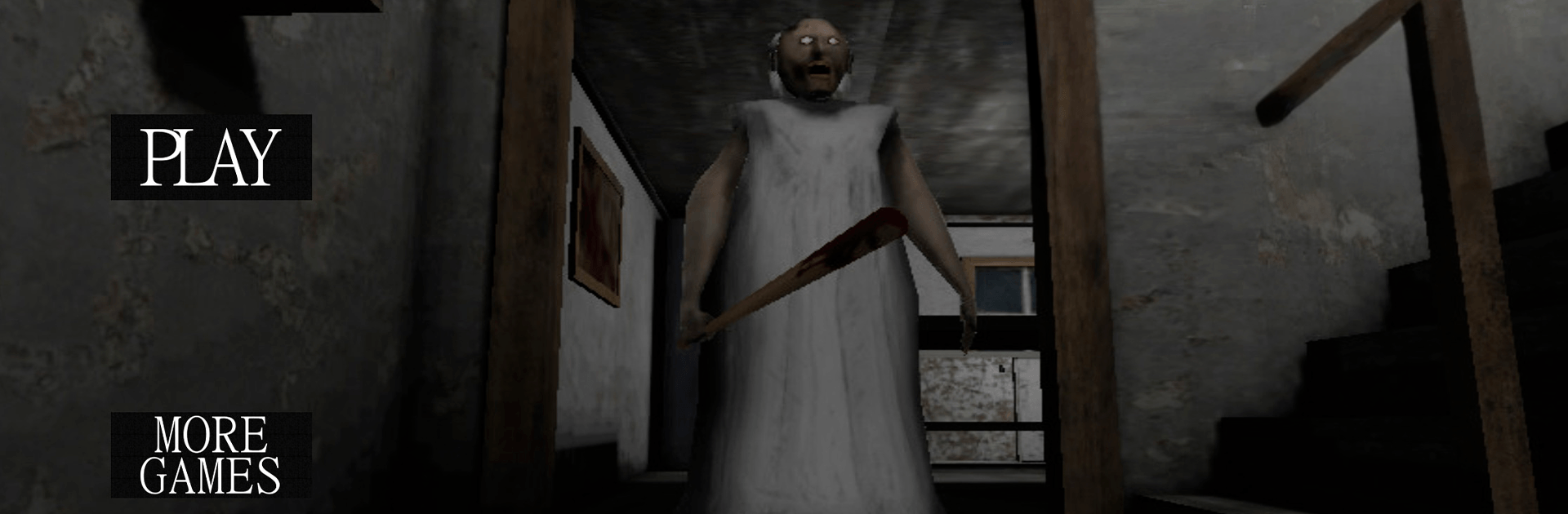
Granny Escape 3D
Granny Escape 3D

Granny Escape 3D

Adventure

| Game Xpert

Play on PC with BlueStacks or from our cloud

  • Overview
  • Game Features
  • How to Play

Page Modified On: June 25, 2026

Play Granny Escape 3D on PC or Mac

Step into the World of Granny Escape 3D, a thrilling Adventure game from the house of Game Xpert. Play this Android game on BlueStacks App Player and experience immersive gaming on PC or Mac.

About the Game

Granny Escape 3D is a nerve-jangling Adventure about sneaking through a creepy mansion while someone with razor-sharp hearing patrols every hallway. You wake up trapped, unarmed, and on the clock—the only plan that makes sense is to get out. Every footstep, door creak, or clumsy drop can give you away, so you’ll need to be quiet, clever, and quick.

Game Features

  • Noise-driven stealth: The house isn’t just scenery—it tattles. Floors groan, items clatter, and doors squeal. Make a racket and she’ll immediately come looking.
  • Relentless pursuer: She roams, investigates sounds, and doubles back when you least expect it. One mistake can turn a calm moment into a frantic scramble.
  • Hiding spots that matter: Duck under beds, slip into wardrobes, or press behind bulky furniture as her footsteps close in. Timing is everything.
  • Exploration with purpose: Trace safe routes through dim corridors, peek into hidden nooks, and use tight passages to outmaneuver danger.
  • Locks, keys, and handy tools: Scavenge what you need to crack open blocked rooms and reveal faster paths toward freedom.
  • Limited time, high pressure: You’ve only got a few in-game days to escape, turning each attempt into a tense, learn-as-you-go run.
  • Atmosphere that lingers: Moody lighting, uneasy audio cues, and sharp jump scares keep your nerves buzzing from the first minute.
  • PC-friendly with BlueStacks: Prefer a bigger screen and steady controls? It runs smoothly there if you like playing on your computer.

Get ready for a buttery smooth, high-performance gaming action only on BlueStacks.

Game Features

Enhancements

  • Macros
  • Multi Instance
  • Multi Instance Sync
  • Script
  • Enhancements
Macros

Macros

Automate the predictable in Granny Escape 3D and transform your gameplay with Macros. Get access to inventive Macros in the BlueStacks Macro Community
Multi Instance

Multi Instance

Play Granny Escape 3D on one window. And chat with your friend on the other. Press CTRL + Shift + 8 to open the Multi-Instance Manager. And start creating fresh instances or clone an existing one.
Multi Instance Sync

Multi Instance Sync

Play Granny Escape 3D with the power of Multi-Instance Sync. Replicate what you are doing on the main instance on all other instances. Level up faster, play more.
Script

Script

Script your way to gaming glory in Granny Escape 3D with BlueStacks Script. Write and run a set of commands to automate repeated tasks. Trigger the command by assigning it to any key.
Read More

How to Download and Play Granny Escape 3D on PC or Mac

  • Download and install BlueStacks on your PC or Mac

  • Complete Google sign-in to access the Play Store, or do it later

  • Look for Granny Escape 3D in the search bar at the top right corner

  • Click to install Granny Escape 3D from the search results

  • Complete Google sign-in (if you skipped step 2) to install Granny Escape 3D

  • Click the Granny Escape 3D icon on the home screen to start playing

video
Watch Video

Minimum System Requirements

With BlueStacks 5, you can get started on a PC that fulfills the following requirements.

  • Operating System

    Microsoft Windows 7 or above, macOS 11 (Big Sur) or above

  • Processor

    Intel, AMD or Apple Silicon Processor

  • RAM

    at least 4GB

  • HDD

    10GB Free Disk Space

Note:

* You must be an Administrator on your PC. Up to date graphics drivers from Microsoft or the chipset vendor.

Granny Escape 3D - FAQs

  • How to play Granny Escape 3D on Windows PC & Mac?

    Play Granny Escape 3D on your PC or Mac by following these simple steps.

    • Click on 'Play Granny Escape 3D on PC’ to download BlueStacks
    • Install it and log-in to Google Play Store
    • Launch and play the game.
  • Why is BlueStacks the fastest and safest platform to play games on PC?

    BlueStacks respects your privacy and is always safe and secure to use. It does not carry any malware, spyware, or any sort of additional software that could harm your PC.

    It is engineered to optimize speed and performance for a seamless gaming experience.

  • What are Granny Escape 3D PC requirements?

    Minimum requirement to run Granny Escape 3D on your PC

    • OS: Microsoft Windows 7 or above MacOS 11 (Big Sur) or above
    • Processor: Intel, AMD or Apple Silicon Processor
    • RAM: Your PC must have at least 4GB of RAM. (Note that having 4GB or more disk space is not a substitute for RAM)
    • HDD: 10GB Free Disk Space.
    • You must be an Administrator on your PC.