Master Craft : Building Craft

Master Craft : Building Craft

Adventure

| DT Content

Play on PC with BlueStacks or from our cloud

  • Overview
  • Game Features
  • How to Play

Page Modified On: October 24, 2025

Play Master Craft : Building Craft on PC or Mac

Join millions to experience Master Craft : Building Craft, an exciting Adventure game from DT Content. With BlueStacks App Player, you are always a step ahead of your opponent, ready to outplay them with faster gameplay and better control with the mouse and keyboard on your PC or Mac.

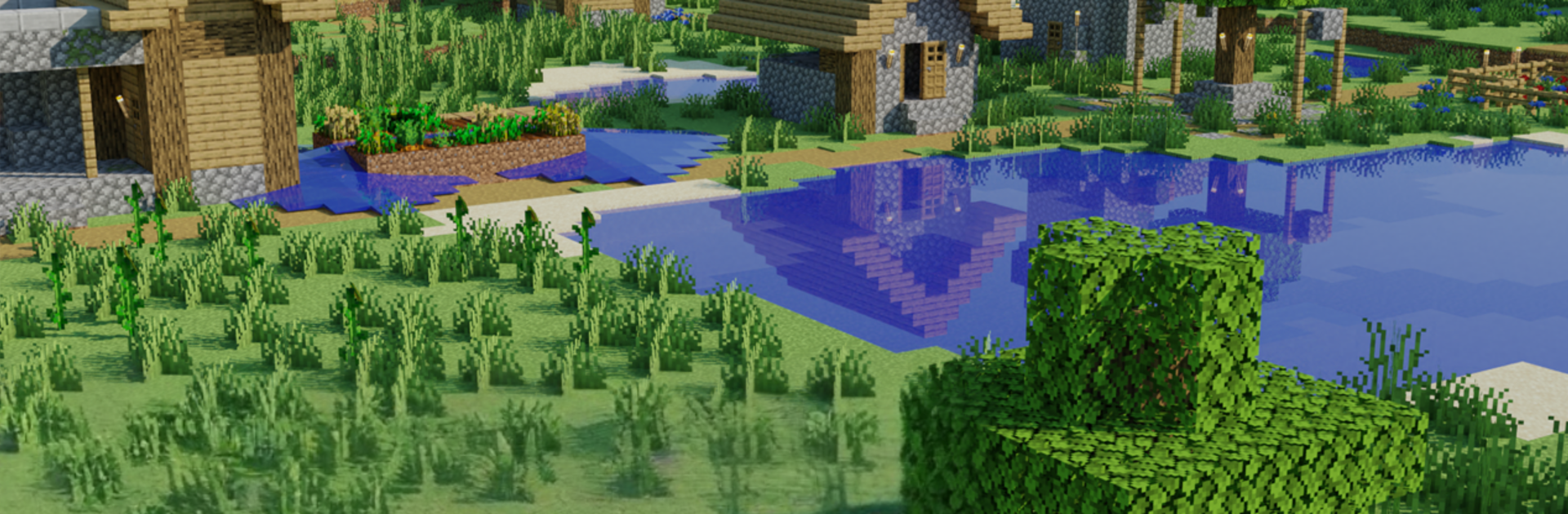
Master Craft: Building Craft is that chill block sandbox where everything starts with a punch to a tree and ends with a city that somehow has a farm, a mine, and a weirdly tall tower just because. It plays simple, all about placing blocks, gathering stuff, and crafting tools, then deciding whether to go full Survival with nights that push back or switch to Creative and build without limits. The worlds are big and random, so it is forests, deserts, caves, and the occasional long tunnel that goes deeper than expected. There is character selection, bright chunky pixels, and loads of building styles, from cozy houses to castles or even something silly like a spaceship or a knockoff Eiffel Tower.

The game leans more relaxed than stressful, since it offers a mode with no monsters, so it becomes pure building and exploring. Pets are part of the fun, and it is not just dogs and cats, there is even an elephant to adopt, which is odd but kind of great. Multiplayer is very easygoing, just jump into a friend’s world, check out their base, help them finish a roof or a road, then wander off to mine together. On PC through BlueStacks, the mouse and keyboard help a lot with block placement and quick crafting, and the view feels smoother when the world gets dense with builds. There is plenty of little systems to tinker with, but nothing gets in the way of just stacking blocks and watching a blank map slowly turn into something that actually feels like a place.

Slay your opponents with your epic moves. Play it your way on BlueStacks and dominate the battlefield.


Game Features

Enhancements

  • Macros
  • Multi Instance
  • Multi Instance Sync
  • Script
  • Enhancements
Macros

Macros

Automate the predictable in Master Craft : Building Craft and transform your gameplay with Macros. Get access to inventive Macros in the BlueStacks Macro Community
Multi Instance

Multi Instance

Play Master Craft : Building Craft on one window. And chat with your friend on the other. Press CTRL + Shift + 8 to open the Multi-Instance Manager. And start creating fresh instances or clone an existing one.
Multi Instance Sync

Multi Instance Sync

Play Master Craft : Building Craft with the power of Multi-Instance Sync. Replicate what you are doing on the main instance on all other instances. Level up faster, play more.
Script

Script

Script your way to gaming glory in Master Craft : Building Craft with BlueStacks Script. Write and run a set of commands to automate repeated tasks. Trigger the command by assigning it to any key.
Read More

How to Download and Play Master Craft : Building Craft on PC or Mac

  • Download and install BlueStacks on your PC or Mac

  • Complete Google sign-in to access the Play Store, or do it later

  • Look for Master Craft : Building Craft in the search bar at the top right corner

  • Click to install Master Craft : Building Craft from the search results

  • Complete Google sign-in (if you skipped step 2) to install Master Craft : Building Craft

  • Click the Master Craft : Building Craft icon on the home screen to start playing

video
Watch Video

Minimum System Requirements

With BlueStacks 5, you can get started on a PC that fulfills the following requirements.

  • Operating System

    Microsoft Windows 7 or above, macOS 11 (Big Sur) or above

  • Processor

    Intel, AMD or Apple Silicon Processor

  • RAM

    at least 4GB

  • HDD

    10GB Free Disk Space

Note:

* You must be an Administrator on your PC. Up to date graphics drivers from Microsoft or the chipset vendor.

Master Craft : Building Craft - FAQs

  • How to play Master Craft : Building Craft on Windows PC & Mac?

    Play Master Craft : Building Craft on your PC or Mac by following these simple steps.

    • Click on 'Play Master Craft : Building Craft on PC’ to download BlueStacks
    • Install it and log-in to Google Play Store
    • Launch and play the game.
  • Why is BlueStacks the fastest and safest platform to play games on PC?

    BlueStacks respects your privacy and is always safe and secure to use. It does not carry any malware, spyware, or any sort of additional software that could harm your PC.

    It is engineered to optimize speed and performance for a seamless gaming experience.

  • What are Master Craft : Building Craft PC requirements?

    Minimum requirement to run Master Craft : Building Craft on your PC

    • OS: Microsoft Windows 7 or above MacOS 11 (Big Sur) or above
    • Processor: Intel, AMD or Apple Silicon Processor
    • RAM: Your PC must have at least 4GB of RAM. (Note that having 4GB or more disk space is not a substitute for RAM)
    • HDD: 10GB Free Disk Space.
    • You must be an Administrator on your PC.