MECCHA CHAMELEON
MECCHA CHAMELEON

MECCHA CHAMELEON

Adventure

| MiniMax Games LLC

Play on PC with BlueStacks or from our cloud

  • Overview
  • Game Features
  • How to Play

Page Modified On: November 17, 2026

Play MECCHA CHAMELEON on PC or Mac

MECCHA CHAMELEON by MiniMax Games LLC has plenty to keep you busy. BlueStacks lets you play it on PC or Mac with more screen space, better control, and fewer mobile limits.

About the Game

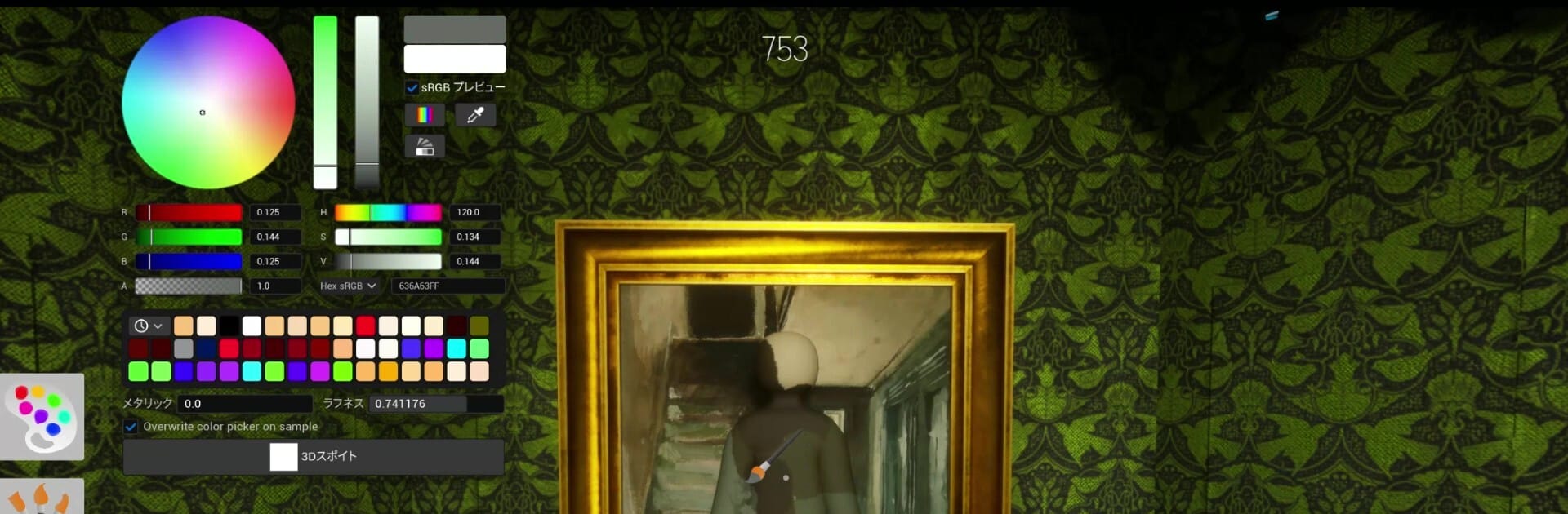
MECCHA CHAMELEON turns hide-and-seek into a crafty, paint-splattered Adventure where creativity matters as much as reflexes. You’ll jump into matches as a Seeker racing the clock or a Hider who literally paints their body to disappear into the map. It’s quick, goofy, and surprisingly strategic—especially fun to play on BlueStacks if you want that smooth PC feel.

Game Features

  • Paint-to-Hide Gameplay: Start as a blank canvas and brush on colors, patterns, and textures to match walls, floors, and props so you melt into the background like a pro.
  • Team Hide-and-Seek Rules: Split into Hiders and Seekers; Seekers have a time limit to spot everyone, while Hiders win by staying invisible until the buzzer.
  • Poses and Placement: Pick a hiding spot and strike a convincing pose—hug a pillar, flatten against a sign, or freeze mid-action to sell the illusion.
  • Skill-Based Camouflage: It’s not just guessing colors; your brushwork, angles, and shadows make the difference between a perfect mimic and an obvious fake.
  • Room Hosting Made Easy: Create public or private rooms in seconds; friends can hop in, or you can let anyone join for quick, lively lobbies.
  • Streamer-Friendly Play: Hosting viewer games is straightforward, making it simple to fill matches and keep the chaos rolling on stream.
  • Flexible Player Count: Works for tiny squads or full parties; 2–10 players is the sweet spot, with performance shaped by the host’s connection.
  • Fast Rounds, Big Laughs: Short, high-energy matches keep the pressure on—expect last-second finds, ridiculous fails, and great “how did you miss me?” moments.

Start your journey now. Download the game on BlueStacks, invite your friends, and march on a new adventure.


Game Features

Enhancements

  • Macros
  • Multi Instance
  • Multi Instance Sync
  • Script
  • Enhancements
Macros

Macros

Automate the predictable in MECCHA CHAMELEON and transform your gameplay with Macros. Get access to inventive Macros in the BlueStacks Macro Community
Multi Instance

Multi Instance

Play MECCHA CHAMELEON on one window. And chat with your friend on the other. Press CTRL + Shift + 8 to open the Multi-Instance Manager. And start creating fresh instances or clone an existing one.
Multi Instance Sync

Multi Instance Sync

Play MECCHA CHAMELEON with the power of Multi-Instance Sync. Replicate what you are doing on the main instance on all other instances. Level up faster, play more.
Script

Script

Script your way to gaming glory in MECCHA CHAMELEON with BlueStacks Script. Write and run a set of commands to automate repeated tasks. Trigger the command by assigning it to any key.
Read More

How to Download and Play MECCHA CHAMELEON on PC or Mac

  • Download and install BlueStacks on your PC or Mac

  • Complete Google sign-in to access the Play Store, or do it later

  • Look for MECCHA CHAMELEON in the search bar at the top right corner

  • Click to install MECCHA CHAMELEON from the search results

  • Complete Google sign-in (if you skipped step 2) to install MECCHA CHAMELEON

  • Click the MECCHA CHAMELEON icon on the home screen to start playing

video
Watch Video

Minimum System Requirements

With BlueStacks 5, you can get started on a PC that fulfills the following requirements.

  • Operating System

    Microsoft Windows 7 or above, macOS 11 (Big Sur) or above

  • Processor

    Intel, AMD or Apple Silicon Processor

  • RAM

    at least 4GB

  • HDD

    10GB Free Disk Space

Note:

* You must be an Administrator on your PC. Up to date graphics drivers from Microsoft or the chipset vendor.

MECCHA CHAMELEON - FAQs

  • How to play MECCHA CHAMELEON on Windows PC & Mac?

    Play MECCHA CHAMELEON on your PC or Mac by following these simple steps.

    • Click on 'Play MECCHA CHAMELEON on PC’ to download BlueStacks
    • Install it and log-in to Google Play Store
    • Launch and play the game.
  • Why is BlueStacks the fastest and safest platform to play games on PC?

    BlueStacks respects your privacy and is always safe and secure to use. It does not carry any malware, spyware, or any sort of additional software that could harm your PC.

    It is engineered to optimize speed and performance for a seamless gaming experience.

  • What are MECCHA CHAMELEON PC requirements?

    Minimum requirement to run MECCHA CHAMELEON on your PC

    • OS: Microsoft Windows 7 or above MacOS 11 (Big Sur) or above
    • Processor: Intel, AMD or Apple Silicon Processor
    • RAM: Your PC must have at least 4GB of RAM. (Note that having 4GB or more disk space is not a substitute for RAM)
    • HDD: 10GB Free Disk Space.
    • You must be an Administrator on your PC.