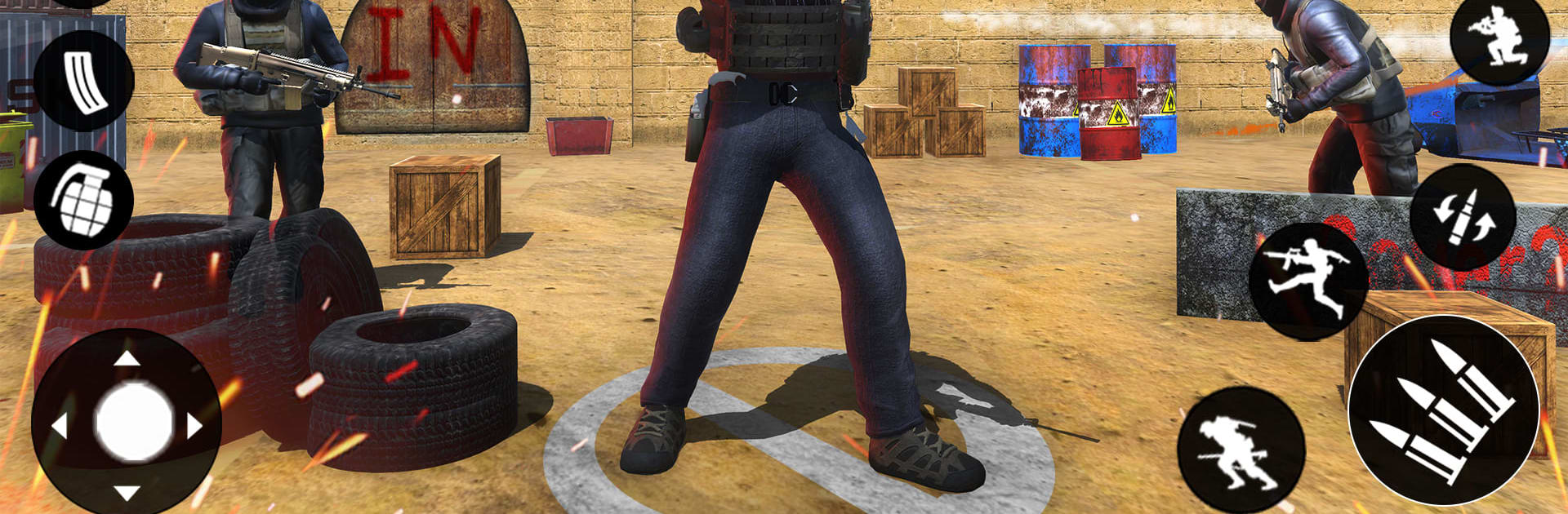
Modern Gun Shooting Fps Games

Modern Gun Shooting Fps Games

Adventure

| InterBolt Technologies

Play on PC with BlueStacks or from our cloud

  • Overview
  • Game Features
  • How to Play

Page Modified On: September 25, 2026

Play Modern Gun Shooting Fps Games on PC or Mac

Modern Gun Shooting Fps Games by InterBolt Technologies has plenty to keep you busy. BlueStacks lets you play it on PC or Mac with more screen space, better control, and fewer mobile limits.

About the Game

Modern Gun Shooting Fps Games drops you into tense, boots-on-the-ground firefights where every corner could be an ambush and every shot counts. This Adventure experience mixes quick-hit missions with longer, high-stakes ops across deserts, forests, and city blocks, whether you’re clearing rooms solo or jumping into competitive skirmishes. Prefer a bigger screen and precise aim? It also plays nicely on BlueStacks with keyboard and mouse support.

Game Features

  • Mission variety that matters: Tackle objective-driven scenarios like hostage rescues, bomb defusals, and high-value target hunts, each demanding a different approach and loadout.
  • Diverse battlegrounds: Fight through sunbaked dunes, dense treelines, and tight urban alleys, using cover and sightlines to outthink opponents.
  • A gun for every style: Swap between pistols, assault rifles, shotguns, and long-range sniper rifles—each with distinct handling, recoil, and stopping power.
  • Smarter enemies, tougher fights: Adaptive AI reads your tactics, pushes flanks, and forces you to switch strategies as the pressure ramps up.
  • Multiple ways to play: Run a string of story-like operations, test your grit in wave-based survival, or jump into fast, competitive multiplayer matches with friends.
  • Tight, responsive gunplay: Snappy aiming, quick weapon swaps, and clear hit feedback keep the action feeling sharp and satisfying.
  • Crisp visuals and punchy audio: Detailed environments and believable animations pair with impactful gun sounds and explosions to sell every skirmish.
  • Progression with bite: Enemies get meaner, objectives get tighter, and your skills truly matter as you move from easy wins to white-knuckle victories.
  • Offline-friendly single-player: Knock out missions and survival runs even when you’re not connected, perfect for quick sessions or longer grinds.
  • BlueStacks-ready comfort: Prefer classic controls and a wider field of view? Playing on BlueStacks gives you that desk-friendly setup without changing the core feel.

Get ready for a buttery smooth, high-performance gaming action only on BlueStacks.

Game Features

Enhancements

  • Macros
  • Multi Instance
  • Multi Instance Sync
  • Script
  • Enhancements
Macros

Macros

Automate the predictable in Modern Gun Shooting Fps Games and transform your gameplay with Macros. Get access to inventive Macros in the BlueStacks Macro Community
Multi Instance

Multi Instance

Play Modern Gun Shooting Fps Games on one window. And chat with your friend on the other. Press CTRL + Shift + 8 to open the Multi-Instance Manager. And start creating fresh instances or clone an existing one.
Multi Instance Sync

Multi Instance Sync

Play Modern Gun Shooting Fps Games with the power of Multi-Instance Sync. Replicate what you are doing on the main instance on all other instances. Level up faster, play more.
Script

Script

Script your way to gaming glory in Modern Gun Shooting Fps Games with BlueStacks Script. Write and run a set of commands to automate repeated tasks. Trigger the command by assigning it to any key.
Read More

How to Download and Play Modern Gun Shooting Fps Games on PC or Mac

  • Download and install BlueStacks on your PC or Mac

  • Complete Google sign-in to access the Play Store, or do it later

  • Look for Modern Gun Shooting Fps Games in the search bar at the top right corner

  • Click to install Modern Gun Shooting Fps Games from the search results

  • Complete Google sign-in (if you skipped step 2) to install Modern Gun Shooting Fps Games

  • Click the Modern Gun Shooting Fps Games icon on the home screen to start playing

video
Watch Video

Minimum System Requirements

With BlueStacks 5, you can get started on a PC that fulfills the following requirements.

  • Operating System

    Microsoft Windows 7 or above, macOS 11 (Big Sur) or above

  • Processor

    Intel, AMD or Apple Silicon Processor

  • RAM

    at least 4GB

  • HDD

    10GB Free Disk Space

Note:

* You must be an Administrator on your PC. Up to date graphics drivers from Microsoft or the chipset vendor.

Modern Gun Shooting Fps Games - FAQs

  • How to play Modern Gun Shooting Fps Games on Windows PC & Mac?

    Play Modern Gun Shooting Fps Games on your PC or Mac by following these simple steps.

    • Click on 'Play Modern Gun Shooting Fps Games on PC’ to download BlueStacks
    • Install it and log-in to Google Play Store
    • Launch and play the game.
  • Why is BlueStacks the fastest and safest platform to play games on PC?

    BlueStacks respects your privacy and is always safe and secure to use. It does not carry any malware, spyware, or any sort of additional software that could harm your PC.

    It is engineered to optimize speed and performance for a seamless gaming experience.

  • What are Modern Gun Shooting Fps Games PC requirements?

    Minimum requirement to run Modern Gun Shooting Fps Games on your PC

    • OS: Microsoft Windows 7 or above MacOS 11 (Big Sur) or above
    • Processor: Intel, AMD or Apple Silicon Processor
    • RAM: Your PC must have at least 4GB of RAM. (Note that having 4GB or more disk space is not a substitute for RAM)
    • HDD: 10GB Free Disk Space.
    • You must be an Administrator on your PC.