Molochnoye village
Molochnoye village

Molochnoye village

Adventure

| InovareGames

Play on PC with BlueStacks or from our cloud

  • Overview
  • Game Features
  • How to Play

Page Modified On: November 12, 2026

Play Molochnoye village on PC or Mac

Step into the World of Molochnoye village, a thrilling Adventure game from the house of InovareGames. Play this Android game on BlueStacks App Player and experience immersive gaming on PC or Mac.

About the Game

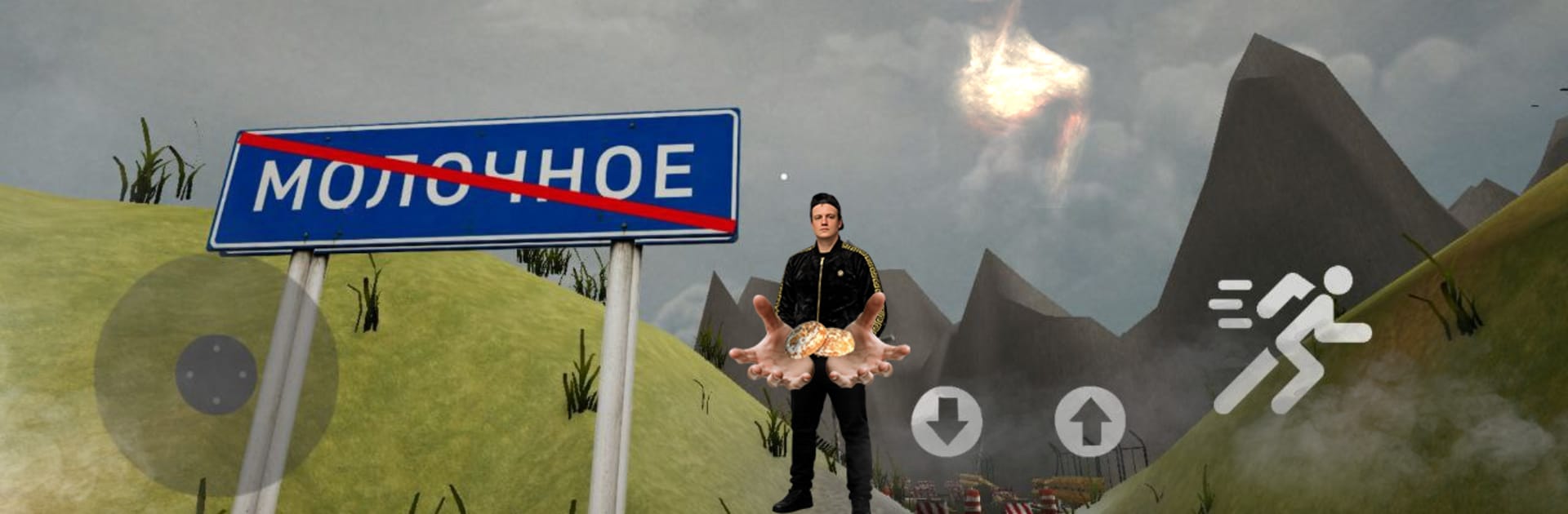
Molochnoye village is a weird, offbeat Adventure where a road-worn courier rolls into a quiet Crimean seaside town and realizes nothing adds up. Giant spiders roam, a tiny tram rattles past, and locals—Volvan included—shrug it all off. Survive the chaos, chase clues, and soak in the eerie vibe; it also plays smoothly on BlueStacks if you want a bigger view and tighter controls.

Game Features

  • Strange seaside sandbox: Roam a fully explorable coastal village—alleys, fields, and waterfront nooks included—while keeping an eye out for eight-legged trouble.
  • Story that unfolds as you work: Pick up odd jobs, follow leads, and piece together why this place exists while you scrape by as a beleaguered courier.
  • Volvan’s odd jobs: Help Volvan and other eccentric residents with their peculiar requests to earn gear, open paths, and gather intel.
  • Earnable firepower: Complete tasks and missions to score an assault rifle and pistol, then expand your loadout with machine guns and even a bazooka.
  • Scavenge for an edge: Sweep homes, sheds, rooftops, and backstreets to find hidden weapons and supplies that shift a bad fight in your favor.
  • Crush the swarm at the source: Track down and destroy spider larvae to stop respawns and slowly reclaim parts of the town.
  • Hop the tiny tram: Ride the rickety tram to cover ground fast, reach riskier zones, or just soak in the unsettling atmosphere between runs.
  • Snacks and surprises: Collect gingerbread treats and stumble on cheeky Easter eggs tucked into corners most people miss.
  • Fresh mechanics, smooth feel: New interactions pair with responsive handling and sharp visuals, backed by strong optimization for steady performance.
  • Atmospheric sights and sounds: Moody lighting, crisp effects, and an off-kilter tone keep tension buzzing even when the streets look quiet.
  • Sequel that welcomes newcomers: If you played Murino, you’ll catch nods; if not, you’ll still get a full, self-contained mystery.

Ready to top the leaderboard? We bet you do. Let precise controls and sharp visuals optimized on BlueStacks lead you to victory.


Game Features

Enhancements

  • Macros
  • Multi Instance
  • Multi Instance Sync
  • Script
  • Enhancements
Macros

Macros

Automate the predictable in Molochnoye village and transform your gameplay with Macros. Get access to inventive Macros in the BlueStacks Macro Community
Multi Instance

Multi Instance

Play Molochnoye village on one window. And chat with your friend on the other. Press CTRL + Shift + 8 to open the Multi-Instance Manager. And start creating fresh instances or clone an existing one.
Multi Instance Sync

Multi Instance Sync

Play Molochnoye village with the power of Multi-Instance Sync. Replicate what you are doing on the main instance on all other instances. Level up faster, play more.
Script

Script

Script your way to gaming glory in Molochnoye village with BlueStacks Script. Write and run a set of commands to automate repeated tasks. Trigger the command by assigning it to any key.
Read More

How to Download and Play Molochnoye village on PC or Mac

  • Download and install BlueStacks on your PC or Mac

  • Complete Google sign-in to access the Play Store, or do it later

  • Look for Molochnoye village in the search bar at the top right corner

  • Click to install Molochnoye village from the search results

  • Complete Google sign-in (if you skipped step 2) to install Molochnoye village

  • Click the Molochnoye village icon on the home screen to start playing

video
Watch Video

Minimum System Requirements

With BlueStacks 5, you can get started on a PC that fulfills the following requirements.

  • Operating System

    Microsoft Windows 7 or above, macOS 11 (Big Sur) or above

  • Processor

    Intel, AMD or Apple Silicon Processor

  • RAM

    at least 4GB

  • HDD

    10GB Free Disk Space

Note:

* You must be an Administrator on your PC. Up to date graphics drivers from Microsoft or the chipset vendor.

Molochnoye village - FAQs

  • How to play Molochnoye village on Windows PC & Mac?

    Play Molochnoye village on your PC or Mac by following these simple steps.

    • Click on 'Play Molochnoye village on PC’ to download BlueStacks
    • Install it and log-in to Google Play Store
    • Launch and play the game.
  • Why is BlueStacks the fastest and safest platform to play games on PC?

    BlueStacks respects your privacy and is always safe and secure to use. It does not carry any malware, spyware, or any sort of additional software that could harm your PC.

    It is engineered to optimize speed and performance for a seamless gaming experience.

  • What are Molochnoye village PC requirements?

    Minimum requirement to run Molochnoye village on your PC

    • OS: Microsoft Windows 7 or above MacOS 11 (Big Sur) or above
    • Processor: Intel, AMD or Apple Silicon Processor
    • RAM: Your PC must have at least 4GB of RAM. (Note that having 4GB or more disk space is not a substitute for RAM)
    • HDD: 10GB Free Disk Space.
    • You must be an Administrator on your PC.