Monster Hunter : Season 1

Monster Hunter : Season 1

Adventure

| FireStar Inc

Play on PC with BlueStacks or from our cloud

  • Overview
  • Game Features
  • How to Play

Page Modified On: October 24, 2025

Play Monster Hunter : Season 1 on PC or Mac

Bring your A-game to Monster Hunter : Season 1, the Adventure game sensation from FireStar Inc. Give your gameplay the much-needed boost with precise game controls, high FPS graphics, and top-tier features on your PC or Mac with BlueStacks.

About the Game

Mr. Kim nods off, a blinding flash hits, and suddenly he’s stuck in a dream that definitely isn’t his bedroom. Monster Hunter : Season 1 from FireStar Inc turns that strange moment into an Adventure where you fight your way through a shifting, surreal world full of hungry monsters. Expect quick bursts of action, weird dream logic, and just enough story breadcrumbs to make you wonder what’s really keeping him asleep.

Game Features

  • A Dream That Won’t Sit Still: Rooms twist, halls loop, and new paths appear when you least expect them. It’s a maze that feels alive.
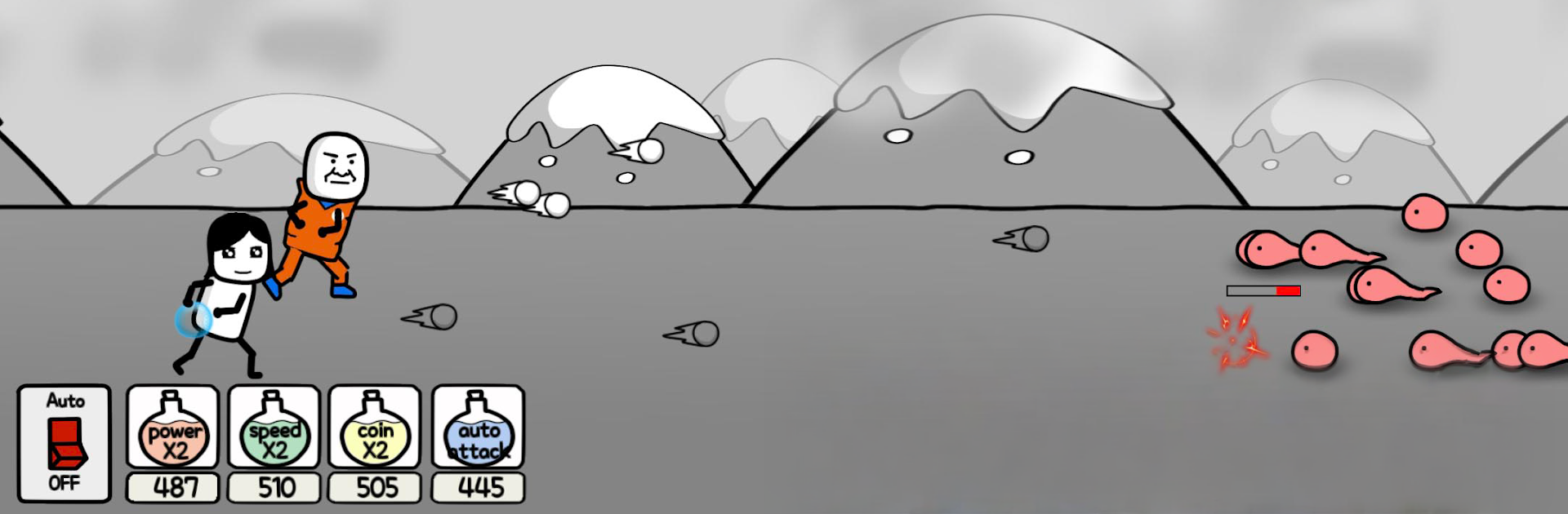
  • Snappy, Hands-On Combat: Time your dodges, pick your shots, and clear out waves of creatures before they surround you. Simple controls, high tension.
  • Big, Creepy Boss Moments: Face towering nightmares that hit hard and have patterns you’ll learn to read under pressure.
  • Perks, Finds, and Odd Trinkets: Collect dream fragments and strange gear that nudge your build in different directions, from sturdier defense to bursty damage.
  • Season 1, Chapter by Chapter: Tackle bite-size stages with escalating stakes. Perfect for quick runs that still feel meaningful.
  • Story Told Between the Lines: Catch Mr. Kim’s internal monologue and scattered hints that suggest why this dream won’t let go.
  • Play Where You Want: Smooth on touchscreens, and comfy on PC with BlueStacks if you like a bigger view and steady controls.
  • Eerie Look, Haunting Sound: Stark flashes of white, shadowy corridors, and a low, uneasy soundtrack that keeps you alert.
  • Challenge Runs for the Bold: Push into tougher waves, test experimental builds, and see how long you can last when the dream fights back.

Make your gaming sessions memorable with precise controls that give you an edge in close combats and visuals that pop up, bringing every character to life.


Game Features

Enhancements

  • Macros
  • Multi Instance
  • Multi Instance Sync
  • Script
  • Enhancements
Macros

Macros

Automate the predictable in Monster Hunter : Season 1 and transform your gameplay with Macros. Get access to inventive Macros in the BlueStacks Macro Community
Multi Instance

Multi Instance

Play Monster Hunter : Season 1 on one window. And chat with your friend on the other. Press CTRL + Shift + 8 to open the Multi-Instance Manager. And start creating fresh instances or clone an existing one.
Multi Instance Sync

Multi Instance Sync

Play Monster Hunter : Season 1 with the power of Multi-Instance Sync. Replicate what you are doing on the main instance on all other instances. Level up faster, play more.
Script

Script

Script your way to gaming glory in Monster Hunter : Season 1 with BlueStacks Script. Write and run a set of commands to automate repeated tasks. Trigger the command by assigning it to any key.
Read More

How to Download and Play Monster Hunter : Season 1 on PC or Mac

  • Download and install BlueStacks on your PC or Mac

  • Complete Google sign-in to access the Play Store, or do it later

  • Look for Monster Hunter : Season 1 in the search bar at the top right corner

  • Click to install Monster Hunter : Season 1 from the search results

  • Complete Google sign-in (if you skipped step 2) to install Monster Hunter : Season 1

  • Click the Monster Hunter : Season 1 icon on the home screen to start playing

video
Watch Video

Minimum System Requirements

With BlueStacks 5, you can get started on a PC that fulfills the following requirements.

  • Operating System

    Microsoft Windows 7 or above, macOS 11 (Big Sur) or above

  • Processor

    Intel, AMD or Apple Silicon Processor

  • RAM

    at least 4GB

  • HDD

    10GB Free Disk Space

Note:

* You must be an Administrator on your PC. Up to date graphics drivers from Microsoft or the chipset vendor.

Monster Hunter : Season 1 - FAQs

  • How to play Monster Hunter : Season 1 on Windows PC & Mac?

    Play Monster Hunter : Season 1 on your PC or Mac by following these simple steps.

    • Click on 'Play Monster Hunter : Season 1 on PC’ to download BlueStacks
    • Install it and log-in to Google Play Store
    • Launch and play the game.
  • Why is BlueStacks the fastest and safest platform to play games on PC?

    BlueStacks respects your privacy and is always safe and secure to use. It does not carry any malware, spyware, or any sort of additional software that could harm your PC.

    It is engineered to optimize speed and performance for a seamless gaming experience.

  • What are Monster Hunter : Season 1 PC requirements?

    Minimum requirement to run Monster Hunter : Season 1 on your PC

    • OS: Microsoft Windows 7 or above MacOS 11 (Big Sur) or above
    • Processor: Intel, AMD or Apple Silicon Processor
    • RAM: Your PC must have at least 4GB of RAM. (Note that having 4GB or more disk space is not a substitute for RAM)
    • HDD: 10GB Free Disk Space.
    • You must be an Administrator on your PC.