Monster Truck Mega Ramp Stunts

Monster Truck Mega Ramp Stunts

Adventure

| Sharp Axe Studios

Play on PC with BlueStacks or from our cloud

  • Overview
  • Game Features
  • How to Play

Page Modified On: August 20, 2026

Play Monster Truck Mega Ramp Stunts on PC or Mac

Monster Truck Mega Ramp Stunts brings the Adventure genre to life, and throws up exciting challenges for gamers. Developed by Sharp Axe Studios, this Android game is best experienced on BlueStacks, the World’s #1 app player for PC and Mac users.

About the Game

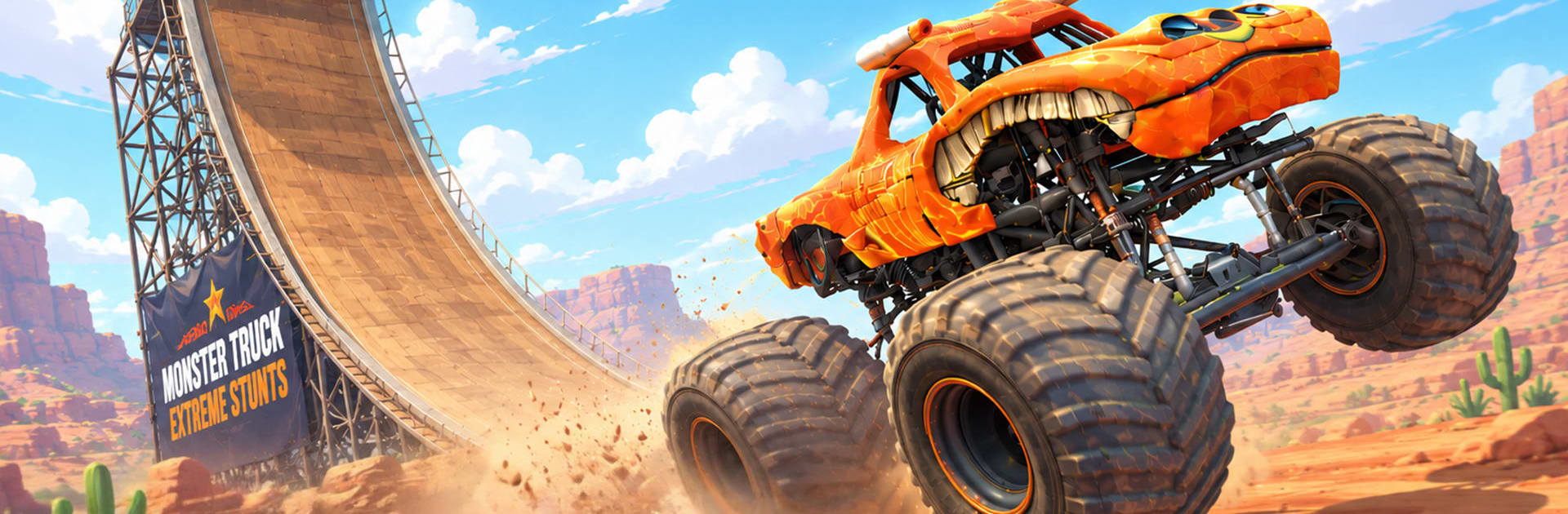
Monster Truck Mega Ramp Stunts is an Adventure that’s all about nerve, timing, and ridiculous airtime. You’re piloting heavy-duty trucks across sky-high stunt parks where every jump is a real test of control and every landing feels earned. Prefer a bigger view or more precise inputs? It also runs smoothly on BlueStacks.

Game Features

  • Sky Tracks, No Guardrails: Race on suspended courses high above the city—loops, massive gaps, and stacked ramps where a missed angle means a long drop.
  • Real-Deal Physics: Weight, momentum, and suspension actually matter; feel the truck load up on takeoff, float through the arc, and correct just in time to stick the landing.
  • Skill-Driven Progression: Hand-built stages ramp up the challenge with tighter landing zones, longer stunt chains, and layouts that reward practice over luck.
  • Big Roster of Beasts: Unlock monster trucks with distinct handling and balance, then tune speed, suspension stiffness, and rotation response to suit your style.
  • Mid-Air Mastery: Adjust rotation on the fly, hold controlled flips, and level out at the last second—precision in the air separates champions from cartwheels.
  • Risk-and-Reward Scoring: Chain flips and clean landings to earn bigger payouts that open tougher tracks and juicier upgrades.
  • Smooth, Responsive Controls: Snappy throttle and steering make even brutal ramps feel fair, so mistakes are yours to fix.
  • Spectacle Above the Skyline: Towering loops, floating platforms, and multi-tier lanes turn every run into a high-altitude stunt show.
  • Quick-Restart Flow: Crash, reset, and try again in seconds—tight attempts make perfect lines feel extra satisfying.
  • Play Your Way on PC with BlueStacks: Enjoy a wider view and customizable input setups while sending trucks off outrageous ramps.

Start playing Monster Truck Mega Ramp Stunts on BlueStacks and get a smoother, more comfortable PC or Mac setup.


Game Features

Enhancements

  • Macros
  • Multi Instance
  • Multi Instance Sync
  • Script
  • Enhancements
Macros

Macros

Automate the predictable in Monster Truck Mega Ramp Stunts and transform your gameplay with Macros. Get access to inventive Macros in the BlueStacks Macro Community
Multi Instance

Multi Instance

Play Monster Truck Mega Ramp Stunts on one window. And chat with your friend on the other. Press CTRL + Shift + 8 to open the Multi-Instance Manager. And start creating fresh instances or clone an existing one.
Multi Instance Sync

Multi Instance Sync

Play Monster Truck Mega Ramp Stunts with the power of Multi-Instance Sync. Replicate what you are doing on the main instance on all other instances. Level up faster, play more.
Script

Script

Script your way to gaming glory in Monster Truck Mega Ramp Stunts with BlueStacks Script. Write and run a set of commands to automate repeated tasks. Trigger the command by assigning it to any key.
Read More

How to Download and Play Monster Truck Mega Ramp Stunts on PC or Mac

  • Download and install BlueStacks on your PC or Mac

  • Complete Google sign-in to access the Play Store, or do it later

  • Look for Monster Truck Mega Ramp Stunts in the search bar at the top right corner

  • Click to install Monster Truck Mega Ramp Stunts from the search results

  • Complete Google sign-in (if you skipped step 2) to install Monster Truck Mega Ramp Stunts

  • Click the Monster Truck Mega Ramp Stunts icon on the home screen to start playing

video
Watch Video

Minimum System Requirements

With BlueStacks 5, you can get started on a PC that fulfills the following requirements.

  • Operating System

    Microsoft Windows 7 or above, macOS 11 (Big Sur) or above

  • Processor

    Intel, AMD or Apple Silicon Processor

  • RAM

    at least 4GB

  • HDD

    10GB Free Disk Space

Note:

* You must be an Administrator on your PC. Up to date graphics drivers from Microsoft or the chipset vendor.

Monster Truck Mega Ramp Stunts - FAQs

  • How to play Monster Truck Mega Ramp Stunts on Windows PC & Mac?

    Play Monster Truck Mega Ramp Stunts on your PC or Mac by following these simple steps.

    • Click on 'Play Monster Truck Mega Ramp Stunts on PC’ to download BlueStacks
    • Install it and log-in to Google Play Store
    • Launch and play the game.
  • Why is BlueStacks the fastest and safest platform to play games on PC?

    BlueStacks respects your privacy and is always safe and secure to use. It does not carry any malware, spyware, or any sort of additional software that could harm your PC.

    It is engineered to optimize speed and performance for a seamless gaming experience.

  • What are Monster Truck Mega Ramp Stunts PC requirements?

    Minimum requirement to run Monster Truck Mega Ramp Stunts on your PC

    • OS: Microsoft Windows 7 or above MacOS 11 (Big Sur) or above
    • Processor: Intel, AMD or Apple Silicon Processor
    • RAM: Your PC must have at least 4GB of RAM. (Note that having 4GB or more disk space is not a substitute for RAM)
    • HDD: 10GB Free Disk Space.
    • You must be an Administrator on your PC.