
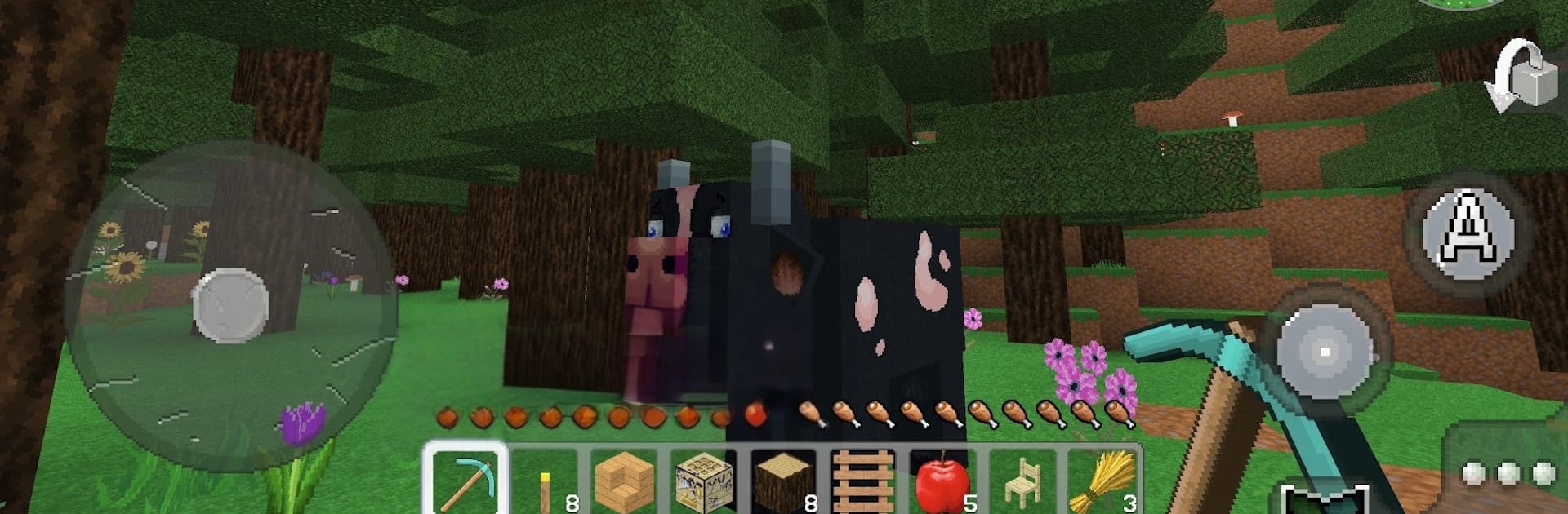
Multi Craft - Build and Mine!

Multi Craft - Build and Mine!

Adventure

| ArenaPlay

Play on PC with BlueStacks or from our cloud

  • Overview
  • Game Features
  • How to Play

Page Modified On: July 14, 2026

Play Multi Craft - Build and Mine! on PC or Mac

Multi Craft – Build and Mine! by ArenaPlay has plenty to keep you busy. BlueStacks lets you play it on PC or Mac with more screen space, better control, and fewer mobile limits.

About the Game

Multi Craft – Build and Mine! is an Adventure sandbox where you shape the world one block at a time. Break what you need, stash the good stuff, then craft tools, weapons, and building pieces to stay safe and make something you’re proud of. Prefer a bigger view and comfy controls? It runs nicely on BlueStacks, too.

Game Features

  • Break And Build: Carve out tunnels, flatten ground, and stack blocks to create paths, rooms, and sky-high platforms.
  • Gather Essentials: Collect wood, stone, and other materials; every haul fuels your next project and keeps you moving forward.
  • Craft Tools And Weapons: Turn raw finds into useful tools, sturdy blocks, and reliable weapons to handle tough jobs and protect your base.
  • Survival Mindset: Put up walls, set smart entry points, and prepare the loadout you’ll need before heading back into the wild.
  • Make It Yours: From compact hideouts to towering landmarks and neat bridges, design spaces that match your style.
  • Steady Progress: Start simple and expand your crafting options as your resource pile grows, unlocking bigger builds and better equipment.

Get ready for a buttery smooth, high-performance gaming action only on BlueStacks.

Game Features

Enhancements

  • Macros
  • Multi Instance
  • Multi Instance Sync
  • Script
  • Enhancements
Macros

Macros

Automate the predictable in Multi Craft - Build and Mine! and transform your gameplay with Macros. Get access to inventive Macros in the BlueStacks Macro Community
Multi Instance

Multi Instance

Play Multi Craft - Build and Mine! on one window. And chat with your friend on the other. Press CTRL + Shift + 8 to open the Multi-Instance Manager. And start creating fresh instances or clone an existing one.
Multi Instance Sync

Multi Instance Sync

Play Multi Craft - Build and Mine! with the power of Multi-Instance Sync. Replicate what you are doing on the main instance on all other instances. Level up faster, play more.
Script

Script

Script your way to gaming glory in Multi Craft - Build and Mine! with BlueStacks Script. Write and run a set of commands to automate repeated tasks. Trigger the command by assigning it to any key.
Read More

How to Download and Play Multi Craft - Build and Mine! on PC or Mac

  • Download and install BlueStacks on your PC or Mac

  • Complete Google sign-in to access the Play Store, or do it later

  • Look for Multi Craft - Build and Mine! in the search bar at the top right corner

  • Click to install Multi Craft - Build and Mine! from the search results

  • Complete Google sign-in (if you skipped step 2) to install Multi Craft - Build and Mine!

  • Click the Multi Craft - Build and Mine! icon on the home screen to start playing

video
Watch Video

Minimum System Requirements

With BlueStacks 5, you can get started on a PC that fulfills the following requirements.

  • Operating System

    Microsoft Windows 7 or above, macOS 11 (Big Sur) or above

  • Processor

    Intel, AMD or Apple Silicon Processor

  • RAM

    at least 4GB

  • HDD

    10GB Free Disk Space

Note:

* You must be an Administrator on your PC. Up to date graphics drivers from Microsoft or the chipset vendor.

Multi Craft - Build and Mine! - FAQs

  • How to play Multi Craft - Build and Mine! on Windows PC & Mac?

    Play Multi Craft - Build and Mine! on your PC or Mac by following these simple steps.

    • Click on 'Play Multi Craft - Build and Mine! on PC’ to download BlueStacks
    • Install it and log-in to Google Play Store
    • Launch and play the game.
  • Why is BlueStacks the fastest and safest platform to play games on PC?

    BlueStacks respects your privacy and is always safe and secure to use. It does not carry any malware, spyware, or any sort of additional software that could harm your PC.

    It is engineered to optimize speed and performance for a seamless gaming experience.

  • What are Multi Craft - Build and Mine! PC requirements?

    Minimum requirement to run Multi Craft - Build and Mine! on your PC

    • OS: Microsoft Windows 7 or above MacOS 11 (Big Sur) or above
    • Processor: Intel, AMD or Apple Silicon Processor
    • RAM: Your PC must have at least 4GB of RAM. (Note that having 4GB or more disk space is not a substitute for RAM)
    • HDD: 10GB Free Disk Space.
    • You must be an Administrator on your PC.








