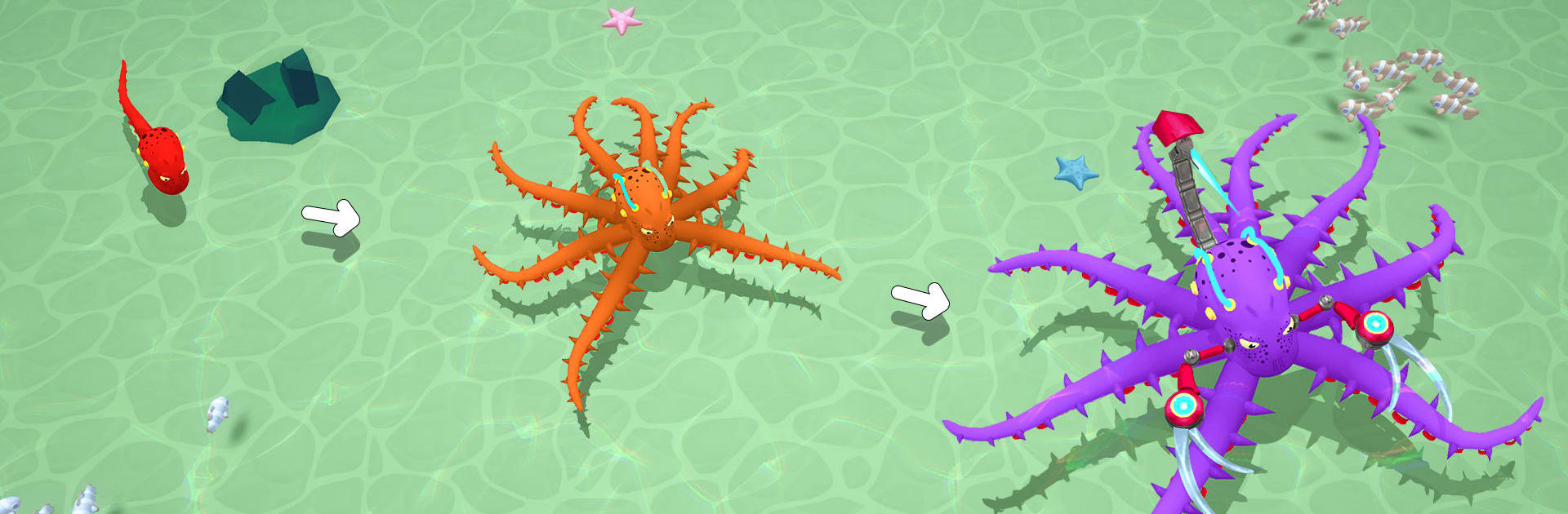
Octopus Invasion: Eat & Evolve

Octopus Invasion: Eat & Evolve

Adventure

| Supercode Games

Play on PC with BlueStacks or from our cloud

  • Overview
  • Game Features
  • How to Play

Page Modified On: August 24, 2026

Play Octopus Invasion: Eat & Evolve on PC or Mac

Step into the World of Octopus Invasion: Eat & Evolve, a thrilling Adventure game from the house of Supercode Games. Play this Android game on BlueStacks App Player and experience immersive gaming on PC or Mac.

About the Game

Octopus Invasion: Eat & Evolve is an ocean-thrilling Adventure where you start as a scrappy little octopus with one goal: eat, adapt, and run the reef. You’ll roam a living sea, snack on anything you can catch, and shape your creature with upgrades that match how you like to play—fast, fierce, or a mix of both. Want a bigger view of the action? It plays nicely on BlueStacks.

Game Features

  • Open-Sea Hunting: Track down schools of fish, corner sneaky squid, and challenge tough sharks—every meal fuels your next growth spurt.
  • Reactive Wildlife: Sea creatures don’t just wait around; some scatter, others stand their ground, so each chase feels different.
  • Multi-Layered Biomes: Cruise from sunlit reefs to shadowy trenches, uncovering hidden pockets and tricky challenges along the way.
  • Tentacle Evolution Tree: Grow from a single arm to the full eight, then slot distinctive powers like burst dashes, crushing grips, or sweeping slams.
  • Build Your Apex: Tune speed, damage, and special moves to craft a sleek ambusher or a bruiser that bulldozes anything in reach.
  • Lasting Progression: Collect keys and rare finds to unlock new species, bonuses, and permanent upgrades that stick with you.
  • Helpful Companions: Send out stingray helpers to scoop up resources while you focus on stalking bigger prey.
  • Flexible Setup: Switch between portrait and landscape and enjoy straightforward controls with plenty of depth underneath.
  • From Morsel to Monster: Start tiny and grow into a kraken-scale powerhouse that owns its corner of the sea.

Ready to top the leaderboard? We bet you do. Let precise controls and sharp visuals optimized on BlueStacks lead you to victory.


Game Features

Enhancements

  • Macros
  • Multi Instance
  • Multi Instance Sync
  • Script
  • Enhancements
Macros

Macros

Automate the predictable in Octopus Invasion: Eat & Evolve and transform your gameplay with Macros. Get access to inventive Macros in the BlueStacks Macro Community
Multi Instance

Multi Instance

Play Octopus Invasion: Eat & Evolve on one window. And chat with your friend on the other. Press CTRL + Shift + 8 to open the Multi-Instance Manager. And start creating fresh instances or clone an existing one.
Multi Instance Sync

Multi Instance Sync

Play Octopus Invasion: Eat & Evolve with the power of Multi-Instance Sync. Replicate what you are doing on the main instance on all other instances. Level up faster, play more.
Script

Script

Script your way to gaming glory in Octopus Invasion: Eat & Evolve with BlueStacks Script. Write and run a set of commands to automate repeated tasks. Trigger the command by assigning it to any key.
Read More

How to Download and Play Octopus Invasion: Eat & Evolve on PC or Mac

  • Download and install BlueStacks on your PC or Mac

  • Complete Google sign-in to access the Play Store, or do it later

  • Look for Octopus Invasion: Eat & Evolve in the search bar at the top right corner

  • Click to install Octopus Invasion: Eat & Evolve from the search results

  • Complete Google sign-in (if you skipped step 2) to install Octopus Invasion: Eat & Evolve

  • Click the Octopus Invasion: Eat & Evolve icon on the home screen to start playing

video
Watch Video

Minimum System Requirements

With BlueStacks 5, you can get started on a PC that fulfills the following requirements.

  • Operating System

    Microsoft Windows 7 or above, macOS 11 (Big Sur) or above

  • Processor

    Intel, AMD or Apple Silicon Processor

  • RAM

    at least 4GB

  • HDD

    10GB Free Disk Space

Note:

* You must be an Administrator on your PC. Up to date graphics drivers from Microsoft or the chipset vendor.

Octopus Invasion: Eat & Evolve - FAQs

  • How to play Octopus Invasion: Eat & Evolve on Windows PC & Mac?

    Play Octopus Invasion: Eat & Evolve on your PC or Mac by following these simple steps.

    • Click on 'Play Octopus Invasion: Eat & Evolve on PC’ to download BlueStacks
    • Install it and log-in to Google Play Store
    • Launch and play the game.
  • Why is BlueStacks the fastest and safest platform to play games on PC?

    BlueStacks respects your privacy and is always safe and secure to use. It does not carry any malware, spyware, or any sort of additional software that could harm your PC.

    It is engineered to optimize speed and performance for a seamless gaming experience.

  • What are Octopus Invasion: Eat & Evolve PC requirements?

    Minimum requirement to run Octopus Invasion: Eat & Evolve on your PC

    • OS: Microsoft Windows 7 or above MacOS 11 (Big Sur) or above
    • Processor: Intel, AMD or Apple Silicon Processor
    • RAM: Your PC must have at least 4GB of RAM. (Note that having 4GB or more disk space is not a substitute for RAM)
    • HDD: 10GB Free Disk Space.
    • You must be an Administrator on your PC.