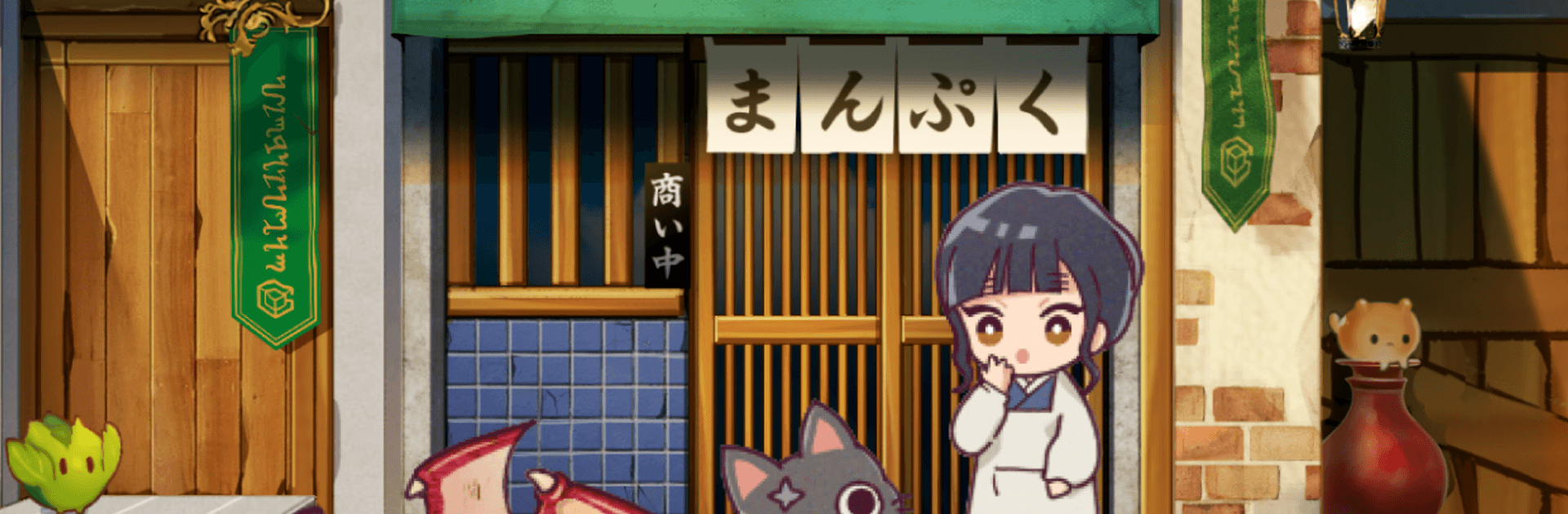
異世界グルメ食堂 異世界転生×モンスター飯

異世界グルメ食堂 異世界転生×モンスター飯

Adventure

| G.Gear.inc

Play on PC with BlueStacks or from our cloud

  • Overview
  • Game Features
  • How to Play

Page Modified On: August 24, 2026

Play 異世界グルメ食堂 異世界転生×モンスター飯 on PC or Mac

Step into the World of 異世界グルメ食堂 異世界転生×モンスター飯, a thrilling Adventure game from the house of G.Gear.inc. Play this Android game on BlueStacks App Player and experience immersive gaming on PC or Mac.

About the Game

異世界グルメ食堂 異世界転生×モンスター飯 is a quirky Adventure where you wake up as the owner of a small diner in a completely new world. With a black cat sidekick and a knack for bold flavors, you’ll hunt monsters for fresh ingredients, cook up crowd-pleasers, and keep the line moving. It’s part cozy restaurant sim, part monster-chasing romp, and all about building the most beloved spot in town.

Game Features

  • Reborn as a chef-owner: You’re the boss of a fantasy diner, teaming up with a talkative black cat to source unusual ingredients and keep the pantry loaded.
  • Snackable combat: Jump into quick, light battles to gather materials without endless grinding; pick targets, time skills, and get right back to the kitchen.
  • Cook, serve, and cash in: Open for business, take orders, serve fast, and watch the coins stack up—rapid taps during rush hour push even more plates out.
  • Build the perfect workflow: Invest your earnings to unlock new equipment, expand capacity, and smooth out prep so the back-of-house runs like clockwork.
  • Redecorate to your taste: Change up floors, counters, and décor to match your vibe—cozy nook, sleek hotspot, or something totally offbeat.
  • Stories worth savoring: A main plot plus plenty of side episodes introduce quirky regulars, wandering adventurers, and the odd monster with surprisingly rich lore.
  • Creature-based cuisine: Experiment with ingredients from all kinds of monsters to discover fresh recipes and unexpected combos that keep customers talking.
  • Easy to learn, satisfying to master: A comfy loop of hunting, cooking, and management makes it great for quick sessions or long “just one more day” streaks.
  • Optional PC comfort with BlueStacks: Prefer a bigger screen and precise clicks? Run it on BlueStacks for smooth, relaxed play sessions.

Start playing 異世界グルメ食堂 異世界転生×モンスター飯 on BlueStacks and get a smoother, more comfortable PC or Mac setup.


Game Features

Enhancements

  • Macros
  • Multi Instance
  • Multi Instance Sync
  • Script
  • Enhancements
Macros

Macros

Automate the predictable in 異世界グルメ食堂 異世界転生×モンスター飯 and transform your gameplay with Macros. Get access to inventive Macros in the BlueStacks Macro Community
Multi Instance

Multi Instance

Play 異世界グルメ食堂 異世界転生×モンスター飯 on one window. And chat with your friend on the other. Press CTRL + Shift + 8 to open the Multi-Instance Manager. And start creating fresh instances or clone an existing one.
Multi Instance Sync

Multi Instance Sync

Play 異世界グルメ食堂 異世界転生×モンスター飯 with the power of Multi-Instance Sync. Replicate what you are doing on the main instance on all other instances. Level up faster, play more.
Script

Script

Script your way to gaming glory in 異世界グルメ食堂 異世界転生×モンスター飯 with BlueStacks Script. Write and run a set of commands to automate repeated tasks. Trigger the command by assigning it to any key.
Read More

How to Download and Play 異世界グルメ食堂 異世界転生×モンスター飯 on PC or Mac

  • Download and install BlueStacks on your PC or Mac

  • Complete Google sign-in to access the Play Store, or do it later

  • Look for 異世界グルメ食堂 異世界転生×モンスター飯 in the search bar at the top right corner

  • Click to install 異世界グルメ食堂 異世界転生×モンスター飯 from the search results

  • Complete Google sign-in (if you skipped step 2) to install 異世界グルメ食堂 異世界転生×モンスター飯

  • Click the 異世界グルメ食堂 異世界転生×モンスター飯 icon on the home screen to start playing

video
Watch Video

Minimum System Requirements

With BlueStacks 5, you can get started on a PC that fulfills the following requirements.

  • Operating System

    Microsoft Windows 7 or above, macOS 11 (Big Sur) or above

  • Processor

    Intel, AMD or Apple Silicon Processor

  • RAM

    at least 4GB

  • HDD

    10GB Free Disk Space

Note:

* You must be an Administrator on your PC. Up to date graphics drivers from Microsoft or the chipset vendor.

異世界グルメ食堂 異世界転生×モンスター飯 - FAQs

  • How to play 異世界グルメ食堂 異世界転生×モンスター飯 on Windows PC & Mac?

    Play 異世界グルメ食堂 異世界転生×モンスター飯 on your PC or Mac by following these simple steps.

    • Click on 'Play 異世界グルメ食堂 異世界転生×モンスター飯 on PC’ to download BlueStacks
    • Install it and log-in to Google Play Store
    • Launch and play the game.
  • Why is BlueStacks the fastest and safest platform to play games on PC?

    BlueStacks respects your privacy and is always safe and secure to use. It does not carry any malware, spyware, or any sort of additional software that could harm your PC.

    It is engineered to optimize speed and performance for a seamless gaming experience.

  • What are 異世界グルメ食堂 異世界転生×モンスター飯 PC requirements?

    Minimum requirement to run 異世界グルメ食堂 異世界転生×モンスター飯 on your PC

    • OS: Microsoft Windows 7 or above MacOS 11 (Big Sur) or above
    • Processor: Intel, AMD or Apple Silicon Processor
    • RAM: Your PC must have at least 4GB of RAM. (Note that having 4GB or more disk space is not a substitute for RAM)
    • HDD: 10GB Free Disk Space.
    • You must be an Administrator on your PC.