Peeche Tai Hai
Peeche Tai Hai

Peeche Tai Hai

Adventure

| Tej Development

Play on PC with BlueStacks or from our cloud

  • Overview
  • Game Features
  • How to Play

Page Modified On: May 11, 2026

Play Peeche Tai Hai on PC or Mac

Step into the World of Peeche Tai Hai, a thrilling Adventure game from the house of Tej Development. Play this Android game on BlueStacks App Player and experience immersive gaming on PC or Mac.

About the Game

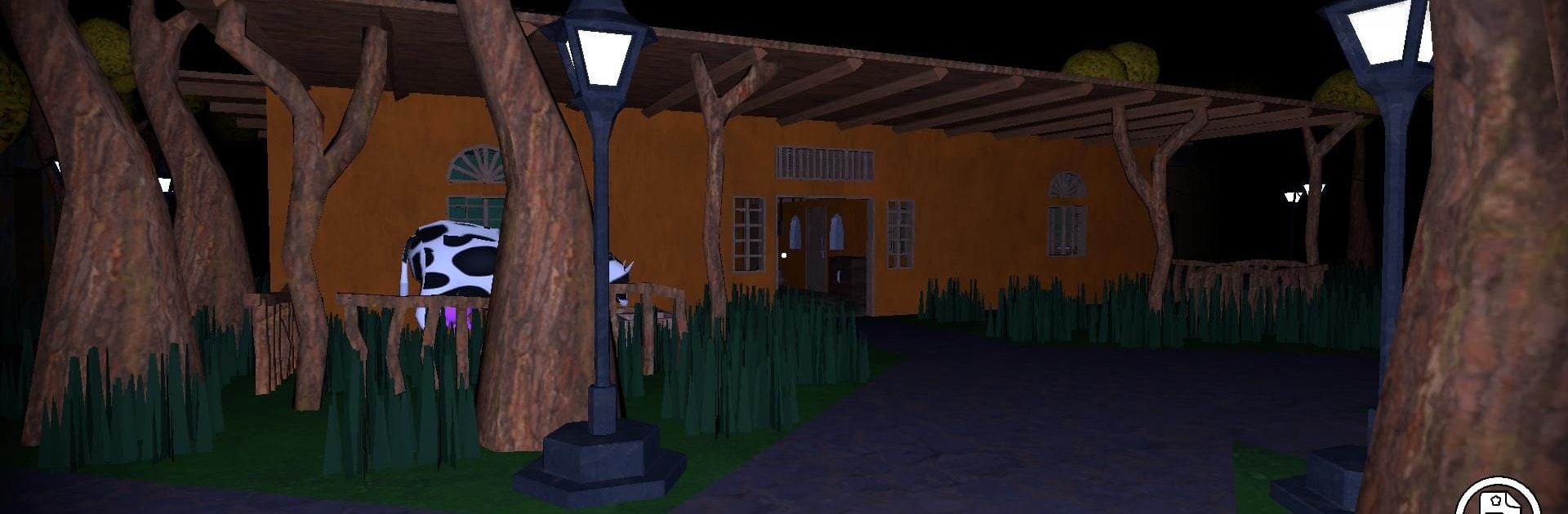
From Tej Development, Peeche Tai Hai is an Adventure about a family crisis that turns uncanny fast. The only hope for the one who won’t wake lies beyond Tai’s gate, where illusions mislead, ruins remember, and the truth doesn’t like being found; you’ll have to track down the Demon’s Fruit and brew a cure. Expect tense exploration, strange rituals, and the uneasy sense that something is always watching.

Game Features

  • Story with real stakes: You’re racing to save a loved one from a curse that deepens by the hour, not chasing trophies.
  • Illusion-twisted exploration: Wander misty forests, crumbling halls, and memory-warped paths that don’t stay the same for long.
  • Herbcrafting and remedies: Forage rare plants, blend them into potent mixtures, and piece together the recipe that could break the sleep.
  • Symbol puzzles: Read runes, line up sigils, and decode old markings to open sealed passages and uncover hidden knowledge.
  • Cursed guardians: Creatures born of nightmares protect the Demon’s Fruit—plan your route, keep quiet, and pick your moments.
  • Tai’s domain lore: Learn who the ancient healer was, why this cure exists, and the cost that shadows every ritual.
  • Tension you can feel: Slow-burn dread, sudden reveals, and small choices that make each step forward feel risky.
  • Play your way: On mobile, or with BlueStacks if you prefer a bigger screen and a keyboard-friendly setup.

Ready to top the leaderboard? We bet you do. Let precise controls and sharp visuals optimized on BlueStacks lead you to victory.


Game Features

Enhancements

  • Macros
  • Multi Instance
  • Multi Instance Sync
  • Script
  • Enhancements
Macros

Macros

Automate the predictable in Peeche Tai Hai and transform your gameplay with Macros. Get access to inventive Macros in the BlueStacks Macro Community
Multi Instance

Multi Instance

Play Peeche Tai Hai on one window. And chat with your friend on the other. Press CTRL + Shift + 8 to open the Multi-Instance Manager. And start creating fresh instances or clone an existing one.
Multi Instance Sync

Multi Instance Sync

Play Peeche Tai Hai with the power of Multi-Instance Sync. Replicate what you are doing on the main instance on all other instances. Level up faster, play more.
Script

Script

Script your way to gaming glory in Peeche Tai Hai with BlueStacks Script. Write and run a set of commands to automate repeated tasks. Trigger the command by assigning it to any key.
Read More

How to Download and Play Peeche Tai Hai on PC or Mac

  • Download and install BlueStacks on your PC or Mac

  • Complete Google sign-in to access the Play Store, or do it later

  • Look for Peeche Tai Hai in the search bar at the top right corner

  • Click to install Peeche Tai Hai from the search results

  • Complete Google sign-in (if you skipped step 2) to install Peeche Tai Hai

  • Click the Peeche Tai Hai icon on the home screen to start playing

video
Watch Video

Minimum System Requirements

With BlueStacks 5, you can get started on a PC that fulfills the following requirements.

  • Operating System

    Microsoft Windows 7 or above, macOS 11 (Big Sur) or above

  • Processor

    Intel, AMD or Apple Silicon Processor

  • RAM

    at least 4GB

  • HDD

    10GB Free Disk Space

Note:

* You must be an Administrator on your PC. Up to date graphics drivers from Microsoft or the chipset vendor.

Peeche Tai Hai - FAQs

  • How to play Peeche Tai Hai on Windows PC & Mac?

    Play Peeche Tai Hai on your PC or Mac by following these simple steps.

    • Click on 'Play Peeche Tai Hai on PC’ to download BlueStacks
    • Install it and log-in to Google Play Store
    • Launch and play the game.
  • Why is BlueStacks the fastest and safest platform to play games on PC?

    BlueStacks respects your privacy and is always safe and secure to use. It does not carry any malware, spyware, or any sort of additional software that could harm your PC.

    It is engineered to optimize speed and performance for a seamless gaming experience.

  • What are Peeche Tai Hai PC requirements?

    Minimum requirement to run Peeche Tai Hai on your PC

    • OS: Microsoft Windows 7 or above MacOS 11 (Big Sur) or above
    • Processor: Intel, AMD or Apple Silicon Processor
    • RAM: Your PC must have at least 4GB of RAM. (Note that having 4GB or more disk space is not a substitute for RAM)
    • HDD: 10GB Free Disk Space.
    • You must be an Administrator on your PC.