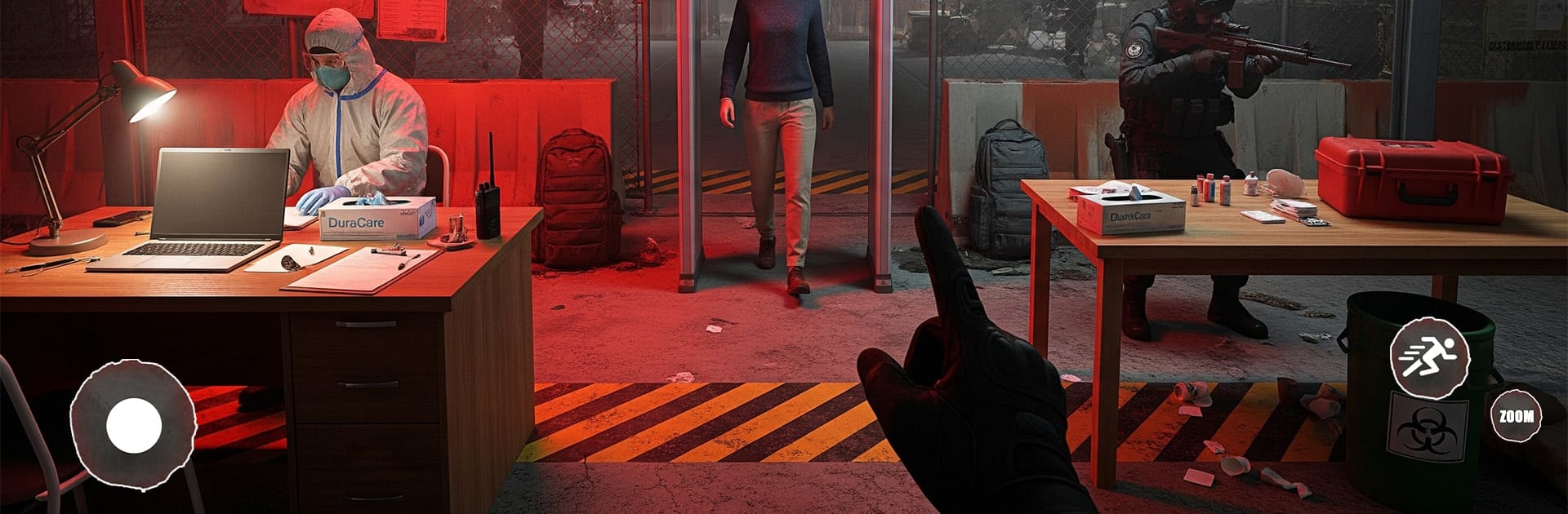
Quarantine Last Survival

Quarantine Last Survival

Adventure

| SURVIVAL TECH VALLEY PRIVATE LIMITED

Play on PC with BlueStacks or from our cloud

  • Overview
  • Game Features
  • How to Play

Page Modified On: February 17, 2026

Play Quarantine Last Survival on PC or Mac

Explore a whole new adventure with Quarantine Last Survival, a Adventure game created by SURVIVAL TECH VALLEY PRIVATE LIMITED. Experience great gameplay with BlueStacks, the most popular gaming platform to play Android games on your PC or Mac.

About the Game

Quarantine Last Survival from SURVIVAL TECH VALLEY PRIVATE LIMITED throws you into a city-wide outbreak where your camp becomes the last line between “all good” and “all gone.” As the one in charge, you’ll test arrivals, separate the sick from the safe, treat who you can, and rush critical cases out before things spiral. It’s an Adventure game that mixes fast decisions with careful planning—and yes, it plays comfortably on BlueStacks if you prefer PC controls.

Game Features

  • Outbreak control: Screen civilians, read symptoms, and make quick calls on who gets isolated and who joins the safe zone. Hesitate, and infections snowball.
  • Build the camp: Set up quarantine tents, labs, medical beds, and full treatment areas. Keep upgrades flowing so your team can actually keep up.
  • Medical logistics: Hand out medicine, food, and vaccines while juggling limited supplies. Some patients only need rest; others need urgent care.
  • Emergency transport: Use ambulances and quarantine trucks to move dangerous cases to hospitals or secure facilities before they compromise the camp.
  • Staff and upgrades: Bring in doctors and medics, then improve gear and infrastructure to handle tougher waves and faster spread.
  • Day–night pressure: Work never really stops—risk rises and choices get tighter as the clock rolls on.
  • Security matters: Not everyone cooperates. Expect panic, escape attempts, and the occasional aggressive outburst. Keep the infected far from the healthy, no exceptions.
  • Consequences count: Good decisions save lives; bad ones let the virus leak into the safe zone and torch your hard work.
  • Mission rewards: Complete objectives to earn medicine, staff, vehicles, and new upgrade paths that expand what your camp can do.
  • Offline play: Manage the crisis anytime, even without an internet connection.

Ready to top the leaderboard? We bet you do. Let precise controls and sharp visuals optimized on BlueStacks lead you to victory.


Game Features

Enhancements

  • Macros
  • Multi Instance
  • Multi Instance Sync
  • Script
  • Enhancements
Macros

Macros

Automate the predictable in Quarantine Last Survival and transform your gameplay with Macros. Get access to inventive Macros in the BlueStacks Macro Community
Multi Instance

Multi Instance

Play Quarantine Last Survival on one window. And chat with your friend on the other. Press CTRL + Shift + 8 to open the Multi-Instance Manager. And start creating fresh instances or clone an existing one.
Multi Instance Sync

Multi Instance Sync

Play Quarantine Last Survival with the power of Multi-Instance Sync. Replicate what you are doing on the main instance on all other instances. Level up faster, play more.
Script

Script

Script your way to gaming glory in Quarantine Last Survival with BlueStacks Script. Write and run a set of commands to automate repeated tasks. Trigger the command by assigning it to any key.
Read More

How to Download and Play Quarantine Last Survival on PC or Mac

  • Download and install BlueStacks on your PC or Mac

  • Complete Google sign-in to access the Play Store, or do it later

  • Look for Quarantine Last Survival in the search bar at the top right corner

  • Click to install Quarantine Last Survival from the search results

  • Complete Google sign-in (if you skipped step 2) to install Quarantine Last Survival

  • Click the Quarantine Last Survival icon on the home screen to start playing

video
Watch Video

Minimum System Requirements

With BlueStacks 5, you can get started on a PC that fulfills the following requirements.

  • Operating System

    Microsoft Windows 7 or above, macOS 11 (Big Sur) or above

  • Processor

    Intel, AMD or Apple Silicon Processor

  • RAM

    at least 4GB

  • HDD

    10GB Free Disk Space

Note:

* You must be an Administrator on your PC. Up to date graphics drivers from Microsoft or the chipset vendor.

Quarantine Last Survival - FAQs

  • How to play Quarantine Last Survival on Windows PC & Mac?

    Play Quarantine Last Survival on your PC or Mac by following these simple steps.

    • Click on 'Play Quarantine Last Survival on PC’ to download BlueStacks
    • Install it and log-in to Google Play Store
    • Launch and play the game.
  • Why is BlueStacks the fastest and safest platform to play games on PC?

    BlueStacks respects your privacy and is always safe and secure to use. It does not carry any malware, spyware, or any sort of additional software that could harm your PC.

    It is engineered to optimize speed and performance for a seamless gaming experience.

  • What are Quarantine Last Survival PC requirements?

    Minimum requirement to run Quarantine Last Survival on your PC

    • OS: Microsoft Windows 7 or above MacOS 11 (Big Sur) or above
    • Processor: Intel, AMD or Apple Silicon Processor
    • RAM: Your PC must have at least 4GB of RAM. (Note that having 4GB or more disk space is not a substitute for RAM)
    • HDD: 10GB Free Disk Space.
    • You must be an Administrator on your PC.