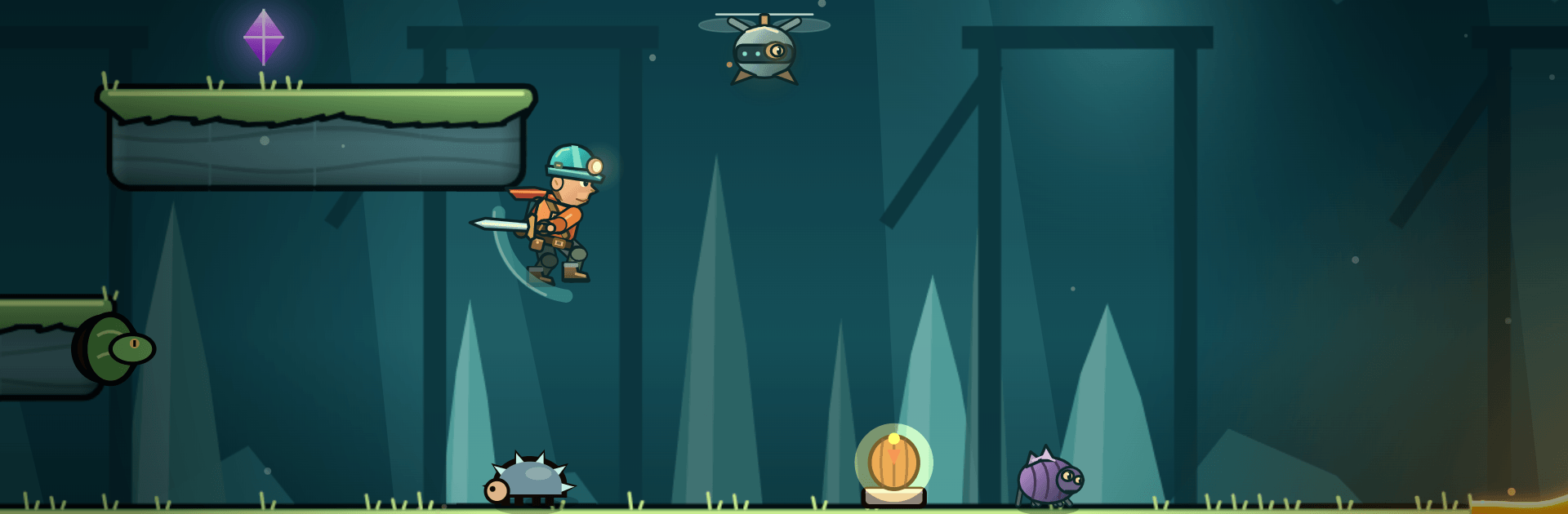
Relic Runner: Danger Depths

Relic Runner: Danger Depths

Adventure

| Sarvalok

Play on PC with BlueStacks or from our cloud

  • Overview
  • Game Features
  • How to Play

Page Modified On: October 30, 2026

Play Relic Runner: Danger Depths on PC or Mac

Explore a whole new adventure with Relic Runner: Danger Depths, a Adventure game created by Sarvalok. Experience great gameplay with BlueStacks, the most popular gaming platform to play Android games on your PC or Mac.

About the Game

Relic Runner: Danger Depths drops you into a tense trek beneath a moody mountain. This is an Adventure that blends precision platforming, quick swordplay, and secret-packed levels across a series of carefully crafted chapters. Expect fresh abilities that reshape how you move, unusual creatures to outsmart, and just enough mystery to make you say “okay, one more run.”

Game Features

  • Deep-Down Journey: Explore 15 thoughtfully built chapters—from glittering crystal halls to a flooded gallery, a glassy desert, and a clockwork cathedral that never misses a beat.
  • Growing Move Set: Learn new tricks as you descend—a midair second jump, a jetpack, ember-like bolts, and more—opening shortcuts and risky routes.
  • Relic Clash Mode: Compete with three CPU rivals on brisk courses or scrap in compact arenas, jetpack on, with seven chaotic powers to play with.
  • Choose Your Challenge: Pick a friendly checkpoint style for steady progress or flip to a tougher Classic ruleset if you like things nail-biting.
  • Replay Chasers: Revisit any chapter to hunt secrets, snag exploration/speed/mastery medals, and race the ghost of your best line.
  • Shifting Trials: Take on six quick trials plus a Grove that rearranges rooms into eight possible paths, keeping every attempt fresh.
  • Creatures & Companions: Face stone-headed guardians, shy phantoms that move when you’re not looking, and free a temple yali that barrels ahead once unleashed.
  • Finds & Blessings: Crack open offerings for handy boons and track down 18 hidden Sigils to complete your collection.
  • Controls Your Way: Move and resize on-screen buttons, use assist toggles when a jump’s being picky, or map keys and a gamepad on BlueStacks.
  • Offline & Clean: Play without a connection, with no ads, no in-app purchases, no account requirements, and no data collection.
  • Language Support: Available in English, Spanish, French, German, Hindi, Korean, Japanese, Arabic, and Persian.

BlueStacks gives you more room to focus on the game and less time adjusting around mobile limitations.


Game Features

Enhancements

  • Macros
  • Multi Instance
  • Multi Instance Sync
  • Script
  • Enhancements
Macros

Macros

Automate the predictable in Relic Runner: Danger Depths and transform your gameplay with Macros. Get access to inventive Macros in the BlueStacks Macro Community
Multi Instance

Multi Instance

Play Relic Runner: Danger Depths on one window. And chat with your friend on the other. Press CTRL + Shift + 8 to open the Multi-Instance Manager. And start creating fresh instances or clone an existing one.
Multi Instance Sync

Multi Instance Sync

Play Relic Runner: Danger Depths with the power of Multi-Instance Sync. Replicate what you are doing on the main instance on all other instances. Level up faster, play more.
Script

Script

Script your way to gaming glory in Relic Runner: Danger Depths with BlueStacks Script. Write and run a set of commands to automate repeated tasks. Trigger the command by assigning it to any key.
Read More

How to Download and Play Relic Runner: Danger Depths on PC or Mac

  • Download and install BlueStacks on your PC or Mac

  • Complete Google sign-in to access the Play Store, or do it later

  • Look for Relic Runner: Danger Depths in the search bar at the top right corner

  • Click to install Relic Runner: Danger Depths from the search results

  • Complete Google sign-in (if you skipped step 2) to install Relic Runner: Danger Depths

  • Click the Relic Runner: Danger Depths icon on the home screen to start playing

video
Watch Video

Minimum System Requirements

With BlueStacks 5, you can get started on a PC that fulfills the following requirements.

  • Operating System

    Microsoft Windows 7 or above, macOS 11 (Big Sur) or above

  • Processor

    Intel, AMD or Apple Silicon Processor

  • RAM

    at least 4GB

  • HDD

    10GB Free Disk Space

Note:

* You must be an Administrator on your PC. Up to date graphics drivers from Microsoft or the chipset vendor.

Relic Runner: Danger Depths - FAQs

  • How to play Relic Runner: Danger Depths on Windows PC & Mac?

    Play Relic Runner: Danger Depths on your PC or Mac by following these simple steps.

    • Click on 'Play Relic Runner: Danger Depths on PC’ to download BlueStacks
    • Install it and log-in to Google Play Store
    • Launch and play the game.
  • Why is BlueStacks the fastest and safest platform to play games on PC?

    BlueStacks respects your privacy and is always safe and secure to use. It does not carry any malware, spyware, or any sort of additional software that could harm your PC.

    It is engineered to optimize speed and performance for a seamless gaming experience.

  • What are Relic Runner: Danger Depths PC requirements?

    Minimum requirement to run Relic Runner: Danger Depths on your PC

    • OS: Microsoft Windows 7 or above MacOS 11 (Big Sur) or above
    • Processor: Intel, AMD or Apple Silicon Processor
    • RAM: Your PC must have at least 4GB of RAM. (Note that having 4GB or more disk space is not a substitute for RAM)
    • HDD: 10GB Free Disk Space.
    • You must be an Administrator on your PC.