Scarland: Horror Quest

Scarland: Horror Quest

Adventure

| TIM GZ

Play on PC with BlueStacks or from our cloud

  • Overview
  • Game Features
  • How to Play

Page Modified On: June 25, 2026

Play Scarland: Horror Quest on PC or Mac

Step into the World of Scarland: Horror Quest, a thrilling Adventure game from the house of TIM GZ. Play this Android game on BlueStacks App Player and experience immersive gaming on PC or Mac.

About the Game

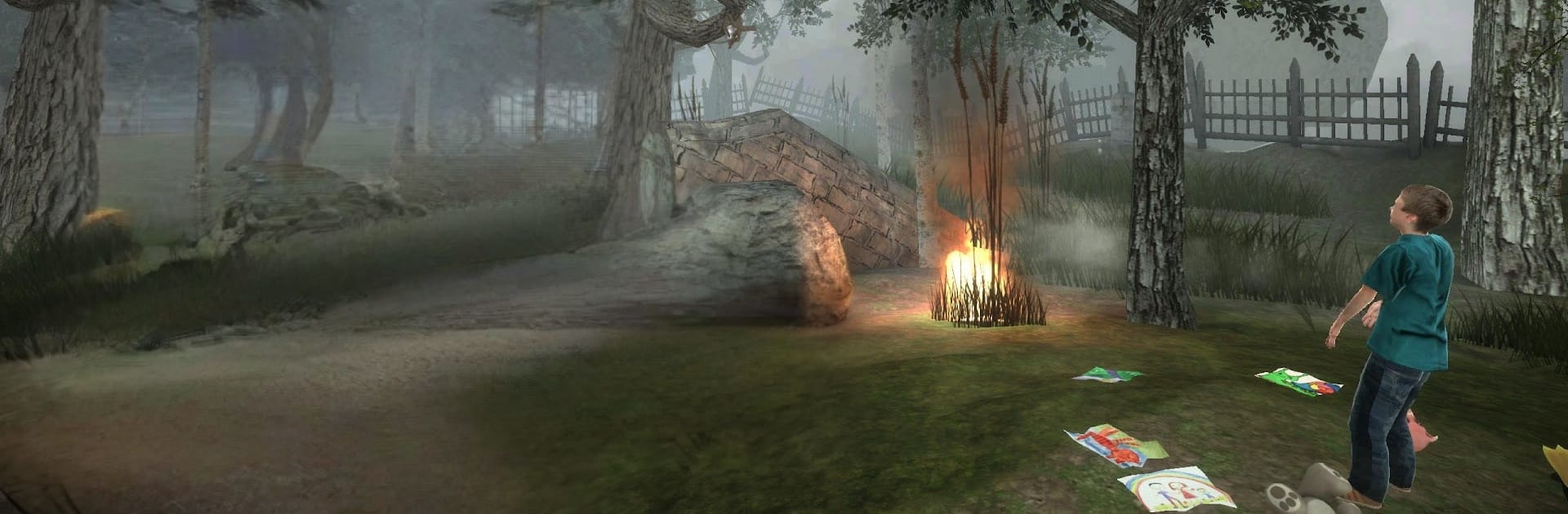
Scarland: Horror Quest is a story-first Adventure that starts with a simple door and drops you somewhere you definitely didn’t plan to visit. Picture a string of drifting islands stitched together by nightmares, strange rules, and puzzles that love to mess with time and space. It’s eerie, curious, and just dangerous enough to make every step feel important.

Game Features

  • A door to somewhere wrong: One moment you’re in the real world, the next you’re crossing into a fractured realm of floating isles—each with its own logic, threats, and secrets to pry open.
  • Smart, unsettling puzzles: Tense brainteasers blend with exploration and light survival elements. You’ll read the environment, flip strange mechanisms, and solve problems while something breathes down your neck.
  • Time on a leash: Slow crucial moments to a crawl to slip past hazards or line up the perfect move. It’s not just flashy—it changes how you approach every encounter.
  • Blink-and-you’re-there movement: Short-range teleportation lets you bridge gaps, reposition in combat, and find new angles for tricky platforming sections.
  • Boss fights that evolve: Multi-phase encounters push you to use the arena, your powers, and a bit of nerve. They don’t just hit harder—they get smarter.
  • Cinematic storytelling: Clean, moody cutscenes and quiet beats drip-feed clues about the place, the people who came before, and why you were pulled in.
  • Quests on every island: Each stop brings fresh objectives, optional challenges, and hidden paths that reshape how you tackle the next trial.
  • Plays great on PC: Prefer a bigger screen and precise controls? Scarland: Horror Quest runs smoothly on BlueStacks without getting in the way of the atmosphere.

Start playing Scarland: Horror Quest on BlueStacks and get a smoother, more comfortable PC or Mac setup.


Game Features

Enhancements

  • Macros
  • Multi Instance
  • Multi Instance Sync
  • Script
  • Enhancements
Macros

Macros

Automate the predictable in Scarland: Horror Quest and transform your gameplay with Macros. Get access to inventive Macros in the BlueStacks Macro Community
Multi Instance

Multi Instance

Play Scarland: Horror Quest on one window. And chat with your friend on the other. Press CTRL + Shift + 8 to open the Multi-Instance Manager. And start creating fresh instances or clone an existing one.
Multi Instance Sync

Multi Instance Sync

Play Scarland: Horror Quest with the power of Multi-Instance Sync. Replicate what you are doing on the main instance on all other instances. Level up faster, play more.
Script

Script

Script your way to gaming glory in Scarland: Horror Quest with BlueStacks Script. Write and run a set of commands to automate repeated tasks. Trigger the command by assigning it to any key.
Read More

How to Download and Play Scarland: Horror Quest on PC or Mac

  • Download and install BlueStacks on your PC or Mac

  • Complete Google sign-in to access the Play Store, or do it later

  • Look for Scarland: Horror Quest in the search bar at the top right corner

  • Click to install Scarland: Horror Quest from the search results

  • Complete Google sign-in (if you skipped step 2) to install Scarland: Horror Quest

  • Click the Scarland: Horror Quest icon on the home screen to start playing

video
Watch Video

Minimum System Requirements

With BlueStacks 5, you can get started on a PC that fulfills the following requirements.

  • Operating System

    Microsoft Windows 7 or above, macOS 11 (Big Sur) or above

  • Processor

    Intel, AMD or Apple Silicon Processor

  • RAM

    at least 4GB

  • HDD

    10GB Free Disk Space

Note:

* You must be an Administrator on your PC. Up to date graphics drivers from Microsoft or the chipset vendor.

Scarland: Horror Quest - FAQs

  • How to play Scarland: Horror Quest on Windows PC & Mac?

    Play Scarland: Horror Quest on your PC or Mac by following these simple steps.

    • Click on 'Play Scarland: Horror Quest on PC’ to download BlueStacks
    • Install it and log-in to Google Play Store
    • Launch and play the game.
  • Why is BlueStacks the fastest and safest platform to play games on PC?

    BlueStacks respects your privacy and is always safe and secure to use. It does not carry any malware, spyware, or any sort of additional software that could harm your PC.

    It is engineered to optimize speed and performance for a seamless gaming experience.

  • What are Scarland: Horror Quest PC requirements?

    Minimum requirement to run Scarland: Horror Quest on your PC

    • OS: Microsoft Windows 7 or above MacOS 11 (Big Sur) or above
    • Processor: Intel, AMD or Apple Silicon Processor
    • RAM: Your PC must have at least 4GB of RAM. (Note that having 4GB or more disk space is not a substitute for RAM)
    • HDD: 10GB Free Disk Space.
    • You must be an Administrator on your PC.