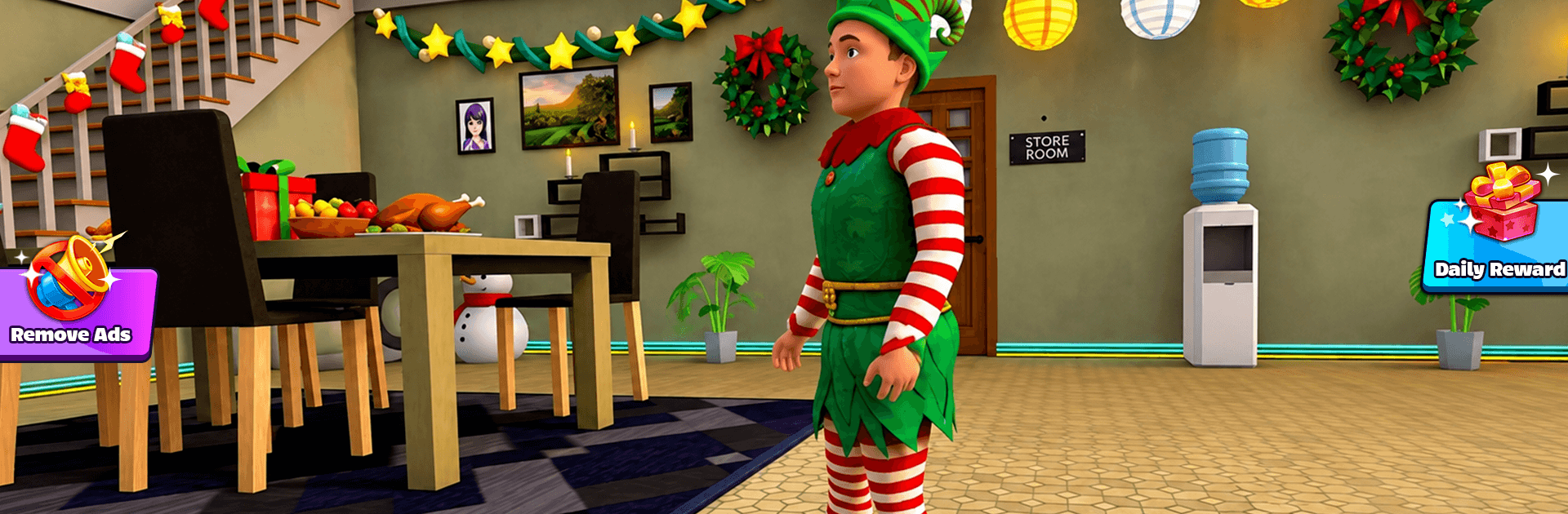
School Boy Escape Runaway 3D

School Boy Escape Runaway 3D

Adventure

| Adrenaline rush

Play on PC with BlueStacks or from our cloud

  • Overview
  • Game Features
  • How to Play

Page Modified On: August 17, 2026

Play School Boy Escape Runaway 3D on PC or Mac

Step into the World of School Boy Escape Runaway 3D, a thrilling Adventure game from the house of Adrenaline rush. Play this Android game on BlueStacks App Player and experience immersive gaming on PC or Mac.

About the Game

School Boy Escape Runaway 3D is a playful Adventure where you’re a crafty kid trying to slip past watchful parents and make a clean getaway. It’s all about sneaky moves, quick thinking, and turning ordinary rooms into tiny obstacle courses. Expect light puzzle solving, close calls, and that satisfying rush when the front door finally swings open.

Game Features

  • Sneak and Outsmart: Watch patrol patterns, hide behind furniture, and create distractions to stay out of sight. One wrong step and you’ll hear footsteps closing in.
  • Bite‑Size Escape Missions: Each stage is a compact challenge—perfect for a quick attempt or a few retries while you refine your plan.
  • Multiple Routes to Freedom: Peek into rooms, test doors, and find keys or switches. There’s usually more than one way out, so experiment and pick the path that fits your style.
  • Simple Tools, Clever Tricks: Use everyday items to misdirect, delay, or bypass obstacles. A tiny setup can lead to a big payoff.
  • Escalating Tension: Early escapes are simple; later ones stack extra locks, tighter timing, and sharper detection, pushing you to think faster.
  • 3D Spaces You Can Read: Hallways, stairs, and corners give you plenty of cover and angles. Clear visuals help you plan on the fly.
  • Quick Restarts, Snappy Pace: Get caught? Jump right back in without losing momentum. It keeps the “just one more try” loop going.
  • Subtle Clues and Light Puzzles: Clues hide in plain sight—sounds, blinking lights, or odd placements hint at what to try next.
  • Play on PC with BlueStacks: Prefer a bigger screen and precise controls? It runs smoothly on BlueStacks, great for dialing in your routes with a keyboard and mouse.

Ready to top the leaderboard? We bet you do. Let precise controls and sharp visuals optimized on BlueStacks lead you to victory.


Game Features

Enhancements

  • Macros
  • Multi Instance
  • Multi Instance Sync
  • Script
  • Enhancements
Macros

Macros

Automate the predictable in School Boy Escape Runaway 3D and transform your gameplay with Macros. Get access to inventive Macros in the BlueStacks Macro Community
Multi Instance

Multi Instance

Play School Boy Escape Runaway 3D on one window. And chat with your friend on the other. Press CTRL + Shift + 8 to open the Multi-Instance Manager. And start creating fresh instances or clone an existing one.
Multi Instance Sync

Multi Instance Sync

Play School Boy Escape Runaway 3D with the power of Multi-Instance Sync. Replicate what you are doing on the main instance on all other instances. Level up faster, play more.
Script

Script

Script your way to gaming glory in School Boy Escape Runaway 3D with BlueStacks Script. Write and run a set of commands to automate repeated tasks. Trigger the command by assigning it to any key.
Read More

How to Download and Play School Boy Escape Runaway 3D on PC or Mac

  • Download and install BlueStacks on your PC or Mac

  • Complete Google sign-in to access the Play Store, or do it later

  • Look for School Boy Escape Runaway 3D in the search bar at the top right corner

  • Click to install School Boy Escape Runaway 3D from the search results

  • Complete Google sign-in (if you skipped step 2) to install School Boy Escape Runaway 3D

  • Click the School Boy Escape Runaway 3D icon on the home screen to start playing

video
Watch Video

Minimum System Requirements

With BlueStacks 5, you can get started on a PC that fulfills the following requirements.

  • Operating System

    Microsoft Windows 7 or above, macOS 11 (Big Sur) or above

  • Processor

    Intel, AMD or Apple Silicon Processor

  • RAM

    at least 4GB

  • HDD

    10GB Free Disk Space

Note:

* You must be an Administrator on your PC. Up to date graphics drivers from Microsoft or the chipset vendor.

School Boy Escape Runaway 3D - FAQs

  • How to play School Boy Escape Runaway 3D on Windows PC & Mac?

    Play School Boy Escape Runaway 3D on your PC or Mac by following these simple steps.

    • Click on 'Play School Boy Escape Runaway 3D on PC’ to download BlueStacks
    • Install it and log-in to Google Play Store
    • Launch and play the game.
  • Why is BlueStacks the fastest and safest platform to play games on PC?

    BlueStacks respects your privacy and is always safe and secure to use. It does not carry any malware, spyware, or any sort of additional software that could harm your PC.

    It is engineered to optimize speed and performance for a seamless gaming experience.

  • What are School Boy Escape Runaway 3D PC requirements?

    Minimum requirement to run School Boy Escape Runaway 3D on your PC

    • OS: Microsoft Windows 7 or above MacOS 11 (Big Sur) or above
    • Processor: Intel, AMD or Apple Silicon Processor
    • RAM: Your PC must have at least 4GB of RAM. (Note that having 4GB or more disk space is not a substitute for RAM)
    • HDD: 10GB Free Disk Space.
    • You must be an Administrator on your PC.