SCP - Containment Breach RUS Mobile

SCP - Containment Breach RUS Mobile

Adventure

| ALOB Games

Play on PC with BlueStacks or from our cloud

  • Overview
  • Game Features
  • How to Play

Page Modified On: October 04, 2025

Play SCP - Containment Breach RUS Mobile on PC or Mac

Explore a whole new adventure with SCP – Containment Breach RUS Mobile, a Adventure game created by ALOB Games. Experience great gameplay with BlueStacks, the most popular gaming platform to play Android games on your PC or Mac.

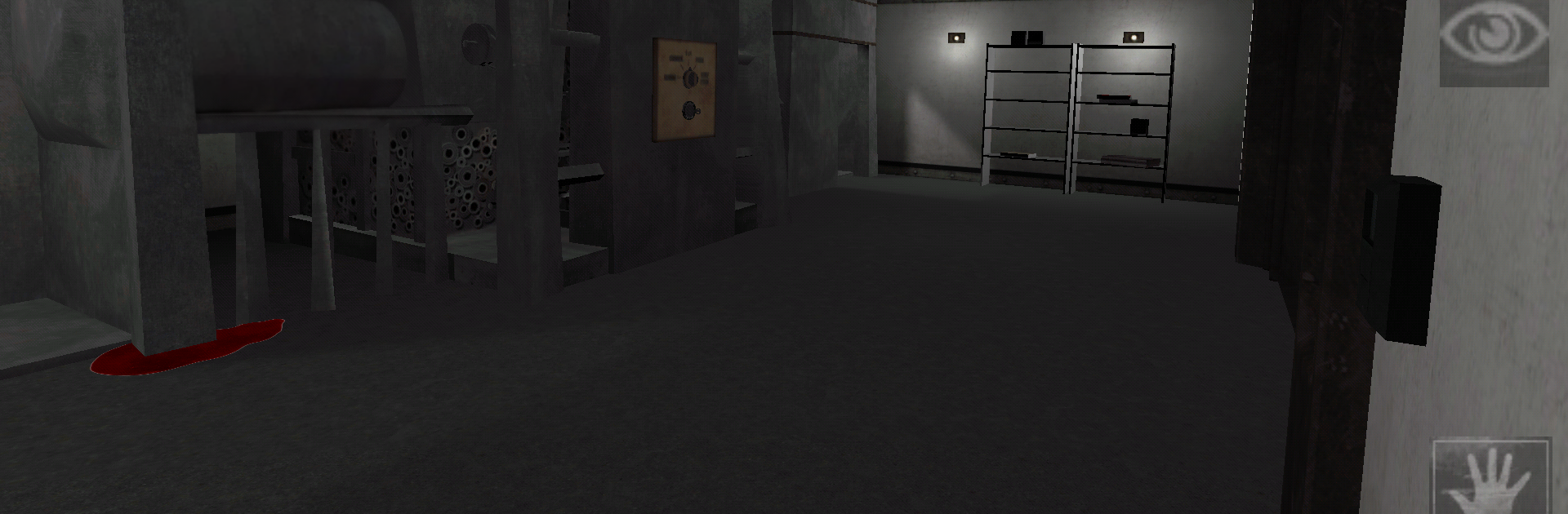
SCP – Containment Breach RUS Mobile drops the player into a secret facility that is falling apart, with alarms whining and doors failing right when a routine check on SCP-173 goes wrong. It is a first person indie horror based on the SCP Foundation stories, and it sticks to that cold lab feel. The player is D-9341, a disposable test subject in an orange jumpsuit, trying to slip through steel corridors, security checkpoints, and murky maintenance rooms while the creatures and anomalies get loose. It is slow, tense, and weird in a good way. Moving quietly, reading the warning signs, checking the corners, and not staring too long at anything that should not be moving. SCP-173 is the star early on, that statue thing that closes distance the second no one is watching. The game likes to make the player second guess every choice, and the lighting plus the little audio stings do a lot of work without cheap jumps every thirty seconds.

On PC with BlueStacks, mouse look and simple keybinds make it easier to react, open doors fast, and backtrack when a hallway suddenly feels wrong. Touch controls work, but this one benefits from a steady hand and quick camera turns. There is minimal handholding, so the player learns by paying attention to notes and signs, collecting keycards, and figuring out which doors are a bad idea for now. It is more about staying alert and surviving the breach than combat, which fits the SCP tone. The whole thing feels like getting trapped in a flourescent maze where every new room might help or doom the run, and that is the hook.

Ready to top the leaderboard? We bet you do. Let precise controls and sharp visuals optimized on BlueStacks lead you to victory.


Game Features

Enhancements

  • Macros
  • Multi Instance
  • Multi Instance Sync
  • Script
  • Enhancements
Macros

Macros

Automate the predictable in SCP - Containment Breach RUS Mobile and transform your gameplay with Macros. Get access to inventive Macros in the BlueStacks Macro Community
Multi Instance

Multi Instance

Play SCP - Containment Breach RUS Mobile on one window. And chat with your friend on the other. Press CTRL + Shift + 8 to open the Multi-Instance Manager. And start creating fresh instances or clone an existing one.
Multi Instance Sync

Multi Instance Sync

Play SCP - Containment Breach RUS Mobile with the power of Multi-Instance Sync. Replicate what you are doing on the main instance on all other instances. Level up faster, play more.
Script

Script

Script your way to gaming glory in SCP - Containment Breach RUS Mobile with BlueStacks Script. Write and run a set of commands to automate repeated tasks. Trigger the command by assigning it to any key.
Read More

How to Download and Play SCP - Containment Breach RUS Mobile on PC or Mac

  • Download and install BlueStacks on your PC or Mac

  • Complete Google sign-in to access the Play Store, or do it later

  • Look for SCP - Containment Breach RUS Mobile in the search bar at the top right corner

  • Click to install SCP - Containment Breach RUS Mobile from the search results

  • Complete Google sign-in (if you skipped step 2) to install SCP - Containment Breach RUS Mobile

  • Click the SCP - Containment Breach RUS Mobile icon on the home screen to start playing

video
Watch Video

Minimum System Requirements

With BlueStacks 5, you can get started on a PC that fulfills the following requirements.

  • Operating System

    Microsoft Windows 7 or above, macOS 11 (Big Sur) or above

  • Processor

    Intel, AMD or Apple Silicon Processor

  • RAM

    at least 4GB

  • HDD

    10GB Free Disk Space

Note:

* You must be an Administrator on your PC. Up to date graphics drivers from Microsoft or the chipset vendor.

SCP - Containment Breach RUS Mobile - FAQs

  • How to play SCP - Containment Breach RUS Mobile on Windows PC & Mac?

    Play SCP - Containment Breach RUS Mobile on your PC or Mac by following these simple steps.

    • Click on 'Play SCP - Containment Breach RUS Mobile on PC’ to download BlueStacks
    • Install it and log-in to Google Play Store
    • Launch and play the game.
  • Why is BlueStacks the fastest and safest platform to play games on PC?

    BlueStacks respects your privacy and is always safe and secure to use. It does not carry any malware, spyware, or any sort of additional software that could harm your PC.

    It is engineered to optimize speed and performance for a seamless gaming experience.

  • What are SCP - Containment Breach RUS Mobile PC requirements?

    Minimum requirement to run SCP - Containment Breach RUS Mobile on your PC

    • OS: Microsoft Windows 7 or above MacOS 11 (Big Sur) or above
    • Processor: Intel, AMD or Apple Silicon Processor
    • RAM: Your PC must have at least 4GB of RAM. (Note that having 4GB or more disk space is not a substitute for RAM)
    • HDD: 10GB Free Disk Space.
    • You must be an Administrator on your PC.