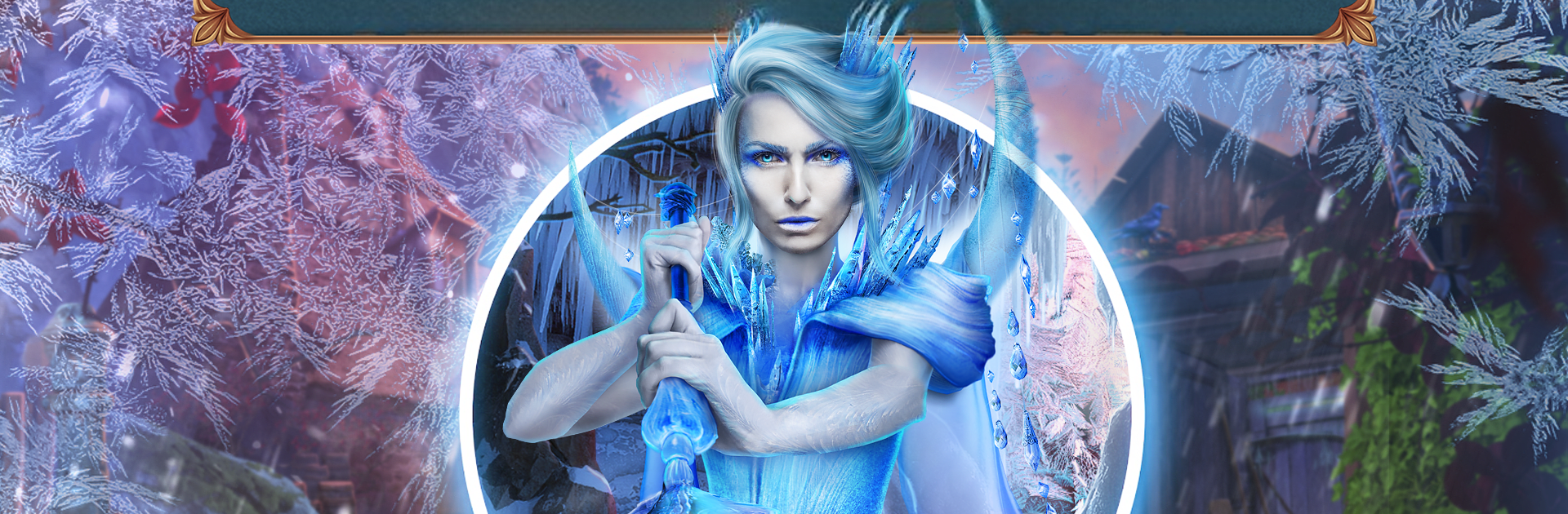
Spirits Chronicles: Flames

Spirits Chronicles: Flames

Adventure

| Do Games Limited

Play on PC with BlueStacks or from our cloud

  • Overview
  • Game Features
  • How to Play

Page Modified On: October 27, 2025

Play Spirits Chronicles: Flames on PC or Mac

From the innovators and creators at Do Games Limited, Spirits Chronicles: Flames is another fun addition to the World of Adventure games. Go beyond your mobile screen and play it bigger and better on your PC or Mac. An immersive experience awaits you.

Spirits Chronicles: Flames is a cozy-but-tense hidden object adventure set in a frozen kingdom where the Spirit of Fire has vanished and everything is slowly icing over. The player is a creature tamer who steps up after Grandma Dayona, the legendary tamer, can no longer lead. It feels like a storybook mystery: lots of snowy forests, warm lantern light, and little magical critters tucked behind trees or under snow piles. Moment to moment, it is classic point and click stuff with scene searching, combining items, and mini-puzzles sprinkled between the hidden object sections. The game nudges progress by letting players hunt down Books of Spells to unlock new tricks, gather amulets that keep nasty spirits off their back, and collect glowing energy spheres that can be traded for new magical companions, which is a nice collectathon layer for anyone who likes filling a gallery.

Difficulty sits in that easy-to-manage zone. When the brain teasers stall, there is an in-game strategy guide that keeps things moving without spoiling everything at once. Art and audio lean gentle and wintry, which sells the fantasy without getting loud. On PC with BlueStacks, the mouse makes item hunts cleaner and the bigger screen helps spot tiny objects that get missed on a phone. There is a Bonus Chapter after the main story for anyone who wants more lore. The game offers a free trial portion, then a full unlock if it clicks, so it does not force a commitment upfront.

Make your gaming sessions memorable with precise controls that give you an edge in close combats and visuals that pop up, bringing every character to life.


Game Features

Enhancements

  • Macros
  • Multi Instance
  • Multi Instance Sync
  • Script
  • Enhancements
Macros

Macros

Automate the predictable in Spirits Chronicles: Flames and transform your gameplay with Macros. Get access to inventive Macros in the BlueStacks Macro Community
Multi Instance

Multi Instance

Play Spirits Chronicles: Flames on one window. And chat with your friend on the other. Press CTRL + Shift + 8 to open the Multi-Instance Manager. And start creating fresh instances or clone an existing one.
Multi Instance Sync

Multi Instance Sync

Play Spirits Chronicles: Flames with the power of Multi-Instance Sync. Replicate what you are doing on the main instance on all other instances. Level up faster, play more.
Script

Script

Script your way to gaming glory in Spirits Chronicles: Flames with BlueStacks Script. Write and run a set of commands to automate repeated tasks. Trigger the command by assigning it to any key.
Read More

How to Download and Play Spirits Chronicles: Flames on PC or Mac

  • Download and install BlueStacks on your PC or Mac

  • Complete Google sign-in to access the Play Store, or do it later

  • Look for Spirits Chronicles: Flames in the search bar at the top right corner

  • Click to install Spirits Chronicles: Flames from the search results

  • Complete Google sign-in (if you skipped step 2) to install Spirits Chronicles: Flames

  • Click the Spirits Chronicles: Flames icon on the home screen to start playing

video
Watch Video

Minimum System Requirements

With BlueStacks 5, you can get started on a PC that fulfills the following requirements.

  • Operating System

    Microsoft Windows 7 or above, macOS 11 (Big Sur) or above

  • Processor

    Intel, AMD or Apple Silicon Processor

  • RAM

    at least 4GB

  • HDD

    10GB Free Disk Space

Note:

* You must be an Administrator on your PC. Up to date graphics drivers from Microsoft or the chipset vendor.

Spirits Chronicles: Flames - FAQs

  • How to play Spirits Chronicles: Flames on Windows PC & Mac?

    Play Spirits Chronicles: Flames on your PC or Mac by following these simple steps.

    • Click on 'Play Spirits Chronicles: Flames on PC’ to download BlueStacks
    • Install it and log-in to Google Play Store
    • Launch and play the game.
  • Why is BlueStacks the fastest and safest platform to play games on PC?

    BlueStacks respects your privacy and is always safe and secure to use. It does not carry any malware, spyware, or any sort of additional software that could harm your PC.

    It is engineered to optimize speed and performance for a seamless gaming experience.

  • What are Spirits Chronicles: Flames PC requirements?

    Minimum requirement to run Spirits Chronicles: Flames on your PC

    • OS: Microsoft Windows 7 or above MacOS 11 (Big Sur) or above
    • Processor: Intel, AMD or Apple Silicon Processor
    • RAM: Your PC must have at least 4GB of RAM. (Note that having 4GB or more disk space is not a substitute for RAM)
    • HDD: 10GB Free Disk Space.
    • You must be an Administrator on your PC.