Gloomy Tales 1: Extra f2p

Gloomy Tales 1: Extra f2p

Puzzle

| Do Games Limited

Play on PC with BlueStacks or from our cloud

  • Overview
  • Game Features
  • How to Play

Page Modified On: January 02, 2026

Play Gloomy Tales 1: Extra f2p on PC or Mac

Join millions to experience Gloomy Tales 1: Extra f2p, an exciting Puzzle game from Do Games Limited. With BlueStacks App Player, you are always a step ahead of your opponent, ready to outplay them with faster gameplay and better control with the mouse and keyboard on your PC or Mac.

About the Game

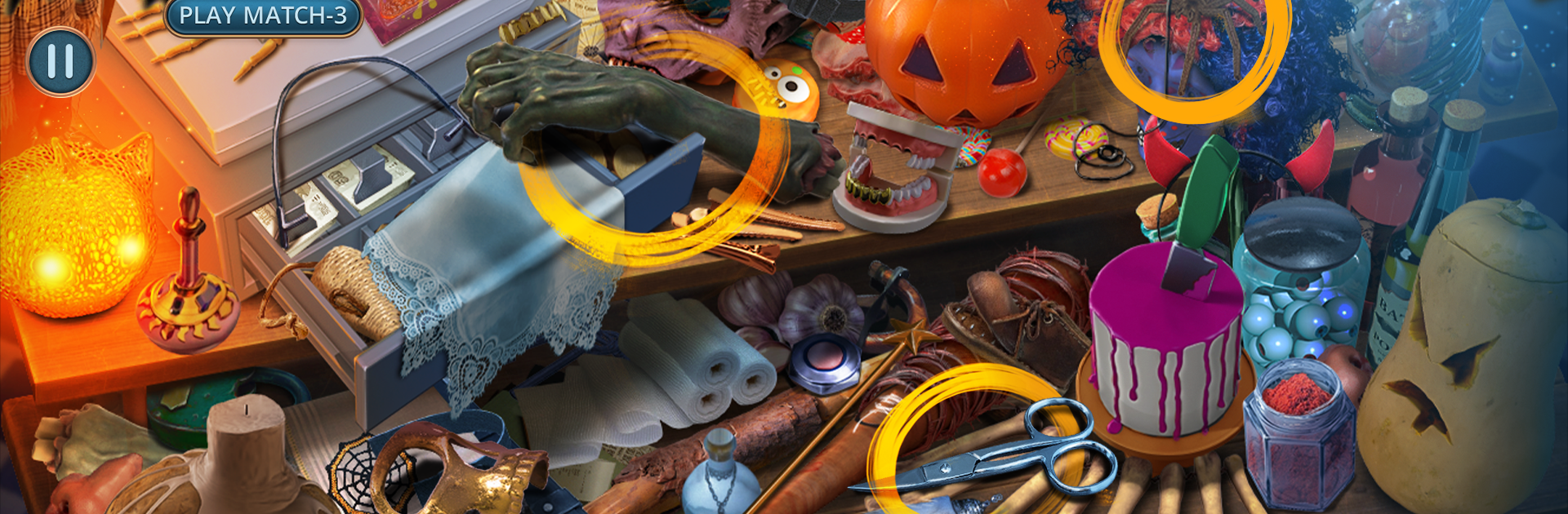
Gloomy Tales 1: Extra f2p drops you into a Halloween night gone very wrong. Your sister’s “broken doll” costume isn’t just creepy—it’s cursed—and a vengeful tailor is using enchanted outfits to control anyone dressed up for the holiday. This Puzzle adventure from Do Games Limited blends hidden-object sleuthing, eerie storytelling, and clever brainteasers into a tense, spooky mystery that’s easy to pick up and hard to put down. Prefer a bigger screen? It also plays nicely on BlueStacks.

Game Features

  • Cursed Halloween Mystery
    Unravel a plot to summon the Spirit of Halloween and turn partygoers into puppets. Track the culprit through moonlit streets, backroom workshops, and halls that absolutely shouldn’t be creaking.

  • Hidden-Object Sleuthing
    Search through richly detailed scenes for key clues and tools. Lists, silhouettes, and interactive hotspots reward a sharp eye and a bit of curiosity.

  • Smart Puzzles & Mini-Games
    Tackle locks, symbols, and eerie mechanisms that guard each step forward. Solutions feel satisfying—challenging without being unfair.

  • A Town with Secrets
    Piece together the town’s forgotten sins and learn why an innocent dressmaker’s name is tangled in the mess. Every discovery adds weight to the story.

  • Deadly Costumes, Real Stakes
    Outwit a mastermind who turns fabric into fate. Each new location hides another thread in his plan—and another chance to cut it.

  • Collectibles & Achievements
    Hunt for macabre mementos and complete in-game goals as you rescue cursed souls. It’s a great excuse to revisit favorite scenes and spot what you missed.

  • Chilling Atmosphere
    From flickering lanterns to a shop full of “don’t-touch-that” garments, the mood stays deliciously tense without relying on jump scares.

  • Bonus-Chapter Energy
    Designed as an extra tale, it’s punchy, focused, and perfect for a spooky night session—whether you’re here for detective games, horror hidden object games, or just love Halloween stories.

Make your gaming sessions memorable with precise controls that give you an edge in close combats and visuals that pop up, bringing every character to life.


Game Features

Enhancements

  • Macros
  • Multi Instance
  • Multi Instance Sync
  • Script
  • Enhancements
Macros

Macros

Automate the predictable in Gloomy Tales 1: Extra f2p and transform your gameplay with Macros. Get access to inventive Macros in the BlueStacks Macro Community
Multi Instance

Multi Instance

Play Gloomy Tales 1: Extra f2p on one window. And chat with your friend on the other. Press CTRL + Shift + 8 to open the Multi-Instance Manager. And start creating fresh instances or clone an existing one.
Multi Instance Sync

Multi Instance Sync

Play Gloomy Tales 1: Extra f2p with the power of Multi-Instance Sync. Replicate what you are doing on the main instance on all other instances. Level up faster, play more.
Script

Script

Script your way to gaming glory in Gloomy Tales 1: Extra f2p with BlueStacks Script. Write and run a set of commands to automate repeated tasks. Trigger the command by assigning it to any key.
Read More

How to Download and Play Gloomy Tales 1: Extra f2p on PC or Mac

  • Download and install BlueStacks on your PC or Mac

  • Complete Google sign-in to access the Play Store, or do it later

  • Look for Gloomy Tales 1: Extra f2p in the search bar at the top right corner

  • Click to install Gloomy Tales 1: Extra f2p from the search results

  • Complete Google sign-in (if you skipped step 2) to install Gloomy Tales 1: Extra f2p

  • Click the Gloomy Tales 1: Extra f2p icon on the home screen to start playing

video
Watch Video

Minimum System Requirements

With BlueStacks 5, you can get started on a PC that fulfills the following requirements.

  • Operating System

    Microsoft Windows 7 or above, macOS 11 (Big Sur) or above

  • Processor

    Intel, AMD or Apple Silicon Processor

  • RAM

    at least 4GB

  • HDD

    10GB Free Disk Space

Note:

* You must be an Administrator on your PC. Up to date graphics drivers from Microsoft or the chipset vendor.

Gloomy Tales 1: Extra f2p - FAQs

  • How to play Gloomy Tales 1: Extra f2p on Windows PC & Mac?

    Play Gloomy Tales 1: Extra f2p on your PC or Mac by following these simple steps.

    • Click on 'Play Gloomy Tales 1: Extra f2p on PC’ to download BlueStacks
    • Install it and log-in to Google Play Store
    • Launch and play the game.
  • Why is BlueStacks the fastest and safest platform to play games on PC?

    BlueStacks respects your privacy and is always safe and secure to use. It does not carry any malware, spyware, or any sort of additional software that could harm your PC.

    It is engineered to optimize speed and performance for a seamless gaming experience.

  • What are Gloomy Tales 1: Extra f2p PC requirements?

    Minimum requirement to run Gloomy Tales 1: Extra f2p on your PC

    • OS: Microsoft Windows 7 or above MacOS 11 (Big Sur) or above
    • Processor: Intel, AMD or Apple Silicon Processor
    • RAM: Your PC must have at least 4GB of RAM. (Note that having 4GB or more disk space is not a substitute for RAM)
    • HDD: 10GB Free Disk Space.
    • You must be an Administrator on your PC.