Spirit Legends Time For Change

Spirit Legends Time For Change

Adventure

| Do Games Limited

Play on PC with BlueStacks or from our cloud

  • Overview
  • Game Features
  • How to Play

Page Modified On: December 15, 2025

Play Spirit Legends Time For Change on PC or Mac

Join millions to experience Spirit Legends Time For Change, an exciting Adventure game from Do Games Limited. With BlueStacks App Player, you are always a step ahead of your opponent, ready to outplay them with faster gameplay and better control with the mouse and keyboard on your PC or Mac.

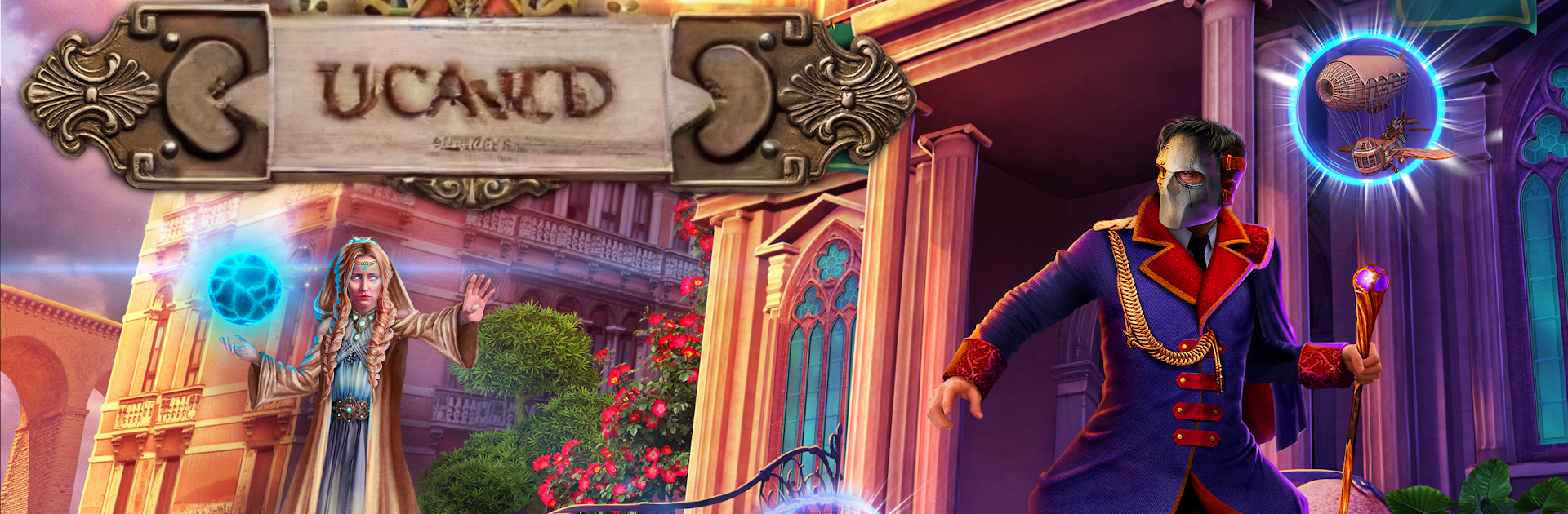
Spirit Legends: Time For Change plays like a cozy hidden object adventure with a spooky academy twist. The player arrives at Monster Hunters Academy on day one and a masked stranger basically declares war, which means monsters creeping around the halls, classmates in danger, and even Professor Helen Lyngren, who also happens to be the hero’s mother, at risk. Scenes switch between story bits, search-and-find areas, and small brain teasers. It feels steady and puzzle first, not twitchy, so anyone who likes taking a minute to scan a scene, spot that one weird gear or rune, then use it to unlock the next step will feel right at home. The mystery leans into why this guy hates spirits and the people who work with them, and the whole bestiary angle gives the world a nice creature-book vibe.

There is a bonus chapter that acts like a first mission for the Monster Hunters Order, and it plays a bit tougher since the bestiary is not ready yet. Side activities are chill, like decorating the head of the academy’s study by collecting furniture pieces, and poking at magical inventions to learn more about spirits, including some familiar faces. The Collector’s Edition lets players replay mini-games and grab extras like artwork and videos, and there is a built in strategy guide if a puzzle roadblocks progress. On PC through BlueStacks, the hidden object scenes benefit a lot from the bigger screen and a mouse, so spotting tiny items feels easier and less squinty.

Ready to top the leaderboard? We bet you do. Let precise controls and sharp visuals optimized on BlueStacks lead you to victory.


Game Features

Enhancements

  • Macros
  • Multi Instance
  • Multi Instance Sync
  • Script
  • Enhancements
Macros

Macros

Automate the predictable in Spirit Legends Time For Change and transform your gameplay with Macros. Get access to inventive Macros in the BlueStacks Macro Community
Multi Instance

Multi Instance

Play Spirit Legends Time For Change on one window. And chat with your friend on the other. Press CTRL + Shift + 8 to open the Multi-Instance Manager. And start creating fresh instances or clone an existing one.
Multi Instance Sync

Multi Instance Sync

Play Spirit Legends Time For Change with the power of Multi-Instance Sync. Replicate what you are doing on the main instance on all other instances. Level up faster, play more.
Script

Script

Script your way to gaming glory in Spirit Legends Time For Change with BlueStacks Script. Write and run a set of commands to automate repeated tasks. Trigger the command by assigning it to any key.
Read More

How to Download and Play Spirit Legends Time For Change on PC or Mac

  • Download and install BlueStacks on your PC or Mac

  • Complete Google sign-in to access the Play Store, or do it later

  • Look for Spirit Legends Time For Change in the search bar at the top right corner

  • Click to install Spirit Legends Time For Change from the search results

  • Complete Google sign-in (if you skipped step 2) to install Spirit Legends Time For Change

  • Click the Spirit Legends Time For Change icon on the home screen to start playing

video
Watch Video

Minimum System Requirements

With BlueStacks 5, you can get started on a PC that fulfills the following requirements.

  • Operating System

    Microsoft Windows 7 or above, macOS 11 (Big Sur) or above

  • Processor

    Intel, AMD or Apple Silicon Processor

  • RAM

    at least 4GB

  • HDD

    10GB Free Disk Space

Note:

* You must be an Administrator on your PC. Up to date graphics drivers from Microsoft or the chipset vendor.

Spirit Legends Time For Change - FAQs

  • How to play Spirit Legends Time For Change on Windows PC & Mac?

    Play Spirit Legends Time For Change on your PC or Mac by following these simple steps.

    • Click on 'Play Spirit Legends Time For Change on PC’ to download BlueStacks
    • Install it and log-in to Google Play Store
    • Launch and play the game.
  • Why is BlueStacks the fastest and safest platform to play games on PC?

    BlueStacks respects your privacy and is always safe and secure to use. It does not carry any malware, spyware, or any sort of additional software that could harm your PC.

    It is engineered to optimize speed and performance for a seamless gaming experience.

  • What are Spirit Legends Time For Change PC requirements?

    Minimum requirement to run Spirit Legends Time For Change on your PC

    • OS: Microsoft Windows 7 or above MacOS 11 (Big Sur) or above
    • Processor: Intel, AMD or Apple Silicon Processor
    • RAM: Your PC must have at least 4GB of RAM. (Note that having 4GB or more disk space is not a substitute for RAM)
    • HDD: 10GB Free Disk Space.
    • You must be an Administrator on your PC.