Christmas Fables: Nutcracker

Christmas Fables: Nutcracker

Puzzle

| Do Games Limited

Play on PC with BlueStacks or from our cloud

  • Overview
  • Game Features
  • How to Play

Page Modified On: November 29, 2025

Play Christmas Fables: Nutcracker on PC or Mac

From the innovators and creators at Do Games Limited, Christmas Fables: Nutcracker is another fun addition to the World of Puzzle games. Go beyond your mobile screen and play it bigger and better on your PC or Mac. An immersive experience awaits you.

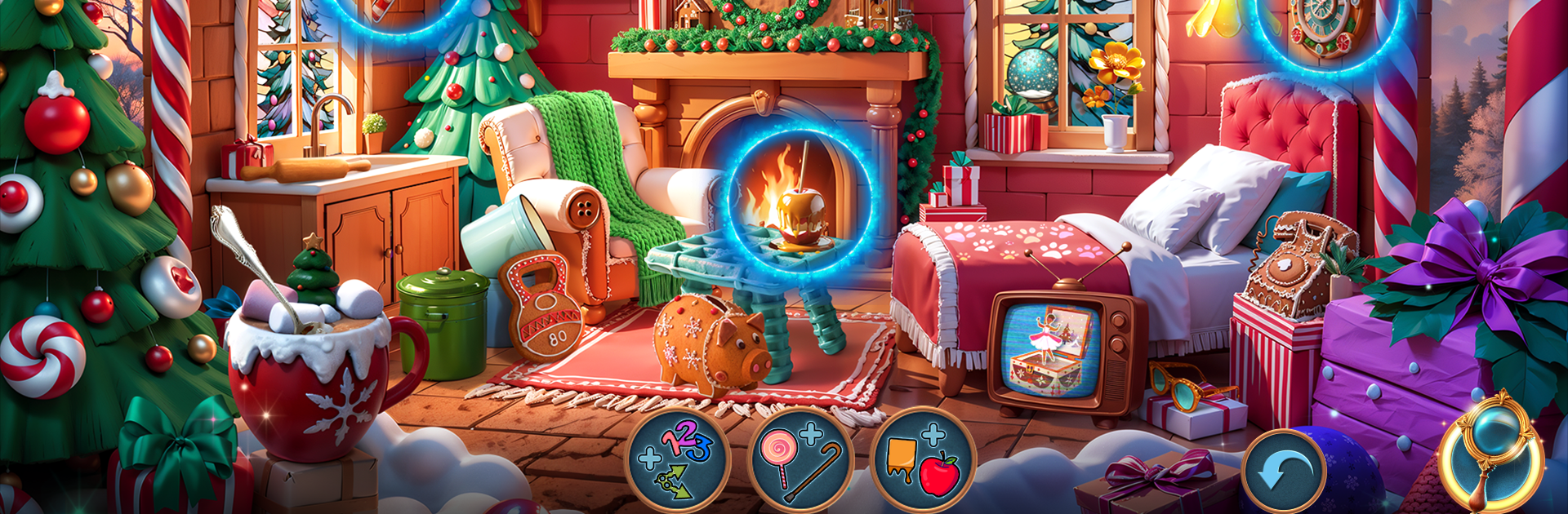
Christmas Fables: Nutcracker feels like a cozy holiday storybook that happens to be a hidden object game. It follows Alex, a kid who wishes for a real friend, and his Nutcracker waking up as Prince Henry. Things escalate into a classic fairytale quest with a sneering villain named Wormtooth and an army of steel clawed rats, plus snowy streets, toy shops, and glittering palaces to poke around. Each area drops a mix of hidden object scenes and little puzzles, the kind where you piece together ornaments, fix clockwork bits, or hunt for items tucked into warm, detailed art. The pace is relaxed, more about exploring and solving than action, and the story keeps throwing in fun touches like an enchanted sleigh ride, Queen Marie sending the pair to the Sugar Plum Fairy’s castle, and the mystery of a shattered Christmas Star.

What stands out is how festive it stays without getting sugary. There is danger, but it is storybook danger, with mechanical rats skittering in and the line between the doll world and the real one getting thin. The game sprinkles in achievements for progress and clever finds, so there is always a small reason to check one more scene. On PC with BlueStacks it plays smooth, mouse clicks make the object hunting clean, and the bigger screen shows off all the tiny decorations that would be easy to miss on a phone. Anyone who likes holiday mysteries with gentle stakes and puzzles that feel fair will probably settle right into it, it is easy to lose track of time in those snowey streets and twinkly rooms.

Make your gaming sessions memorable with precise controls that give you an edge in close combats and visuals that pop up, bringing every character to life.


Game Features

Enhancements

  • Macros
  • Multi Instance
  • Multi Instance Sync
  • Script
  • Enhancements
Macros

Macros

Automate the predictable in Christmas Fables: Nutcracker and transform your gameplay with Macros. Get access to inventive Macros in the BlueStacks Macro Community
Multi Instance

Multi Instance

Play Christmas Fables: Nutcracker on one window. And chat with your friend on the other. Press CTRL + Shift + 8 to open the Multi-Instance Manager. And start creating fresh instances or clone an existing one.
Multi Instance Sync

Multi Instance Sync

Play Christmas Fables: Nutcracker with the power of Multi-Instance Sync. Replicate what you are doing on the main instance on all other instances. Level up faster, play more.
Script

Script

Script your way to gaming glory in Christmas Fables: Nutcracker with BlueStacks Script. Write and run a set of commands to automate repeated tasks. Trigger the command by assigning it to any key.
Read More

How to Download and Play Christmas Fables: Nutcracker on PC or Mac

  • Download and install BlueStacks on your PC or Mac

  • Complete Google sign-in to access the Play Store, or do it later

  • Look for Christmas Fables: Nutcracker in the search bar at the top right corner

  • Click to install Christmas Fables: Nutcracker from the search results

  • Complete Google sign-in (if you skipped step 2) to install Christmas Fables: Nutcracker

  • Click the Christmas Fables: Nutcracker icon on the home screen to start playing

video
Watch Video

Minimum System Requirements

With BlueStacks 5, you can get started on a PC that fulfills the following requirements.

  • Operating System

    Microsoft Windows 7 or above, macOS 11 (Big Sur) or above

  • Processor

    Intel, AMD or Apple Silicon Processor

  • RAM

    at least 4GB

  • HDD

    10GB Free Disk Space

Note:

* You must be an Administrator on your PC. Up to date graphics drivers from Microsoft or the chipset vendor.

Christmas Fables: Nutcracker - FAQs

  • How to play Christmas Fables: Nutcracker on Windows PC & Mac?

    Play Christmas Fables: Nutcracker on your PC or Mac by following these simple steps.

    • Click on 'Play Christmas Fables: Nutcracker on PC’ to download BlueStacks
    • Install it and log-in to Google Play Store
    • Launch and play the game.
  • Why is BlueStacks the fastest and safest platform to play games on PC?

    BlueStacks respects your privacy and is always safe and secure to use. It does not carry any malware, spyware, or any sort of additional software that could harm your PC.

    It is engineered to optimize speed and performance for a seamless gaming experience.

  • What are Christmas Fables: Nutcracker PC requirements?

    Minimum requirement to run Christmas Fables: Nutcracker on your PC

    • OS: Microsoft Windows 7 or above MacOS 11 (Big Sur) or above
    • Processor: Intel, AMD or Apple Silicon Processor
    • RAM: Your PC must have at least 4GB of RAM. (Note that having 4GB or more disk space is not a substitute for RAM)
    • HDD: 10GB Free Disk Space.
    • You must be an Administrator on your PC.