Mystery of Myths 1: Extra

Mystery of Myths 1: Extra

Puzzle

| Do Games Limited

Play on PC with BlueStacks or from our cloud

  • Overview
  • Game Features
  • How to Play

Page Modified On: December 15, 2025

Play Mystery of Myths 1: Extra on PC or Mac

From the innovators and creators at Do Games Limited, Mystery of Myths 1: Extra is another fun addition to the World of Puzzle games. Go beyond your mobile screen and play it bigger and better on your PC or Mac. An immersive experience awaits you.

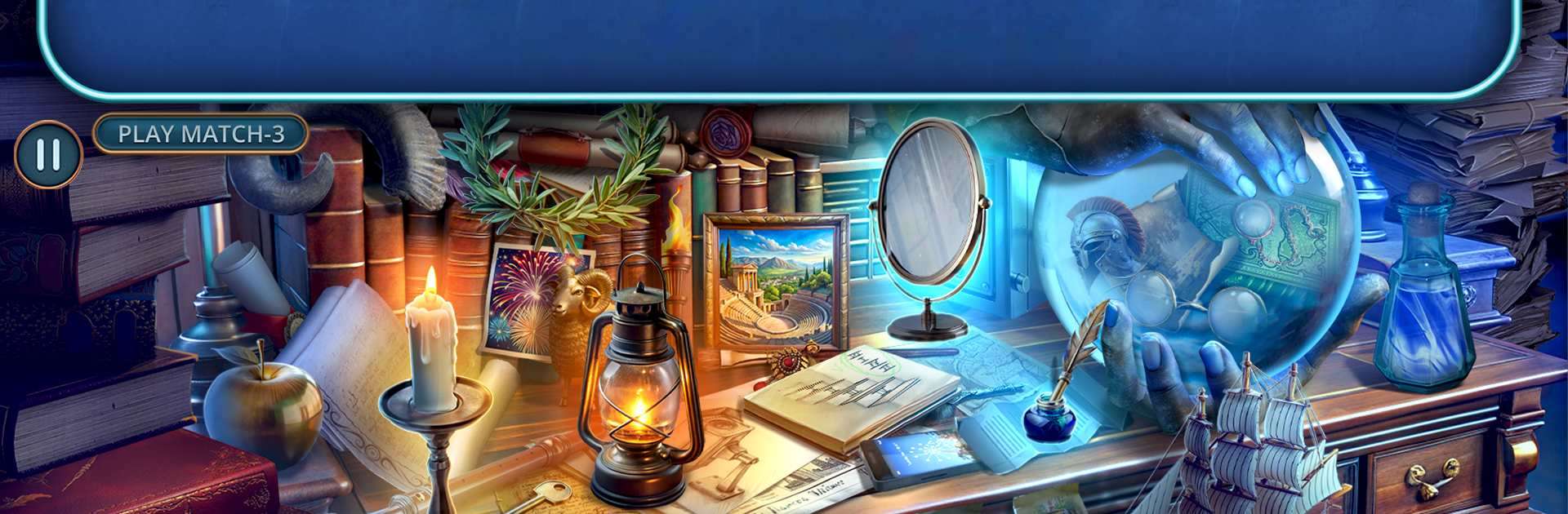
Mystery of Myths 1: Extra plays like a bonus side story that leans hard into hidden objects and old myth drama. The Golden Fleece goes missing, Elijah Reed gets dragged back in, and suddenly there are clues tucked around Rome’s shadowy corners. Think ancient baths, smoky taverns, quiet ruins, and a secretive Argonaut cult leaving breadcrumbs. It mixes mortals and legends in a way that feels moody rather than goofy, with Chiron pointing the way and faces like the nymph Echo or a fallen harpy named Giselle showing up at the worst possible time. Trust is thin, everyone has a motive, and the game likes to remind the player that favors are never free.

Moment to moment it is classic hidden object scenes broken up by puzzles. Some scenes are straight item lists, others have a couple steps, like using a thing to unlock another thing, then revealing what was actually needed. Puzzles lean on symbols, logic locks, and little brain teasers, enough to feel smart without turning into homework. The art sells it, lots of marble, torchlight, and dusty relics that look like they have a story. On PC with BlueStacks the mouse makes the poking and clicking feel clean, and the bigger screen makes the tiny trinkets way easier to spot. It feels like a compact mystery that still has weight, a few hours of mythy detective work with steady scene changes and a bit of theatrical dialogue that suits gods meddling in human business. If a relaxed search puzzle with a dash of divine intrigue sounds good, this lands right there.

Get ready for a buttery smooth, high-performance gaming action only on BlueStacks.

Game Features

Enhancements

  • Macros
  • Multi Instance
  • Multi Instance Sync
  • Script
  • Enhancements
Macros

Macros

Automate the predictable in Mystery of Myths 1: Extra and transform your gameplay with Macros. Get access to inventive Macros in the BlueStacks Macro Community
Multi Instance

Multi Instance

Play Mystery of Myths 1: Extra on one window. And chat with your friend on the other. Press CTRL + Shift + 8 to open the Multi-Instance Manager. And start creating fresh instances or clone an existing one.
Multi Instance Sync

Multi Instance Sync

Play Mystery of Myths 1: Extra with the power of Multi-Instance Sync. Replicate what you are doing on the main instance on all other instances. Level up faster, play more.
Script

Script

Script your way to gaming glory in Mystery of Myths 1: Extra with BlueStacks Script. Write and run a set of commands to automate repeated tasks. Trigger the command by assigning it to any key.
Read More

How to Download and Play Mystery of Myths 1: Extra on PC or Mac

  • Download and install BlueStacks on your PC or Mac

  • Complete Google sign-in to access the Play Store, or do it later

  • Look for Mystery of Myths 1: Extra in the search bar at the top right corner

  • Click to install Mystery of Myths 1: Extra from the search results

  • Complete Google sign-in (if you skipped step 2) to install Mystery of Myths 1: Extra

  • Click the Mystery of Myths 1: Extra icon on the home screen to start playing

video
Watch Video

Minimum System Requirements

With BlueStacks 5, you can get started on a PC that fulfills the following requirements.

  • Operating System

    Microsoft Windows 7 or above, macOS 11 (Big Sur) or above

  • Processor

    Intel, AMD or Apple Silicon Processor

  • RAM

    at least 4GB

  • HDD

    10GB Free Disk Space

Note:

* You must be an Administrator on your PC. Up to date graphics drivers from Microsoft or the chipset vendor.

Mystery of Myths 1: Extra - FAQs

  • How to play Mystery of Myths 1: Extra on Windows PC & Mac?

    Play Mystery of Myths 1: Extra on your PC or Mac by following these simple steps.

    • Click on 'Play Mystery of Myths 1: Extra on PC’ to download BlueStacks
    • Install it and log-in to Google Play Store
    • Launch and play the game.
  • Why is BlueStacks the fastest and safest platform to play games on PC?

    BlueStacks respects your privacy and is always safe and secure to use. It does not carry any malware, spyware, or any sort of additional software that could harm your PC.

    It is engineered to optimize speed and performance for a seamless gaming experience.

  • What are Mystery of Myths 1: Extra PC requirements?

    Minimum requirement to run Mystery of Myths 1: Extra on your PC

    • OS: Microsoft Windows 7 or above MacOS 11 (Big Sur) or above
    • Processor: Intel, AMD or Apple Silicon Processor
    • RAM: Your PC must have at least 4GB of RAM. (Note that having 4GB or more disk space is not a substitute for RAM)
    • HDD: 10GB Free Disk Space.
    • You must be an Administrator on your PC.