Stick King Legend
Stick King Legend

Stick King Legend

Adventure

| Stick King Labs

Play on PC with BlueStacks or from our cloud

  • Overview
  • Game Features
  • How to Play

Page Modified On: December 15, 2025

Play Stick King Legend on PC or Mac

Explore a whole new adventure with Stick King Legend, a Adventure game created by Stick King Labs. Experience great gameplay with BlueStacks, the most popular gaming platform to play Android games on your PC or Mac.

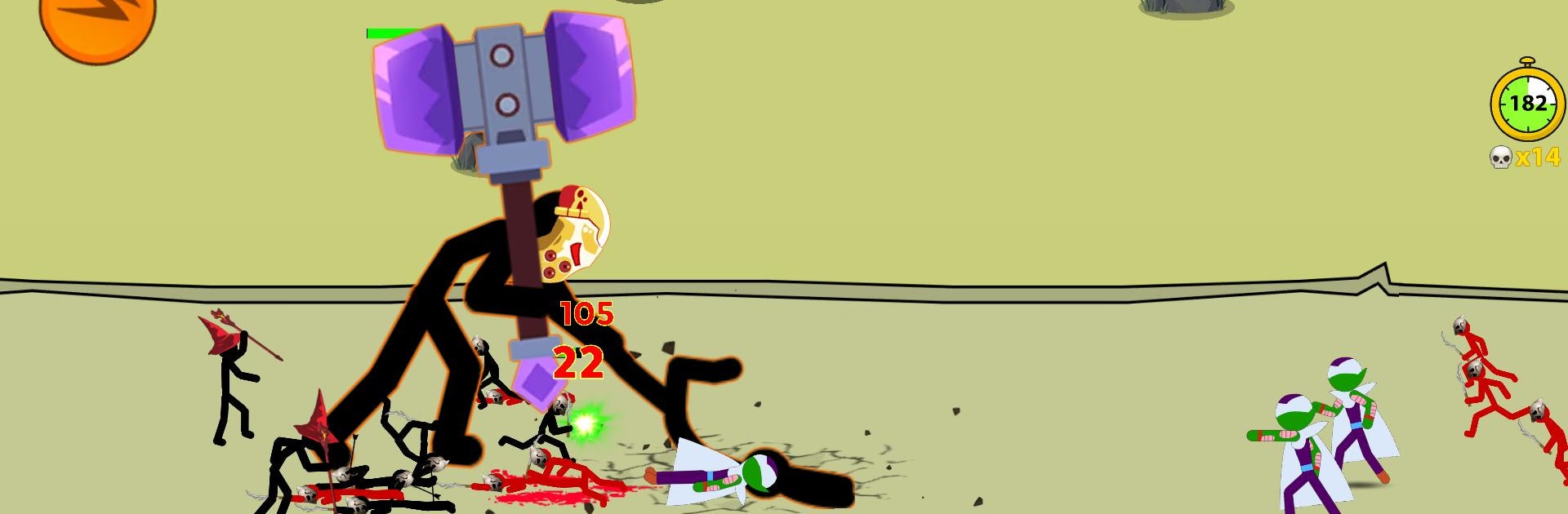
Stick King Legend plays like a fast tug-of-war strategy game where tiny choices decide everything. Battles are all about managing a steady stream of units, protecting the money makers, then picking the right second to shove the lane and crack the other team’s monument. Some runs turn into a slow, stubborn defense, others push hard for a quick break. Units feel distinct in useful ways, like Armored Giants soaking hits while Wizards snipe crowds and Miners quietly bankroll the whole plan. There is a hero in the mix too, with gear to upgrade and a merge system that turns extra items into stronger versions, so the roster keeps growing teeth.

There is a lot to do. A massive campaign that gets tougher step by step, a Shadow Tower with floor after floor of weird mixes, Survival for long sessions of wave management, Time Attack that rewards fast clears with more resources to draft from, a Zombie set that keeps pressure high, plus tournaments and straight online PvP for anyone who wants to climb. The upgrade web is huge, with tons of tiny perks that stack into real power, so tinkering between fights actually matters. On PC with BlueStacks, the mouse helps a lot since dragging units and flipping through equipment menus is quicker and cleaner than on a small screen. It is punchy, strategic, and it keeps asking for one more try without feeling impossible, just demanding in a good way.

Make your gaming sessions memorable with precise controls that give you an edge in close combats and visuals that pop up, bringing every character to life.


Game Features

Enhancements

  • Macros
  • Multi Instance
  • Multi Instance Sync
  • Script
  • Enhancements
Macros

Macros

Automate the predictable in Stick King Legend and transform your gameplay with Macros. Get access to inventive Macros in the BlueStacks Macro Community
Multi Instance

Multi Instance

Play Stick King Legend on one window. And chat with your friend on the other. Press CTRL + Shift + 8 to open the Multi-Instance Manager. And start creating fresh instances or clone an existing one.
Multi Instance Sync

Multi Instance Sync

Play Stick King Legend with the power of Multi-Instance Sync. Replicate what you are doing on the main instance on all other instances. Level up faster, play more.
Script

Script

Script your way to gaming glory in Stick King Legend with BlueStacks Script. Write and run a set of commands to automate repeated tasks. Trigger the command by assigning it to any key.
Read More

How to Download and Play Stick King Legend on PC or Mac

  • Download and install BlueStacks on your PC or Mac

  • Complete Google sign-in to access the Play Store, or do it later

  • Look for Stick King Legend in the search bar at the top right corner

  • Click to install Stick King Legend from the search results

  • Complete Google sign-in (if you skipped step 2) to install Stick King Legend

  • Click the Stick King Legend icon on the home screen to start playing

video
Watch Video

Minimum System Requirements

With BlueStacks 5, you can get started on a PC that fulfills the following requirements.

  • Operating System

    Microsoft Windows 7 or above, macOS 11 (Big Sur) or above

  • Processor

    Intel, AMD or Apple Silicon Processor

  • RAM

    at least 4GB

  • HDD

    10GB Free Disk Space

Note:

* You must be an Administrator on your PC. Up to date graphics drivers from Microsoft or the chipset vendor.

Stick King Legend - FAQs

  • How to play Stick King Legend on Windows PC & Mac?

    Play Stick King Legend on your PC or Mac by following these simple steps.

    • Click on 'Play Stick King Legend on PC’ to download BlueStacks
    • Install it and log-in to Google Play Store
    • Launch and play the game.
  • Why is BlueStacks the fastest and safest platform to play games on PC?

    BlueStacks respects your privacy and is always safe and secure to use. It does not carry any malware, spyware, or any sort of additional software that could harm your PC.

    It is engineered to optimize speed and performance for a seamless gaming experience.

  • What are Stick King Legend PC requirements?

    Minimum requirement to run Stick King Legend on your PC

    • OS: Microsoft Windows 7 or above MacOS 11 (Big Sur) or above
    • Processor: Intel, AMD or Apple Silicon Processor
    • RAM: Your PC must have at least 4GB of RAM. (Note that having 4GB or more disk space is not a substitute for RAM)
    • HDD: 10GB Free Disk Space.
    • You must be an Administrator on your PC.