Tree Hate You Game
Tree Hate You Game

Tree Hate You Game

Adventure

| 313 BODYFIT HEALTH CLUB

Play on PC with BlueStacks or from our cloud

  • Overview
  • Game Features
  • How to Play

Page Modified On: June 29, 2026

Play Tree Hate You Game on PC or Mac

Explore a whole new adventure with Tree Hate You Game, a Adventure game created by 313 BODYFIT HEALTH CLUB. Experience great gameplay with BlueStacks, the most popular gaming platform to play Android games on your PC or Mac.

About the Game

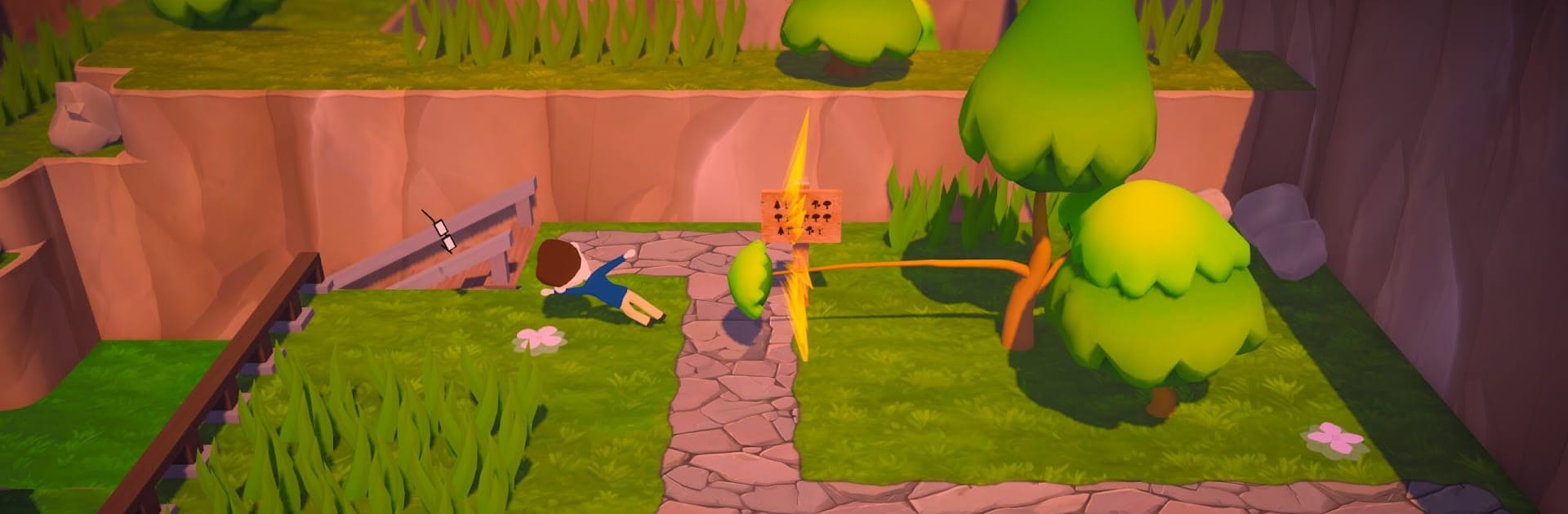
Tree Hate You Game is an Adventure where the woods aren’t just moody—they’re actively out to get you. One minute you’re strolling under the pines, the next you’re springing traps you swear weren’t there a second ago. It’s a scrappy mix of survival, slapstick, and “wait, what just happened?” moments that’ll have you laughing, grumbling, and trying again. Prefer playing on a bigger screen? It runs smoothly on PC with BlueStacks, too.

Game Features

  • A Forest With Attitude: The trees watch, react, and pull fast ones as you try to escape a not-so-chill, cursed woodland.
  • Traps That Troll You: Hidden pitfalls, pop-up hazards, and cheeky ambushes keep you guessing—and occasionally cackling.
  • Offbeat Dark Humor: The game leans into absurd forest logic, serving weird events and goofy surprises that keep every run fresh.
  • Distinct Zones: Push through different biomes, each with its own visual flavor, danger style, and tricky mechanics to learn.
  • Easy to Start, Tough to Survive: Simple controls get you moving fast, but tight timing and sharp reflexes are what keep you alive.
  • Learn Through Chaos: Every failure teaches a small lesson—or reveals a brand-new way to mess up—so “one more try” feels inevitable.
  • Offline Friendly: No connection needed, making it perfect for quick sessions whenever you’ve got a minute.
  • Short, Addictive Runs: Bite-sized challenges you can restart in seconds, with plenty of unexpected twists tucked into each attempt.

Ready to top the leaderboard? We bet you do. Let precise controls and sharp visuals optimized on BlueStacks lead you to victory.


Game Features

Enhancements

  • Macros
  • Multi Instance
  • Multi Instance Sync
  • Script
  • Enhancements
Macros

Macros

Automate the predictable in Tree Hate You Game and transform your gameplay with Macros. Get access to inventive Macros in the BlueStacks Macro Community
Multi Instance

Multi Instance

Play Tree Hate You Game on one window. And chat with your friend on the other. Press CTRL + Shift + 8 to open the Multi-Instance Manager. And start creating fresh instances or clone an existing one.
Multi Instance Sync

Multi Instance Sync

Play Tree Hate You Game with the power of Multi-Instance Sync. Replicate what you are doing on the main instance on all other instances. Level up faster, play more.
Script

Script

Script your way to gaming glory in Tree Hate You Game with BlueStacks Script. Write and run a set of commands to automate repeated tasks. Trigger the command by assigning it to any key.
Read More

How to Download and Play Tree Hate You Game on PC or Mac

  • Download and install BlueStacks on your PC or Mac

  • Complete Google sign-in to access the Play Store, or do it later

  • Look for Tree Hate You Game in the search bar at the top right corner

  • Click to install Tree Hate You Game from the search results

  • Complete Google sign-in (if you skipped step 2) to install Tree Hate You Game

  • Click the Tree Hate You Game icon on the home screen to start playing

video
Watch Video

Minimum System Requirements

With BlueStacks 5, you can get started on a PC that fulfills the following requirements.

  • Operating System

    Microsoft Windows 7 or above, macOS 11 (Big Sur) or above

  • Processor

    Intel, AMD or Apple Silicon Processor

  • RAM

    at least 4GB

  • HDD

    10GB Free Disk Space

Note:

* You must be an Administrator on your PC. Up to date graphics drivers from Microsoft or the chipset vendor.

Tree Hate You Game - FAQs

  • How to play Tree Hate You Game on Windows PC & Mac?

    Play Tree Hate You Game on your PC or Mac by following these simple steps.

    • Click on 'Play Tree Hate You Game on PC’ to download BlueStacks
    • Install it and log-in to Google Play Store
    • Launch and play the game.
  • Why is BlueStacks the fastest and safest platform to play games on PC?

    BlueStacks respects your privacy and is always safe and secure to use. It does not carry any malware, spyware, or any sort of additional software that could harm your PC.

    It is engineered to optimize speed and performance for a seamless gaming experience.

  • What are Tree Hate You Game PC requirements?

    Minimum requirement to run Tree Hate You Game on your PC

    • OS: Microsoft Windows 7 or above MacOS 11 (Big Sur) or above
    • Processor: Intel, AMD or Apple Silicon Processor
    • RAM: Your PC must have at least 4GB of RAM. (Note that having 4GB or more disk space is not a substitute for RAM)
    • HDD: 10GB Free Disk Space.
    • You must be an Administrator on your PC.