
Trees hate you
Trees hate you

Trees hate you

Adventure

| PLUME CREATIVE

Play on PC with BlueStacks or from our cloud

  • Overview
  • Game Features
  • How to Play

Page Modified On: June 02, 2026

Play Trees hate you on PC or Mac

Bring your A-game to Trees hate you, the Adventure game sensation from PLUME CREATIVE. Give your gameplay the much-needed boost with precise game controls, high FPS graphics, and top-tier features on your PC or Mac with BlueStacks.

About the Game

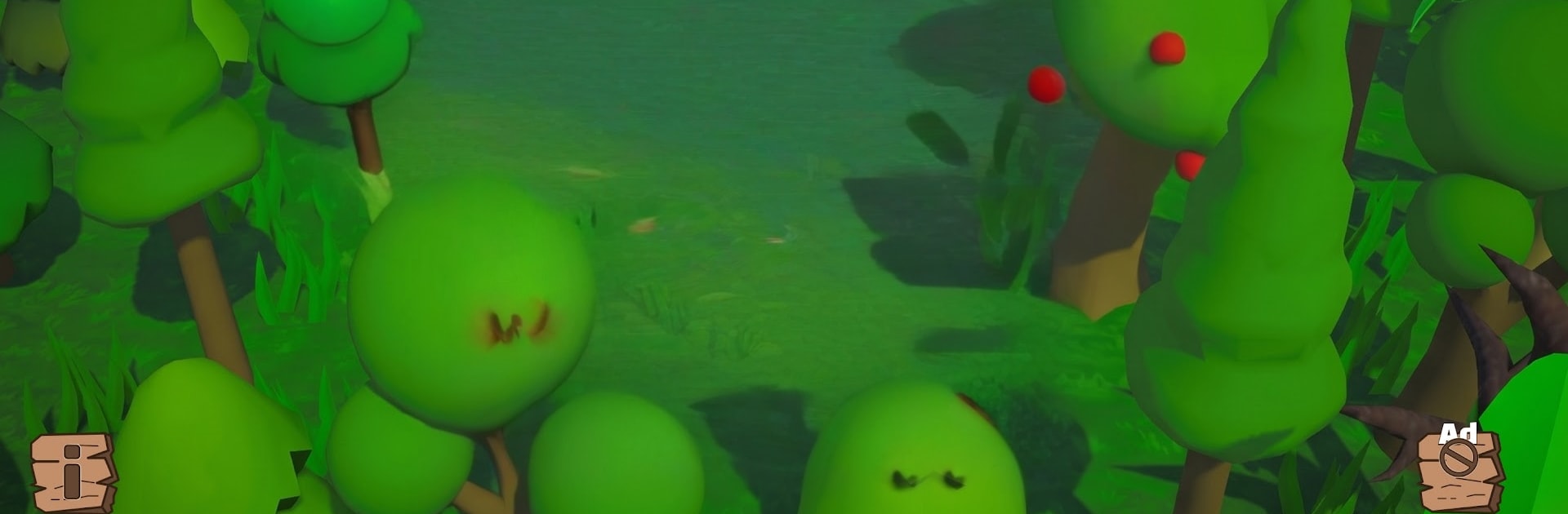
Trees hate you is an offbeat Adventure where the forest isn’t just creepy—it’s actively trying to get you. You’re dropped into a hostile woodland filled with snarling trunks and grabby branches, and your job is simple: stay alive. Run when you have to, hide when you can, and scavenge anything that might keep those angry trees off your back a little longer.

Game Features

  • Living, hostile forest: The trees aren’t background props—they chase, corner, and surprise you, turning every path into a risk.
  • Run, hide, outsmart: Sprint between cover, slip into the shadows, and break line of sight to shake your wooden pursuers.
  • Scavenge smart: Pick up scattered items and resources, stash what matters, and use your finds at the right moment to push your run farther.
  • Unpredictable encounters: Eerie sound cues and unexpected ambushes keep you guessing; no two sessions feel quite the same.
  • Scary and silly: It’s equal parts jumpy and absurd—one second you’re tense, the next you’re laughing at a furious pine trying to body-check you.
  • Simple to pick up: Clean, straightforward controls make it easy to start a run, while the escalating pressure keeps the challenge high.
  • Made for quick sessions: Whether you’ve got five minutes or an hour, every attempt feels tight, tense, and replayable.
  • Offline friendly: Play anywhere, even without a connection.
  • PC-friendly with BlueStacks: Prefer a big screen and keyboard controls? It runs smoothly on BlueStacks without making setup a whole project.

Start playing Trees hate you on BlueStacks and get a smoother, more comfortable PC or Mac setup.

Game Features

Enhancements

  • Macros
  • Multi Instance
  • Multi Instance Sync
  • Script
  • Enhancements
Macros

Macros

Automate the predictable in Trees hate you and transform your gameplay with Macros. Get access to inventive Macros in the BlueStacks Macro Community
Multi Instance

Multi Instance

Play Trees hate you on one window. And chat with your friend on the other. Press CTRL + Shift + 8 to open the Multi-Instance Manager. And start creating fresh instances or clone an existing one.
Multi Instance Sync

Multi Instance Sync

Play Trees hate you with the power of Multi-Instance Sync. Replicate what you are doing on the main instance on all other instances. Level up faster, play more.
Script

Script

Script your way to gaming glory in Trees hate you with BlueStacks Script. Write and run a set of commands to automate repeated tasks. Trigger the command by assigning it to any key.
Read More

How to Download and Play Trees hate you on PC or Mac

  • Download and install BlueStacks on your PC or Mac

  • Complete Google sign-in to access the Play Store, or do it later

  • Look for Trees hate you in the search bar at the top right corner

  • Click to install Trees hate you from the search results

  • Complete Google sign-in (if you skipped step 2) to install Trees hate you

  • Click the Trees hate you icon on the home screen to start playing

video
Watch Video

Minimum System Requirements

With BlueStacks 5, you can get started on a PC that fulfills the following requirements.

  • Operating System

    Microsoft Windows 7 or above, macOS 11 (Big Sur) or above

  • Processor

    Intel, AMD or Apple Silicon Processor

  • RAM

    at least 4GB

  • HDD

    10GB Free Disk Space

Note:

* You must be an Administrator on your PC. Up to date graphics drivers from Microsoft or the chipset vendor.

Trees hate you - FAQs

  • How to play Trees hate you on Windows PC & Mac?

    Play Trees hate you on your PC or Mac by following these simple steps.

    • Click on 'Play Trees hate you on PC’ to download BlueStacks
    • Install it and log-in to Google Play Store
    • Launch and play the game.
  • Why is BlueStacks the fastest and safest platform to play games on PC?

    BlueStacks respects your privacy and is always safe and secure to use. It does not carry any malware, spyware, or any sort of additional software that could harm your PC.

    It is engineered to optimize speed and performance for a seamless gaming experience.

  • What are Trees hate you PC requirements?

    Minimum requirement to run Trees hate you on your PC

    • OS: Microsoft Windows 7 or above MacOS 11 (Big Sur) or above
    • Processor: Intel, AMD or Apple Silicon Processor
    • RAM: Your PC must have at least 4GB of RAM. (Note that having 4GB or more disk space is not a substitute for RAM)
    • HDD: 10GB Free Disk Space.
    • You must be an Administrator on your PC.








