
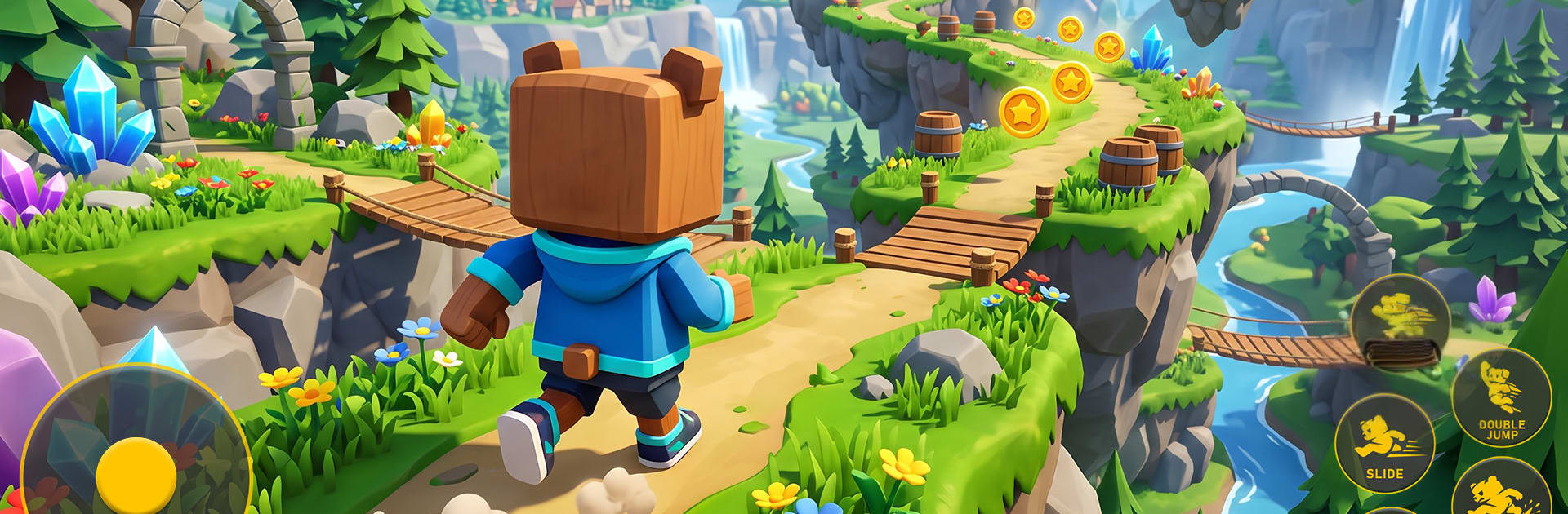
Ultimate Bear Adventure World

Ultimate Bear Adventure World

Adventure

| Mosytra Norixa

Play on PC with BlueStacks or from our cloud

  • Overview
  • Game Features
  • How to Play

Page Modified On: September 07, 2026

Play Ultimate Bear Adventure World on PC or Mac

Ultimate Bear Adventure World brings the Adventure genre to life, and throws up exciting challenges for gamers. Developed by Mosytra Norixa, this Android game is best experienced on BlueStacks, the World’s #1 app player for PC and Mac users.

About the Game

Ultimate Bear Adventure World is an Adventure that puts you in the fuzzy paws of a courageous bear set loose in a bright, free-roaming kingdom. Strange magic has thrown the land out of balance, so you’ll trek across wild spaces and cozy towns to fix what’s broken, rescue friends, and uncover what’s really going on. Prefer a bigger view and comfy controls? You can play on PC with BlueStacks as well.

Game Features

  • Hero in fuzzy paws: Guide a nimble bear who sprints, jumps, climbs, and swims, chaining moves together to handle tight spots and tricky routes.
  • Big world to roam: Explore forests, rivers, cliffs, islands, and ancient ruins, discovering hidden paths, shortcuts, and secret pockets of treasure.
  • Platforming that feels good: Responsive controls make timing tough jumps, scaling tall ledges, and weaving through hazards feel smooth and satisfying.
  • Quests with heart: Help locals, rescue lost pals, and take on story objectives that calm the kingdom and open up new places to explore.
  • Secrets and shiny finds: Track down coins, rare trinkets, and tucked-away collectibles that unlock rewards and clever detours.
  • Dress the part: Earn outfits and fresh looks for your bear, mixing styles that show off your vibe while you roam.
  • Varied biomes, real vibes: Move from peaceful villages to snowy peaks and shadowy caves, each with its own puzzles, enemies, and mood.
  • Foes and challenges: Battle corrupted creatures and chunky bosses, learn their patterns, and use your moves to outplay danger.
  • Progress that opens paths: Complete challenges and gather key items to reveal shortcuts, hidden doors, and entirely new zones.
  • Color and atmosphere: Bright, welcoming visuals and lively effects keep every area inviting while still packing plenty of surprises.

Start your journey now. Download the game on BlueStacks, invite your friends, and march on a new adventure.


Game Features

Enhancements

  • Macros
  • Multi Instance
  • Multi Instance Sync
  • Script
  • Enhancements
Macros

Macros

Automate the predictable in Ultimate Bear Adventure World and transform your gameplay with Macros. Get access to inventive Macros in the BlueStacks Macro Community
Multi Instance

Multi Instance

Play Ultimate Bear Adventure World on one window. And chat with your friend on the other. Press CTRL + Shift + 8 to open the Multi-Instance Manager. And start creating fresh instances or clone an existing one.
Multi Instance Sync

Multi Instance Sync

Play Ultimate Bear Adventure World with the power of Multi-Instance Sync. Replicate what you are doing on the main instance on all other instances. Level up faster, play more.
Script

Script

Script your way to gaming glory in Ultimate Bear Adventure World with BlueStacks Script. Write and run a set of commands to automate repeated tasks. Trigger the command by assigning it to any key.
Read More

How to Download and Play Ultimate Bear Adventure World on PC or Mac

  • Download and install BlueStacks on your PC or Mac

  • Complete Google sign-in to access the Play Store, or do it later

  • Look for Ultimate Bear Adventure World in the search bar at the top right corner

  • Click to install Ultimate Bear Adventure World from the search results

  • Complete Google sign-in (if you skipped step 2) to install Ultimate Bear Adventure World

  • Click the Ultimate Bear Adventure World icon on the home screen to start playing

video
Watch Video

Minimum System Requirements

With BlueStacks 5, you can get started on a PC that fulfills the following requirements.

  • Operating System

    Microsoft Windows 7 or above, macOS 11 (Big Sur) or above

  • Processor

    Intel, AMD or Apple Silicon Processor

  • RAM

    at least 4GB

  • HDD

    10GB Free Disk Space

Note:

* You must be an Administrator on your PC. Up to date graphics drivers from Microsoft or the chipset vendor.

Ultimate Bear Adventure World - FAQs

  • How to play Ultimate Bear Adventure World on Windows PC & Mac?

    Play Ultimate Bear Adventure World on your PC or Mac by following these simple steps.

    • Click on 'Play Ultimate Bear Adventure World on PC’ to download BlueStacks
    • Install it and log-in to Google Play Store
    • Launch and play the game.
  • Why is BlueStacks the fastest and safest platform to play games on PC?

    BlueStacks respects your privacy and is always safe and secure to use. It does not carry any malware, spyware, or any sort of additional software that could harm your PC.

    It is engineered to optimize speed and performance for a seamless gaming experience.

  • What are Ultimate Bear Adventure World PC requirements?

    Minimum requirement to run Ultimate Bear Adventure World on your PC

    • OS: Microsoft Windows 7 or above MacOS 11 (Big Sur) or above
    • Processor: Intel, AMD or Apple Silicon Processor
    • RAM: Your PC must have at least 4GB of RAM. (Note that having 4GB or more disk space is not a substitute for RAM)
    • HDD: 10GB Free Disk Space.
    • You must be an Administrator on your PC.







