War Drone Strike 3D Shooting

War Drone Strike 3D Shooting

Adventure

| 360 Gaming Studio

Play on PC with BlueStacks or from our cloud

  • Overview
  • Game Features
  • How to Play

Page Modified On: June 25, 2026

Play War Drone Strike 3D Shooting on PC or Mac

Play War Drone Strike 3D Shooting by 360 Gaming Studio on PC or Mac with BlueStacks. Use a bigger screen, mouse and keyboard controls, and smoother performance while you play.

About the Game

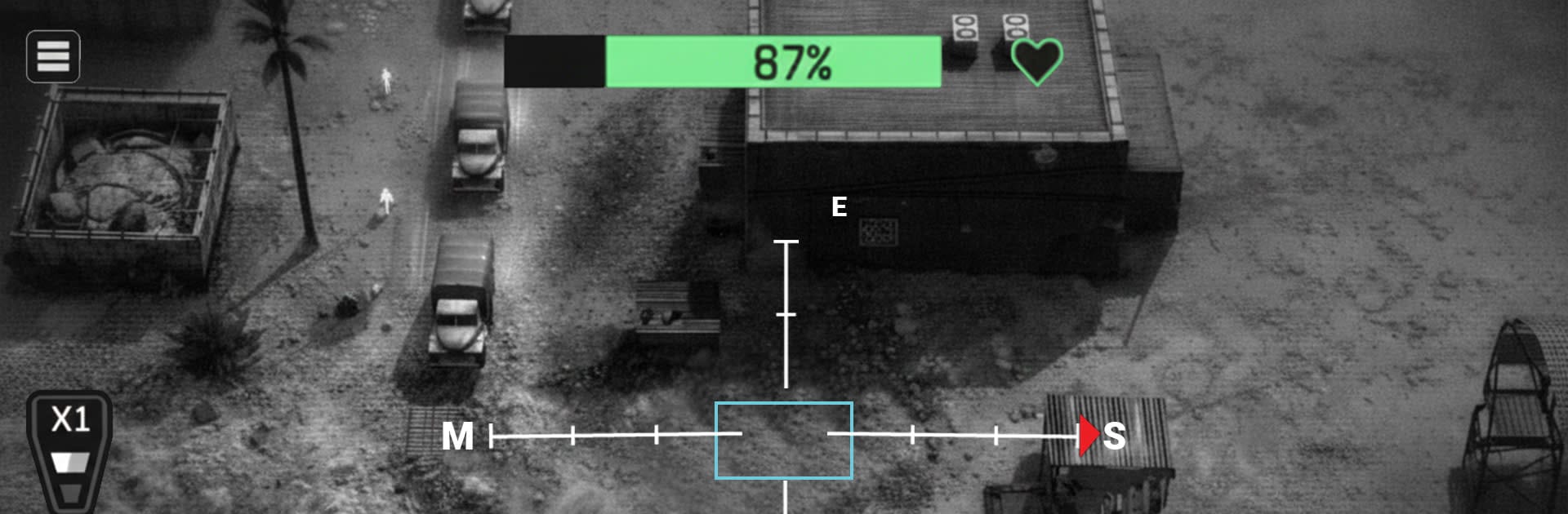
War Drone Strike 3D Shooting hands you the controls of armed UAVs and lets you run precision ops from the sky. It’s all about spotting threats, picking the right moment, and pulling off clean strikes while the battlefield shifts beneath you. Expect tight, responsive shooting, punchy effects, and missions that make you think a step ahead rather than just hold the trigger.

Prefer playing on PC? It runs smoothly on BlueStacks if you want that crisp mouse aim and bigger view.

Game Features

  • High-tech drone ops: Pilot modern combat drones loaded with guided missiles, a heavy gun, and smart targeting tools that make every shot count.
  • Tactical strike missions: Scout first, prioritize targets, and choose the right ordnance to dismantle convoys, bases, and fortified positions.
  • Thermal and zoom optics: Flip between regular view, long-range zoom, and heat signatures to track vehicles and hidden units through smoke and darkness.
  • Cinematic 3D battlefields: Fly across realistic war zones with detailed environments, fiery impacts, and satisfying destruction that sells every hit.
  • Smooth, responsive controls: Steering, aiming, and firing feel snappy, so lining up moving targets is more skill than struggle.
  • Progressive challenge: Each mission turns the screws—tighter defenses, tougher armor, and trickier objectives that reward patience and precision.
  • Multiple mission types: From recon-style sweeps to coordinated assaults, there’s a steady mix to keep the action fresh.
  • Offline play: Take missions on the go without a connection, perfect for quick sessions or longer sorties.

Get ready for a buttery smooth, high-performance gaming action only on BlueStacks.

Game Features

Enhancements

  • Macros
  • Multi Instance
  • Multi Instance Sync
  • Script
  • Enhancements
Macros

Macros

Automate the predictable in War Drone Strike 3D Shooting and transform your gameplay with Macros. Get access to inventive Macros in the BlueStacks Macro Community
Multi Instance

Multi Instance

Play War Drone Strike 3D Shooting on one window. And chat with your friend on the other. Press CTRL + Shift + 8 to open the Multi-Instance Manager. And start creating fresh instances or clone an existing one.
Multi Instance Sync

Multi Instance Sync

Play War Drone Strike 3D Shooting with the power of Multi-Instance Sync. Replicate what you are doing on the main instance on all other instances. Level up faster, play more.
Script

Script

Script your way to gaming glory in War Drone Strike 3D Shooting with BlueStacks Script. Write and run a set of commands to automate repeated tasks. Trigger the command by assigning it to any key.
Read More

How to Download and Play War Drone Strike 3D Shooting on PC or Mac

  • Download and install BlueStacks on your PC or Mac

  • Complete Google sign-in to access the Play Store, or do it later

  • Look for War Drone Strike 3D Shooting in the search bar at the top right corner

  • Click to install War Drone Strike 3D Shooting from the search results

  • Complete Google sign-in (if you skipped step 2) to install War Drone Strike 3D Shooting

  • Click the War Drone Strike 3D Shooting icon on the home screen to start playing

video
Watch Video

Minimum System Requirements

With BlueStacks 5, you can get started on a PC that fulfills the following requirements.

  • Operating System

    Microsoft Windows 7 or above, macOS 11 (Big Sur) or above

  • Processor

    Intel, AMD or Apple Silicon Processor

  • RAM

    at least 4GB

  • HDD

    10GB Free Disk Space

Note:

* You must be an Administrator on your PC. Up to date graphics drivers from Microsoft or the chipset vendor.

War Drone Strike 3D Shooting - FAQs

  • How to play War Drone Strike 3D Shooting on Windows PC & Mac?

    Play War Drone Strike 3D Shooting on your PC or Mac by following these simple steps.

    • Click on 'Play War Drone Strike 3D Shooting on PC’ to download BlueStacks
    • Install it and log-in to Google Play Store
    • Launch and play the game.
  • Why is BlueStacks the fastest and safest platform to play games on PC?

    BlueStacks respects your privacy and is always safe and secure to use. It does not carry any malware, spyware, or any sort of additional software that could harm your PC.

    It is engineered to optimize speed and performance for a seamless gaming experience.

  • What are War Drone Strike 3D Shooting PC requirements?

    Minimum requirement to run War Drone Strike 3D Shooting on your PC

    • OS: Microsoft Windows 7 or above MacOS 11 (Big Sur) or above
    • Processor: Intel, AMD or Apple Silicon Processor
    • RAM: Your PC must have at least 4GB of RAM. (Note that having 4GB or more disk space is not a substitute for RAM)
    • HDD: 10GB Free Disk Space.
    • You must be an Administrator on your PC.