Z World Merge: I am Hero

Z World Merge: I am Hero

Adventure

| Tara Westover

Play on PC with BlueStacks or from our cloud

  • Overview
  • Game Features
  • How to Play

Page Modified On: December 26, 2025

Play Z World Merge: I am Hero on PC or Mac

Z World Merge: I am Hero brings the Adventure genre to life, and throws up exciting challenges for gamers. Developed by Tara Westover, this Android game is best experienced on BlueStacks, the World’s #1 app player for PC and Mac users.

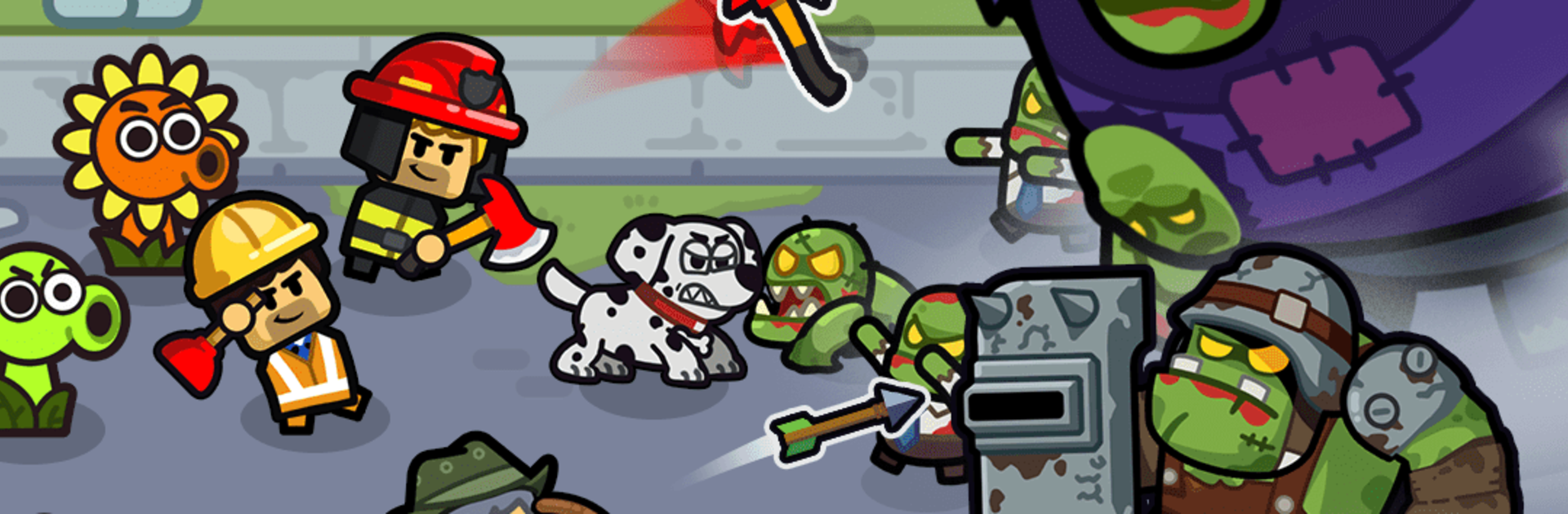
Z World Merge: I am Hero plays like a chill mix of merge puzzle and light strategy, set after a long-ago war that left the world crawling with zombies. It starts small with basic shamblers and a handful of rookie units, then grows as players fuse troops into stronger versions and drop them into formation. Every merge feels deliberate. Fuse two grunts, a tougher specialist appears. Line breakers up front, long range gunners in the back, support tucked safely behind walls. Waves push in, and those merges unlock new suppression skills that pin or slow the horde, plus defensive fortifications like turrets and barriers that buy precious seconds.

It moves at a comfortable pace, almost like a builder, but there is always a tiny puzzle to solve. Do you save pieces for a bigger fusion, or place them now to stop a leak on the left lane. The upgrade paths are tidy and clear, and the power curve hits nice moments where one smart combination suddenly clears a wave that looked hopeless. Sound and effects give good feedback when a fusion lands or a skill pops, so it never feels muddy. On PC with BlueStacks, dragging to merge and dropping units is quick with a mouse, and the performance handles big swarms without fuss. The loop is simple, grow the anti zombie army, layer in skills, hold the line, then push back until things feel stable again.

Ready to top the leaderboard? We bet you do. Let precise controls and sharp visuals optimized on BlueStacks lead you to victory.


Game Features

Enhancements

  • Macros
  • Multi Instance
  • Multi Instance Sync
  • Script
  • Enhancements
Macros

Macros

Automate the predictable in Z World Merge: I am Hero and transform your gameplay with Macros. Get access to inventive Macros in the BlueStacks Macro Community
Multi Instance

Multi Instance

Play Z World Merge: I am Hero on one window. And chat with your friend on the other. Press CTRL + Shift + 8 to open the Multi-Instance Manager. And start creating fresh instances or clone an existing one.
Multi Instance Sync

Multi Instance Sync

Play Z World Merge: I am Hero with the power of Multi-Instance Sync. Replicate what you are doing on the main instance on all other instances. Level up faster, play more.
Script

Script

Script your way to gaming glory in Z World Merge: I am Hero with BlueStacks Script. Write and run a set of commands to automate repeated tasks. Trigger the command by assigning it to any key.
Read More

How to Download and Play Z World Merge: I am Hero on PC or Mac

  • Download and install BlueStacks on your PC or Mac

  • Complete Google sign-in to access the Play Store, or do it later

  • Look for Z World Merge: I am Hero in the search bar at the top right corner

  • Click to install Z World Merge: I am Hero from the search results

  • Complete Google sign-in (if you skipped step 2) to install Z World Merge: I am Hero

  • Click the Z World Merge: I am Hero icon on the home screen to start playing

video
Watch Video

Minimum System Requirements

With BlueStacks 5, you can get started on a PC that fulfills the following requirements.

  • Operating System

    Microsoft Windows 7 or above, macOS 11 (Big Sur) or above

  • Processor

    Intel, AMD or Apple Silicon Processor

  • RAM

    at least 4GB

  • HDD

    10GB Free Disk Space

Note:

* You must be an Administrator on your PC. Up to date graphics drivers from Microsoft or the chipset vendor.

Z World Merge: I am Hero - FAQs

  • How to play Z World Merge: I am Hero on Windows PC & Mac?

    Play Z World Merge: I am Hero on your PC or Mac by following these simple steps.

    • Click on 'Play Z World Merge: I am Hero on PC’ to download BlueStacks
    • Install it and log-in to Google Play Store
    • Launch and play the game.
  • Why is BlueStacks the fastest and safest platform to play games on PC?

    BlueStacks respects your privacy and is always safe and secure to use. It does not carry any malware, spyware, or any sort of additional software that could harm your PC.

    It is engineered to optimize speed and performance for a seamless gaming experience.

  • What are Z World Merge: I am Hero PC requirements?

    Minimum requirement to run Z World Merge: I am Hero on your PC

    • OS: Microsoft Windows 7 or above MacOS 11 (Big Sur) or above
    • Processor: Intel, AMD or Apple Silicon Processor
    • RAM: Your PC must have at least 4GB of RAM. (Note that having 4GB or more disk space is not a substitute for RAM)
    • HDD: 10GB Free Disk Space.
    • You must be an Administrator on your PC.