Zombie War : Sands of Survival

Zombie War : Sands of Survival

Adventure

| Matab Games

Play on PC with BlueStacks or from our cloud

  • Overview
  • Game Features
  • How to Play

Page Modified On: August 11, 2026

Play Zombie War : Sands of Survival on PC or Mac

Bring your A-game to Zombie War : Sands of Survival, the Adventure game sensation from Matab Games. Give your gameplay the much-needed boost with precise game controls, high FPS graphics, and top-tier features on your PC or Mac with BlueStacks.

About the Game

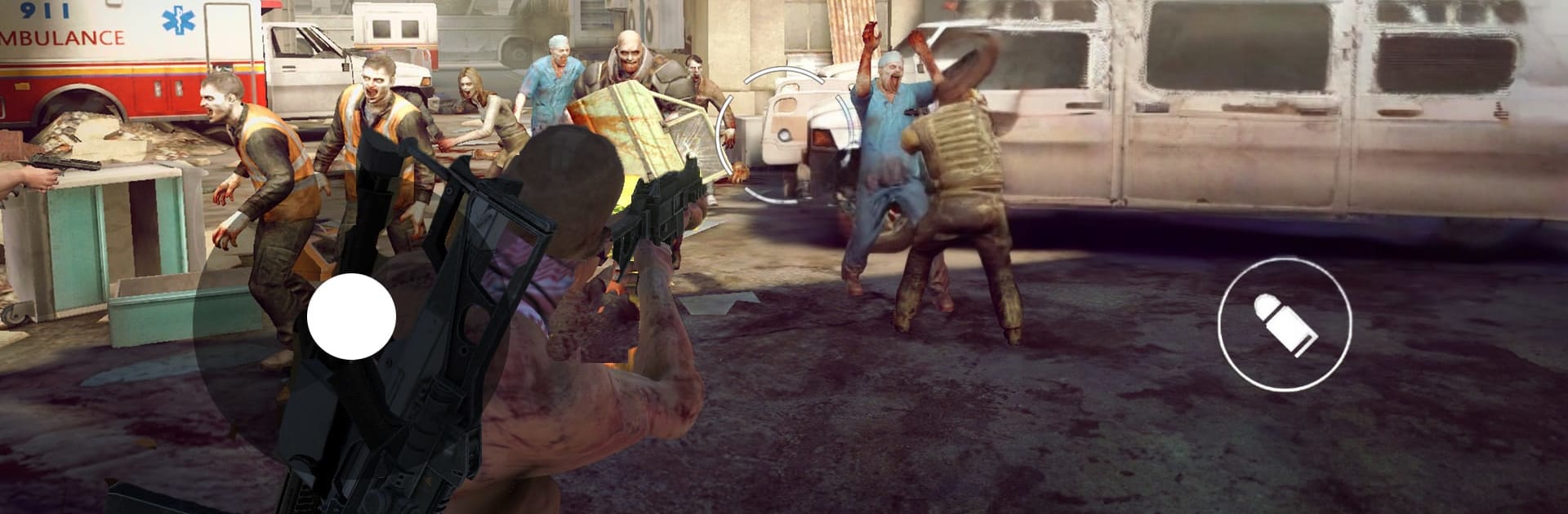
Zombie War : Sands of Survival is an open-world Adventure mash-up where burning rubber meets blasting undead. One minute you’re drifting through dusty highways, the next you’re switching perspectives for tight gunfights against freaky hordes and towering bosses. Go solo with a story-driven Survival Campaign or jump online to test your aim against real players—offline play’s there when you just want to roam and wreck.

Game Features

  • Open-World Mayhem: Roam a sun-scorched wasteland crawling with zombies, scavenge what you can, and decide whether to fight or floor it.
  • Drift + Shoot Combo: Kick out the tail end in stylish drifts, then line up clean shots—vehicle combat and on-foot firefights blend into one wild ride.
  • Solo Survival Campaign: Tackle a mission-based storyline filled with tense encounters, unique enemy types, and boss fights that actually push your loadout.
  • PvP Multiplayer: Face off against players worldwide in competitive matches that favor smart movement, sharp aim, and fast decisions.
  • Switchable FPS/TPS Views: Swap between first-person precision and third-person awareness whenever the fight calls for it.
  • Online or Offline: No signal? No problem. Play the campaign and modes offline, or jump online with friends when you’re ready to squad up.
  • Deep Arsenal Variety: Build a loadout across multiple weapon classes—from shotguns and LMGs to long-range rifles—each with its own feel and punch.
  • Smooth Controls: Responsive shooting and driving with touch or gamepad support; prefer a mouse and keyboard? It plays great on BlueStacks too.

BlueStacks gives you more room to focus on the game and less time adjusting around mobile limitations.


Game Features

Enhancements

  • Macros
  • Multi Instance
  • Multi Instance Sync
  • Script
  • Enhancements
Macros

Macros

Automate the predictable in Zombie War : Sands of Survival and transform your gameplay with Macros. Get access to inventive Macros in the BlueStacks Macro Community
Multi Instance

Multi Instance

Play Zombie War : Sands of Survival on one window. And chat with your friend on the other. Press CTRL + Shift + 8 to open the Multi-Instance Manager. And start creating fresh instances or clone an existing one.
Multi Instance Sync

Multi Instance Sync

Play Zombie War : Sands of Survival with the power of Multi-Instance Sync. Replicate what you are doing on the main instance on all other instances. Level up faster, play more.
Script

Script

Script your way to gaming glory in Zombie War : Sands of Survival with BlueStacks Script. Write and run a set of commands to automate repeated tasks. Trigger the command by assigning it to any key.
Read More

How to Download and Play Zombie War : Sands of Survival on PC or Mac

  • Download and install BlueStacks on your PC or Mac

  • Complete Google sign-in to access the Play Store, or do it later

  • Look for Zombie War : Sands of Survival in the search bar at the top right corner

  • Click to install Zombie War : Sands of Survival from the search results

  • Complete Google sign-in (if you skipped step 2) to install Zombie War : Sands of Survival

  • Click the Zombie War : Sands of Survival icon on the home screen to start playing

video
Watch Video

Minimum System Requirements

With BlueStacks 5, you can get started on a PC that fulfills the following requirements.

  • Operating System

    Microsoft Windows 7 or above, macOS 11 (Big Sur) or above

  • Processor

    Intel, AMD or Apple Silicon Processor

  • RAM

    at least 4GB

  • HDD

    10GB Free Disk Space

Note:

* You must be an Administrator on your PC. Up to date graphics drivers from Microsoft or the chipset vendor.

Zombie War : Sands of Survival - FAQs

  • How to play Zombie War : Sands of Survival on Windows PC & Mac?

    Play Zombie War : Sands of Survival on your PC or Mac by following these simple steps.

    • Click on 'Play Zombie War : Sands of Survival on PC’ to download BlueStacks
    • Install it and log-in to Google Play Store
    • Launch and play the game.
  • Why is BlueStacks the fastest and safest platform to play games on PC?

    BlueStacks respects your privacy and is always safe and secure to use. It does not carry any malware, spyware, or any sort of additional software that could harm your PC.

    It is engineered to optimize speed and performance for a seamless gaming experience.

  • What are Zombie War : Sands of Survival PC requirements?

    Minimum requirement to run Zombie War : Sands of Survival on your PC

    • OS: Microsoft Windows 7 or above MacOS 11 (Big Sur) or above
    • Processor: Intel, AMD or Apple Silicon Processor
    • RAM: Your PC must have at least 4GB of RAM. (Note that having 4GB or more disk space is not a substitute for RAM)
    • HDD: 10GB Free Disk Space.
    • You must be an Administrator on your PC.