Final Bricks Breaker

Final Bricks Breaker

Arcade

| TunUpGames

Play on PC with BlueStacks or from our cloud

  • Overview
  • Game Features
  • How to Play

Page Modified On: October 10, 2025

Play Final Bricks Breaker on PC or Mac

Bring your A-game to Final Bricks Breaker, the Arcade game sensation from TunUpGames. Give your gameplay the much-needed boost with precise game controls, high FPS graphics, and top-tier features on your PC or Mac with BlueStacks.

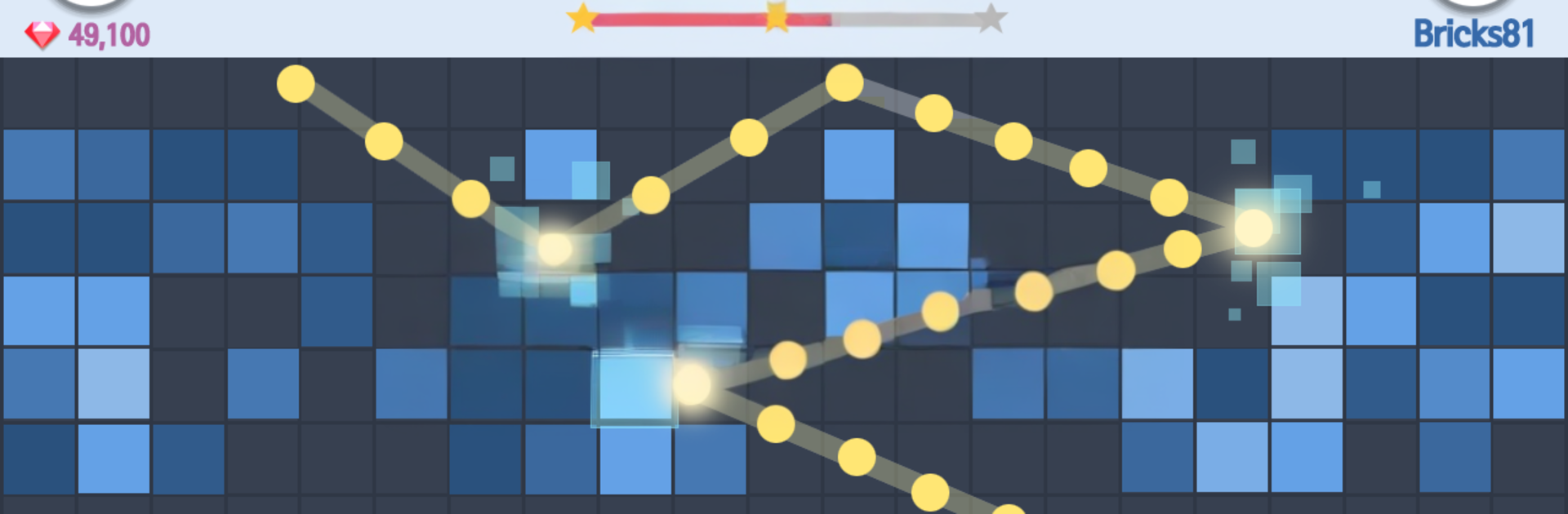
Final Bricks Breaker is the kind of brick bouncer that feels simple at first, then sneaks up with that just-one-more-shot loop. Aim with a quick drag, release, and watch a swarm of balls ricochet around, ticking the numbers down on each block. When a brick hits zero it pops, and if any stack reaches the bottom, that run is over. The flow swings between relaxing and tense depending on the angle, which is weirdly satisfying when a risky bounce clears half the board. There are thousands of stages to chew through, plus three styles of play. Stage mode drip feeds new layouts, Classic is all about chasing a clean run and score, and 100 Balls floods the screen for a goofy, chaotic burst. It runs offline, the controls are easy with one hand, and it does not chew much storage or power, so it behaves well on older devices too. Achievements and leaderboards are there if someone wants something to push toward.

On PC with BlueStacks it plays great. Mouse aiming makes lining up shots feel precise, and the bigger screen helps track crazy angles and rebounds. It works nicely as a quick break game in a window while a podcast runs, with no network needed. It is free to play with optional purchases if someone wants boosts, nothing complicated. Just note progress lives on the device, so deleting or switching devices can reset data. Overall it is a chill, crunchy little arcade fix that rewards clever angles and a bit of patience, with plenty of content to keep the hands busy.

Make your gaming sessions memorable with precise controls that give you an edge in close combats and visuals that pop up, bringing every character to life.


Game Features

Enhancements

  • Macros
  • Multi Instance
  • Multi Instance Sync
  • Script
  • Enhancements
Macros

Macros

Automate the predictable in Final Bricks Breaker and transform your gameplay with Macros. Get access to inventive Macros in the BlueStacks Macro Community
Multi Instance

Multi Instance

Play Final Bricks Breaker on one window. And chat with your friend on the other. Press CTRL + Shift + 8 to open the Multi-Instance Manager. And start creating fresh instances or clone an existing one.
Multi Instance Sync

Multi Instance Sync

Play Final Bricks Breaker with the power of Multi-Instance Sync. Replicate what you are doing on the main instance on all other instances. Level up faster, play more.
Script

Script

Script your way to gaming glory in Final Bricks Breaker with BlueStacks Script. Write and run a set of commands to automate repeated tasks. Trigger the command by assigning it to any key.
Read More

How to Download and Play Final Bricks Breaker on PC or Mac

  • Download and install BlueStacks on your PC or Mac

  • Complete Google sign-in to access the Play Store, or do it later

  • Look for Final Bricks Breaker in the search bar at the top right corner

  • Click to install Final Bricks Breaker from the search results

  • Complete Google sign-in (if you skipped step 2) to install Final Bricks Breaker

  • Click the Final Bricks Breaker icon on the home screen to start playing

video
Watch Video

Minimum System Requirements

With BlueStacks 5, you can get started on a PC that fulfills the following requirements.

  • Operating System

    Microsoft Windows 7 or above, macOS 11 (Big Sur) or above

  • Processor

    Intel, AMD or Apple Silicon Processor

  • RAM

    at least 4GB

  • HDD

    10GB Free Disk Space

Note:

* You must be an Administrator on your PC. Up to date graphics drivers from Microsoft or the chipset vendor.

Final Bricks Breaker - FAQs

  • How to play Final Bricks Breaker on Windows PC & Mac?

    Play Final Bricks Breaker on your PC or Mac by following these simple steps.

    • Click on 'Play Final Bricks Breaker on PC’ to download BlueStacks
    • Install it and log-in to Google Play Store
    • Launch and play the game.
  • Why is BlueStacks the fastest and safest platform to play games on PC?

    BlueStacks respects your privacy and is always safe and secure to use. It does not carry any malware, spyware, or any sort of additional software that could harm your PC.

    It is engineered to optimize speed and performance for a seamless gaming experience.

  • What are Final Bricks Breaker PC requirements?

    Minimum requirement to run Final Bricks Breaker on your PC

    • OS: Microsoft Windows 7 or above MacOS 11 (Big Sur) or above
    • Processor: Intel, AMD or Apple Silicon Processor
    • RAM: Your PC must have at least 4GB of RAM. (Note that having 4GB or more disk space is not a substitute for RAM)
    • HDD: 10GB Free Disk Space.
    • You must be an Administrator on your PC.