Hell Runner
Hell Runner

Hell Runner

Arcade

| SB GAME STUDIO

Play on PC with BlueStacks or from our cloud

  • Overview
  • Game Features
  • How to Play

Page Modified On: April 07, 2026

Play Hell Runner on PC or Mac

Join millions to experience Hell Runner, an exciting Arcade game from SB GAME STUDIO. With BlueStacks App Player, you are always a step ahead of your opponent, ready to outplay them with faster gameplay and better control with the mouse and keyboard on your PC or Mac.

About the Game

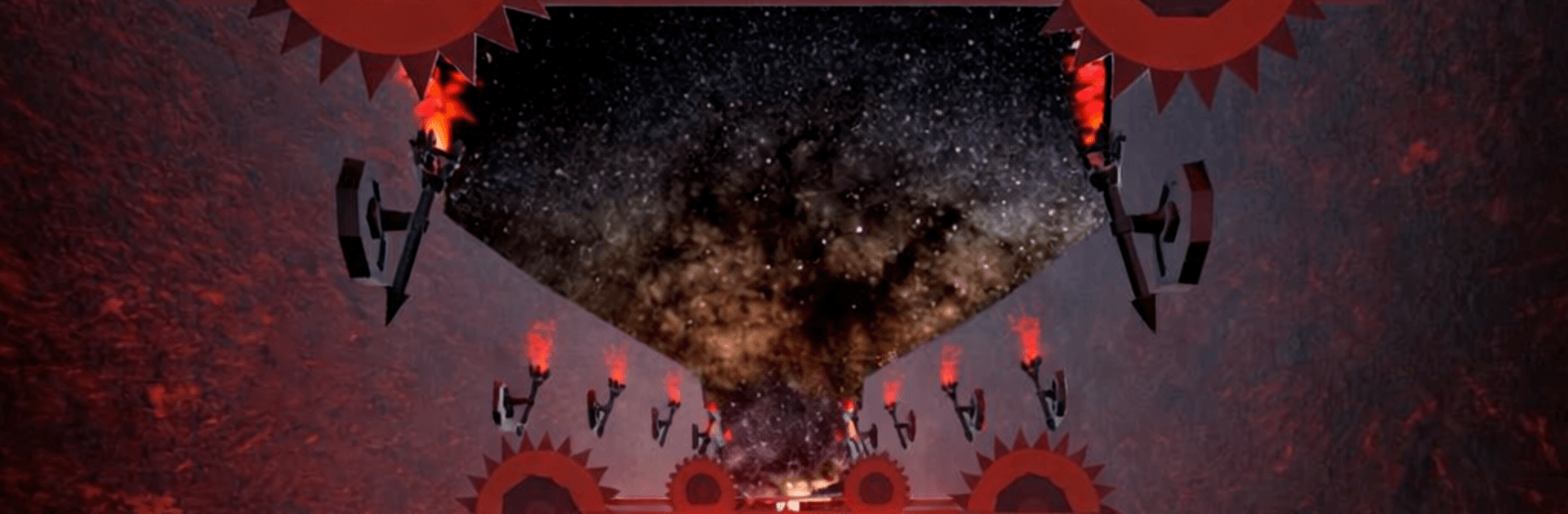
Hell Runner is a relentless Arcade sprint from SB GAME STUDIO where every second counts. You’re bolting through a nightmarish underworld packed with hazards, trying to stay one step ahead of blades, flames, and all kinds of nasty tricks. It’s fast, tense, and strangely satisfying when you thread the needle through danger and keep that score climbing. Prefer a bigger screen? It plays nicely on BlueStacks, too.

Game Features

  • Brutal underworld setting: Race through a twisted realm of swinging steel, fire pits, and wicked sorcery that’s always trying to trip you up.
  • Reflex-first runner action: Jump, slide, and sidestep at high speed. Miss a beat and, well… the floor might be lava—literally.
  • 21 unlockable heroes: Collect skulls and rare goodies to open up a roster of distinct warriors, each bringing their own style and swagger.
  • Clutch power-ups: Hit Hell Rush for a winged max-speed burst, pop a Protection Shield when things get hairy, pull loot with the Skull Magnet, stack a Score Multiplier, and snag Bonus Skull rewards when you’re on a roll.
  • Daily goodies: Check in regularly to grab useful boosts that make the next run a little wilder.
  • Chase the leaderboard: Beat your personal best, then keep pushing for higher ranks. It’s you versus your nerves.
  • Smooth, responsive controls: Easy to pick up for quick runs, precise enough for the folks who love shaving milliseconds off every dodge.
  • Built for quick sessions: Perfect for a couple of rapid-fire attempts or a long streak when you’re in the zone.

Slay your opponents with your epic moves. Play it your way on BlueStacks and dominate the battlefield.


Game Features

Enhancements

  • Macros
  • Multi Instance
  • Multi Instance Sync
  • Script
  • Enhancements
Macros

Macros

Automate the predictable in Hell Runner and transform your gameplay with Macros. Get access to inventive Macros in the BlueStacks Macro Community
Multi Instance

Multi Instance

Play Hell Runner on one window. And chat with your friend on the other. Press CTRL + Shift + 8 to open the Multi-Instance Manager. And start creating fresh instances or clone an existing one.
Multi Instance Sync

Multi Instance Sync

Play Hell Runner with the power of Multi-Instance Sync. Replicate what you are doing on the main instance on all other instances. Level up faster, play more.
Script

Script

Script your way to gaming glory in Hell Runner with BlueStacks Script. Write and run a set of commands to automate repeated tasks. Trigger the command by assigning it to any key.
Read More

How to Download and Play Hell Runner on PC or Mac

  • Download and install BlueStacks on your PC or Mac

  • Complete Google sign-in to access the Play Store, or do it later

  • Look for Hell Runner in the search bar at the top right corner

  • Click to install Hell Runner from the search results

  • Complete Google sign-in (if you skipped step 2) to install Hell Runner

  • Click the Hell Runner icon on the home screen to start playing

video
Watch Video

Minimum System Requirements

With BlueStacks 5, you can get started on a PC that fulfills the following requirements.

  • Operating System

    Microsoft Windows 7 or above, macOS 11 (Big Sur) or above

  • Processor

    Intel, AMD or Apple Silicon Processor

  • RAM

    at least 4GB

  • HDD

    10GB Free Disk Space

Note:

* You must be an Administrator on your PC. Up to date graphics drivers from Microsoft or the chipset vendor.

Hell Runner - FAQs

  • How to play Hell Runner on Windows PC & Mac?

    Play Hell Runner on your PC or Mac by following these simple steps.

    • Click on 'Play Hell Runner on PC’ to download BlueStacks
    • Install it and log-in to Google Play Store
    • Launch and play the game.
  • Why is BlueStacks the fastest and safest platform to play games on PC?

    BlueStacks respects your privacy and is always safe and secure to use. It does not carry any malware, spyware, or any sort of additional software that could harm your PC.

    It is engineered to optimize speed and performance for a seamless gaming experience.

  • What are Hell Runner PC requirements?

    Minimum requirement to run Hell Runner on your PC

    • OS: Microsoft Windows 7 or above MacOS 11 (Big Sur) or above
    • Processor: Intel, AMD or Apple Silicon Processor
    • RAM: Your PC must have at least 4GB of RAM. (Note that having 4GB or more disk space is not a substitute for RAM)
    • HDD: 10GB Free Disk Space.
    • You must be an Administrator on your PC.