MrBeast TeamSeas
MrBeast TeamSeas

MrBeast TeamSeas

Arcade

| JasperDev

Play on PC with BlueStacks or from our cloud

  • Overview
  • Game Features
  • How to Play

Page Modified On: January 13, 2026

Play MrBeast TeamSeas on PC or Mac

Explore a whole new adventure with MrBeast TeamSeas, a Arcade game created by JasperDev. Experience great gameplay with BlueStacks, the most popular gaming platform to play Android games on your PC or Mac.

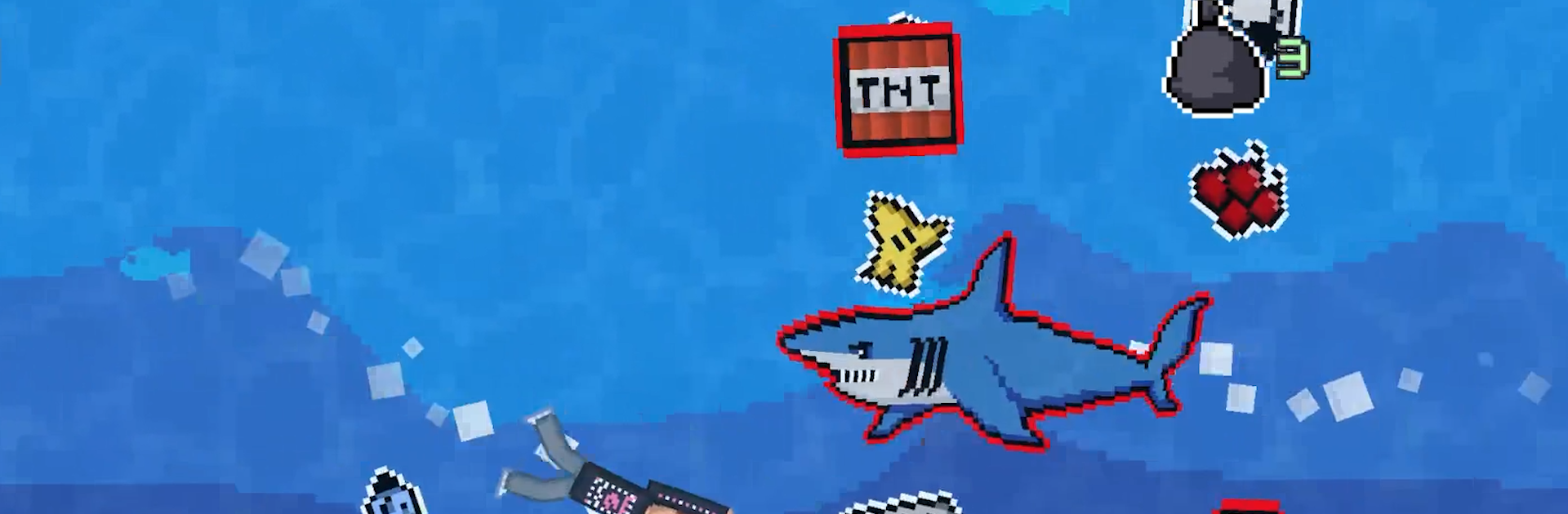
MrBeast TeamSeas plays like a chill arcade swimmer with a simple hook that gets surprisingly tense. The player glides through an endless stretch of ocean, scooping up bottles, cans, and random junk while weaving past hazards. TNT packs pop up where they should not, electric jellyfish pulse around the route, and the occasional shark barrels in to ruin a perfect run. The loop is clean and fast: gather trash, cash it in for dollars, then spend that on outfits, power boosts, and character skins based on the crew like MrBeast, Chris, Chandler, Karl Jacobs, and Mark Rober. It feels good to see the stash grow, then push a little farther for one more piece before danger clips the tail.

There is a global board tracking who collects the most, so runs start to feel like score-chasing. It is easy to pick up for a few minutes and end up chasing personal bests for longer than planned. Movement is snappy, and the hazards keep the pace lively without getting unfair. On PC with BlueStacks, the bigger screen helps spot jellyfish patterns and shark paths, and keyboard or mouse controls make those tight dodges less awkward. Anyone who likes straightforward arcade loops with a clean goal and some playful cosmetics will get what this is going for right away.

Get ready for a buttery smooth, high-performance gaming action only on BlueStacks.

Game Features

Enhancements

  • Macros
  • Multi Instance
  • Multi Instance Sync
  • Script
  • Enhancements
Macros

Macros

Automate the predictable in MrBeast TeamSeas and transform your gameplay with Macros. Get access to inventive Macros in the BlueStacks Macro Community
Multi Instance

Multi Instance

Play MrBeast TeamSeas on one window. And chat with your friend on the other. Press CTRL + Shift + 8 to open the Multi-Instance Manager. And start creating fresh instances or clone an existing one.
Multi Instance Sync

Multi Instance Sync

Play MrBeast TeamSeas with the power of Multi-Instance Sync. Replicate what you are doing on the main instance on all other instances. Level up faster, play more.
Script

Script

Script your way to gaming glory in MrBeast TeamSeas with BlueStacks Script. Write and run a set of commands to automate repeated tasks. Trigger the command by assigning it to any key.
Read More

How to Download and Play MrBeast TeamSeas on PC or Mac

  • Download and install BlueStacks on your PC or Mac

  • Complete Google sign-in to access the Play Store, or do it later

  • Look for MrBeast TeamSeas in the search bar at the top right corner

  • Click to install MrBeast TeamSeas from the search results

  • Complete Google sign-in (if you skipped step 2) to install MrBeast TeamSeas

  • Click the MrBeast TeamSeas icon on the home screen to start playing

video
Watch Video

Minimum System Requirements

With BlueStacks 5, you can get started on a PC that fulfills the following requirements.

  • Operating System

    Microsoft Windows 7 or above, macOS 11 (Big Sur) or above

  • Processor

    Intel, AMD or Apple Silicon Processor

  • RAM

    at least 4GB

  • HDD

    10GB Free Disk Space

Note:

* You must be an Administrator on your PC. Up to date graphics drivers from Microsoft or the chipset vendor.

MrBeast TeamSeas - FAQs

  • How to play MrBeast TeamSeas on Windows PC & Mac?

    Play MrBeast TeamSeas on your PC or Mac by following these simple steps.

    • Click on 'Play MrBeast TeamSeas on PC’ to download BlueStacks
    • Install it and log-in to Google Play Store
    • Launch and play the game.
  • Why is BlueStacks the fastest and safest platform to play games on PC?

    BlueStacks respects your privacy and is always safe and secure to use. It does not carry any malware, spyware, or any sort of additional software that could harm your PC.

    It is engineered to optimize speed and performance for a seamless gaming experience.

  • What are MrBeast TeamSeas PC requirements?

    Minimum requirement to run MrBeast TeamSeas on your PC

    • OS: Microsoft Windows 7 or above MacOS 11 (Big Sur) or above
    • Processor: Intel, AMD or Apple Silicon Processor
    • RAM: Your PC must have at least 4GB of RAM. (Note that having 4GB or more disk space is not a substitute for RAM)
    • HDD: 10GB Free Disk Space.
    • You must be an Administrator on your PC.