My Fish Mobile
My Fish Mobile

My Fish Mobile

Arcade

| G-FXT

Play on PC with BlueStacks or from our cloud

  • Overview
  • Game Features
  • How to Play

Page Modified On: June 26, 2026

Play My Fish Mobile on PC or Mac

Play My Fish Mobile by G-FXT on PC or Mac with BlueStacks. Use a bigger screen, mouse and keyboard controls, and smoother performance while you play.

About the Game

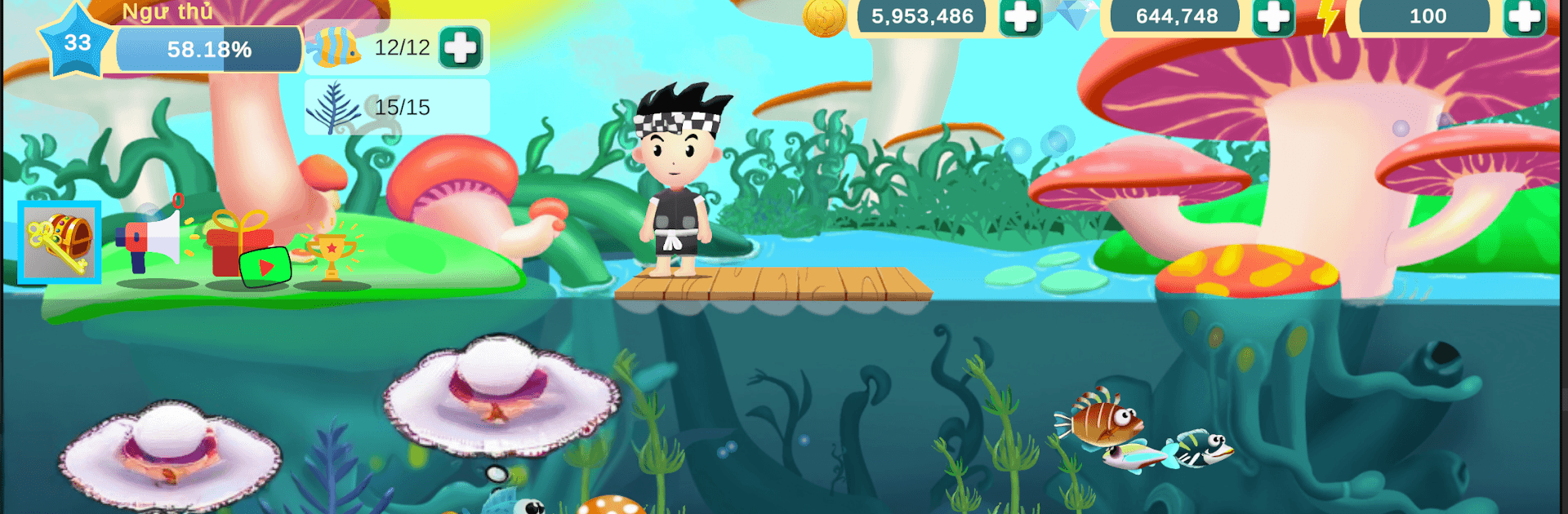
My Fish Mobile is a quirky Arcade take on raising and training an entire tribe of fish. You’re the Fisherman, guiding a colorful cast of finned buddies as they grow from tiny fry into confident warriors. It’s part cozy management, part tactical training, and all about keeping your underwater community safe from the not-so-friendly forces lurking beyond the reef.

Game Features

  • Elemental clans: Build squads from five distinct clans—metal, wood, water, fire, and earth—each with its own attitude, strengths, and matchups.
  • Raise your school: Feed, care for, and level up your fish so they can handle tougher tasks and protect the tribe when trouble shows up.
  • Train true warriors: Put your fish through drills, pick skill paths, and form balanced teams that can take on threats without breaking a sweat.
  • Build the reef-farm: Manage ponds and simple production spots to keep resources flowing, then use those upgrades to power up your best swimmers.
  • Strategy with a splash: Mix elements, tweak formations, and time abilities to outsmart enemies instead of just overpowering them.
  • Play at your pace: Quick sessions for on-the-go progress or longer stretches when you’ve got time to plan your next training cycle. Prefer a bigger screen? It runs smoothly on BlueStacks, too.
  • Clean, pick-up-and-play Arcade vibe: Simple controls and snappy feedback make it easy to hop in, check your fish, run a few drills, and feel your reef getting stronger.

Ready to top the leaderboard? We bet you do. Let precise controls and sharp visuals optimized on BlueStacks lead you to victory.


Game Features

Enhancements

  • Macros
  • Multi Instance
  • Multi Instance Sync
  • Script
  • Enhancements
Macros

Macros

Automate the predictable in My Fish Mobile and transform your gameplay with Macros. Get access to inventive Macros in the BlueStacks Macro Community
Multi Instance

Multi Instance

Play My Fish Mobile on one window. And chat with your friend on the other. Press CTRL + Shift + 8 to open the Multi-Instance Manager. And start creating fresh instances or clone an existing one.
Multi Instance Sync

Multi Instance Sync

Play My Fish Mobile with the power of Multi-Instance Sync. Replicate what you are doing on the main instance on all other instances. Level up faster, play more.
Script

Script

Script your way to gaming glory in My Fish Mobile with BlueStacks Script. Write and run a set of commands to automate repeated tasks. Trigger the command by assigning it to any key.
Read More

How to Download and Play My Fish Mobile on PC or Mac

  • Download and install BlueStacks on your PC or Mac

  • Complete Google sign-in to access the Play Store, or do it later

  • Look for My Fish Mobile in the search bar at the top right corner

  • Click to install My Fish Mobile from the search results

  • Complete Google sign-in (if you skipped step 2) to install My Fish Mobile

  • Click the My Fish Mobile icon on the home screen to start playing

video
Watch Video

Minimum System Requirements

With BlueStacks 5, you can get started on a PC that fulfills the following requirements.

  • Operating System

    Microsoft Windows 7 or above, macOS 11 (Big Sur) or above

  • Processor

    Intel, AMD or Apple Silicon Processor

  • RAM

    at least 4GB

  • HDD

    10GB Free Disk Space

Note:

* You must be an Administrator on your PC. Up to date graphics drivers from Microsoft or the chipset vendor.

My Fish Mobile - FAQs

  • How to play My Fish Mobile on Windows PC & Mac?

    Play My Fish Mobile on your PC or Mac by following these simple steps.

    • Click on 'Play My Fish Mobile on PC’ to download BlueStacks
    • Install it and log-in to Google Play Store
    • Launch and play the game.
  • Why is BlueStacks the fastest and safest platform to play games on PC?

    BlueStacks respects your privacy and is always safe and secure to use. It does not carry any malware, spyware, or any sort of additional software that could harm your PC.

    It is engineered to optimize speed and performance for a seamless gaming experience.

  • What are My Fish Mobile PC requirements?

    Minimum requirement to run My Fish Mobile on your PC

    • OS: Microsoft Windows 7 or above MacOS 11 (Big Sur) or above
    • Processor: Intel, AMD or Apple Silicon Processor
    • RAM: Your PC must have at least 4GB of RAM. (Note that having 4GB or more disk space is not a substitute for RAM)
    • HDD: 10GB Free Disk Space.
    • You must be an Administrator on your PC.