Number Blast: Cannon Shooter

Number Blast: Cannon Shooter

Arcade

| Inspired Square FZE

Play on PC with BlueStacks or from our cloud

  • Overview
  • Game Features
  • How to Play

Page Modified On: September 11, 2026

Play Number Blast: Cannon Shooter on PC or Mac

Bring your A-game to Number Blast: Cannon Shooter, the Arcade game sensation from Inspired Square FZE. Give your gameplay the much-needed boost with precise game controls, high FPS graphics, and top-tier features on your PC or Mac with BlueStacks.

About the Game

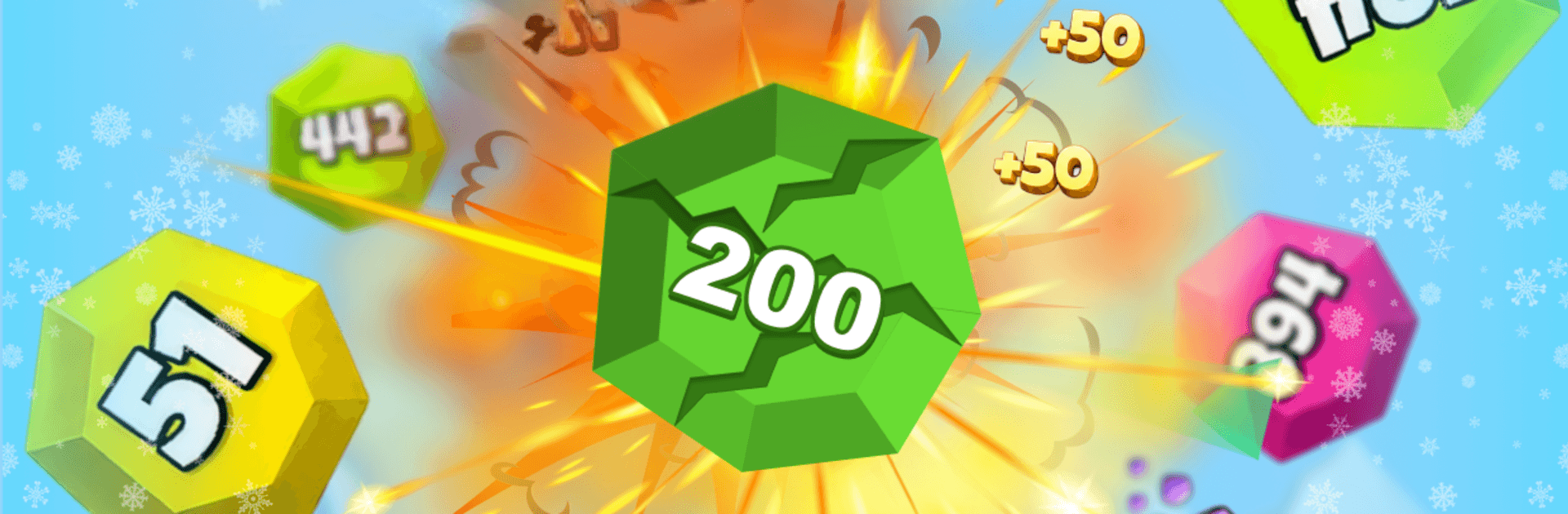
Number Blast: Cannon Shooter is an Arcade blast-fest where you shred giant number balls before they roll you over. It’s simple to pick up—point, hold, and let the cannon roar—but there’s real depth in how you upgrade, when you focus fire, and which targets you pop first. Expect a smooth, punchy loop of clearing waves, banking coins, and testing how long you can hang on against ever-tougher bosses.

Game Features

  • Point-and-blast controls: Aim fast and keep firing to chip down number balls before they hit your base.
  • Number-crunching action: Every hit reduces a ball’s value, turning chunky targets into satisfying bursts of confetti.
  • Meaningful upgrades: Boost damage, fire rate, and projectile speed to match your style—steady shred or rapid spray.
  • Build your ultimate cannon: Unlock new cannons and stack powerful improvements to create a relentless ball-melting machine.
  • Big boss throwdowns: Face oversized boss balls with massive health that test timing, positioning, and upgrade choices.
  • Endless waves, rising stakes: Survive longer to tackle denser patterns, trickier angles, and tougher combinations.
  • Coins well spent: Convert victories into smarter upgrades and push your high score a little farther each run.
  • Quick sessions or marathons: Perfect for a minute of blasting or a deep score chase when you’ve got time.
  • Smooth visuals and feel: Clean animations, crisp effects, and punchy feedback make every volley feel great.
  • Offline friendly: Play anytime without a connection, keep the grind going, and come back stronger.
  • Score-chaser focus: Learn target priority, manage lanes, and squeeze out extra seconds to beat your best.
  • Runs great on BlueStacks: Enjoy a wider view and silky performance while keeping the same snappy controls.

Start playing Number Blast: Cannon Shooter on BlueStacks and get a smoother, more comfortable PC or Mac setup.


Game Features

Enhancements

  • Macros
  • Multi Instance
  • Multi Instance Sync
  • Script
  • Enhancements
Macros

Macros

Automate the predictable in Number Blast: Cannon Shooter and transform your gameplay with Macros. Get access to inventive Macros in the BlueStacks Macro Community
Multi Instance

Multi Instance

Play Number Blast: Cannon Shooter on one window. And chat with your friend on the other. Press CTRL + Shift + 8 to open the Multi-Instance Manager. And start creating fresh instances or clone an existing one.
Multi Instance Sync

Multi Instance Sync

Play Number Blast: Cannon Shooter with the power of Multi-Instance Sync. Replicate what you are doing on the main instance on all other instances. Level up faster, play more.
Script

Script

Script your way to gaming glory in Number Blast: Cannon Shooter with BlueStacks Script. Write and run a set of commands to automate repeated tasks. Trigger the command by assigning it to any key.
Read More

How to Download and Play Number Blast: Cannon Shooter on PC or Mac

  • Download and install BlueStacks on your PC or Mac

  • Complete Google sign-in to access the Play Store, or do it later

  • Look for Number Blast: Cannon Shooter in the search bar at the top right corner

  • Click to install Number Blast: Cannon Shooter from the search results

  • Complete Google sign-in (if you skipped step 2) to install Number Blast: Cannon Shooter

  • Click the Number Blast: Cannon Shooter icon on the home screen to start playing

video
Watch Video

Minimum System Requirements

With BlueStacks 5, you can get started on a PC that fulfills the following requirements.

  • Operating System

    Microsoft Windows 7 or above, macOS 11 (Big Sur) or above

  • Processor

    Intel, AMD or Apple Silicon Processor

  • RAM

    at least 4GB

  • HDD

    10GB Free Disk Space

Note:

* You must be an Administrator on your PC. Up to date graphics drivers from Microsoft or the chipset vendor.

Number Blast: Cannon Shooter - FAQs

  • How to play Number Blast: Cannon Shooter on Windows PC & Mac?

    Play Number Blast: Cannon Shooter on your PC or Mac by following these simple steps.

    • Click on 'Play Number Blast: Cannon Shooter on PC’ to download BlueStacks
    • Install it and log-in to Google Play Store
    • Launch and play the game.
  • Why is BlueStacks the fastest and safest platform to play games on PC?

    BlueStacks respects your privacy and is always safe and secure to use. It does not carry any malware, spyware, or any sort of additional software that could harm your PC.

    It is engineered to optimize speed and performance for a seamless gaming experience.

  • What are Number Blast: Cannon Shooter PC requirements?

    Minimum requirement to run Number Blast: Cannon Shooter on your PC

    • OS: Microsoft Windows 7 or above MacOS 11 (Big Sur) or above
    • Processor: Intel, AMD or Apple Silicon Processor
    • RAM: Your PC must have at least 4GB of RAM. (Note that having 4GB or more disk space is not a substitute for RAM)
    • HDD: 10GB Free Disk Space.
    • You must be an Administrator on your PC.