Pineapple Defense
Pineapple Defense

Pineapple Defense

Arcade

| Bebumba.game

Play on PC with BlueStacks or from our cloud

  • Overview
  • Game Features
  • How to Play

Page Modified On: July 03, 2025

Play Pineapple Defense on PC or Mac

Join millions to experience Pineapple Defense, an exciting Arcade game from Bebumba.game. With BlueStacks App Player, you are always a step ahead of your opponent, ready to outplay them with faster gameplay and better control with the mouse and keyboard on your PC or Mac.

About the Game

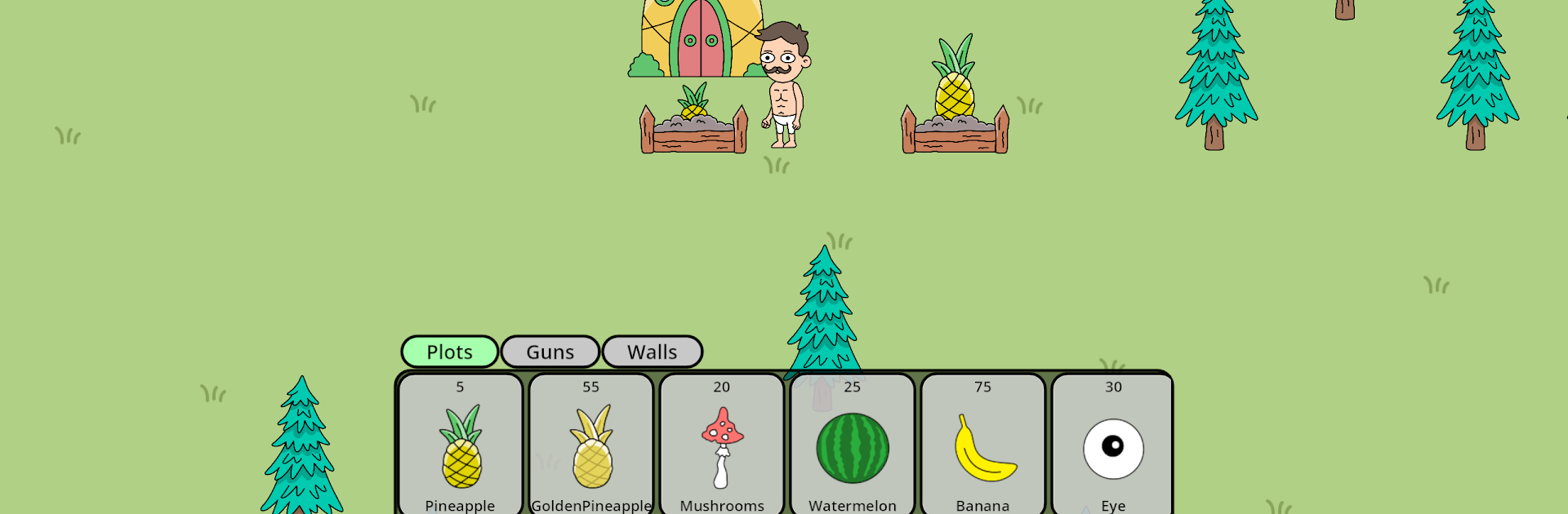
Pineapple Defense is far from your typical farm sim—it’s more like a wild, juicy showdown. Your peaceful rows of pineapples have caught the eye of unwelcome pests and some seriously oddball invaders. Get ready to roll up your sleeves, build up your defenses, and protect your prized harvest from swarms of flies and hilarious meme characters. If you’re after a unique twist on arcade action with a hearty dash of tower defense, this one just might keep you on your toes.

Game Features

  • Fruits with Personality
    Pick and plant everything from classic pineapples to golden varieties, and don’t be surprised if watermelons or even mushrooms join the lineup. Each brings its own quirks and powers to the farm.

  • Strategic Farm Defenses
    Lay out your towers, cannons, and other defenses before each wave of enemies hits. Placement matters, so think a step ahead if you want to keep your pineapples safe.

  • Wild Boss Encounters
    Now and then, you’ll face off against over-the-top bosses—like a gigantic fly king—that really put your setups to the test. Better hope your defenses are ready.

  • Upgrade Everything
    Give your towers and cannons a boost to handle the chaos. As you progress, unlock fresh upgrades and new defensive gadgets for extra firepower.

  • Vibrant Visuals & Sound
    The farm’s full of bright colors, zany animations, and an upbeat soundtrack that keeps things energetic, even when the fruit mayhem gets intense.

Play Pineapple Defense from Bebumba.game on BlueStacks, where you can make the most of crisp visuals and snappy controls—makes dealing with those persistent pests just a little bit sweeter.

Get ready for a buttery smooth, high-performance gaming action only on BlueStacks.

Game Features

Enhancements

  • Macros
  • Multi Instance
  • Multi Instance Sync
  • Script
  • Enhancements
Macros

Macros

Automate the predictable in Pineapple Defense and transform your gameplay with Macros. Get access to inventive Macros in the BlueStacks Macro Community
Multi Instance

Multi Instance

Play Pineapple Defense on one window. And chat with your friend on the other. Press CTRL + Shift + 8 to open the Multi-Instance Manager. And start creating fresh instances or clone an existing one.
Multi Instance Sync

Multi Instance Sync

Play Pineapple Defense with the power of Multi-Instance Sync. Replicate what you are doing on the main instance on all other instances. Level up faster, play more.
Script

Script

Script your way to gaming glory in Pineapple Defense with BlueStacks Script. Write and run a set of commands to automate repeated tasks. Trigger the command by assigning it to any key.
Read More

How to Download and Play Pineapple Defense on PC or Mac

  • Download and install BlueStacks on your PC or Mac

  • Complete Google sign-in to access the Play Store, or do it later

  • Look for Pineapple Defense in the search bar at the top right corner

  • Click to install Pineapple Defense from the search results

  • Complete Google sign-in (if you skipped step 2) to install Pineapple Defense

  • Click the Pineapple Defense icon on the home screen to start playing

video
Watch Video

Minimum System Requirements

With BlueStacks 5, you can get started on a PC that fulfills the following requirements.

  • Operating System

    Microsoft Windows 7 or above, macOS 11 (Big Sur) or above

  • Processor

    Intel, AMD or Apple Silicon Processor

  • RAM

    at least 4GB

  • HDD

    10GB Free Disk Space

Note:

* You must be an Administrator on your PC. Up to date graphics drivers from Microsoft or the chipset vendor.

Pineapple Defense - FAQs

  • How to play Pineapple Defense on Windows PC & Mac?

    Play Pineapple Defense on your PC or Mac by following these simple steps.

    • Click on 'Play Pineapple Defense on PC’ to download BlueStacks
    • Install it and log-in to Google Play Store
    • Launch and play the game.
  • Why is BlueStacks the fastest and safest platform to play games on PC?

    BlueStacks respects your privacy and is always safe and secure to use. It does not carry any malware, spyware, or any sort of additional software that could harm your PC.

    It is engineered to optimize speed and performance for a seamless gaming experience.

  • What are Pineapple Defense PC requirements?

    Minimum requirement to run Pineapple Defense on your PC

    • OS: Microsoft Windows 7 or above MacOS 11 (Big Sur) or above
    • Processor: Intel, AMD or Apple Silicon Processor
    • RAM: Your PC must have at least 4GB of RAM. (Note that having 4GB or more disk space is not a substitute for RAM)
    • HDD: 10GB Free Disk Space.
    • You must be an Administrator on your PC.