SCHOOLBOY RUNAWAY - STEALTH

SCHOOLBOY RUNAWAY - STEALTH

Arcade

| Linked Squad

BlueStacks Verified

Play on PC with BlueStacks or from our cloud

  • Overview
  • Tips & Tricks
  • Game Features
  • How to Play

Page Modified On: August 06, 2026

Play SCHOOLBOY RUNAWAY - STEALTH on PC or Mac

Play SCHOOLBOY RUNAWAY – STEALTH by Linked Squad on PC or Mac with BlueStacks. Use a bigger screen, mouse and keyboard controls, and smoother performance while you play.

About the Game

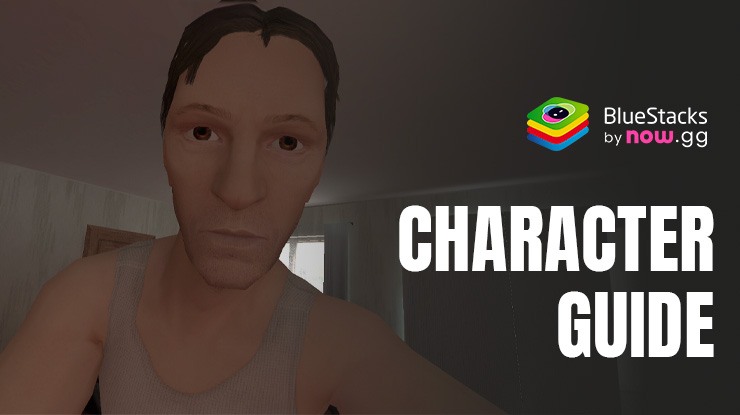
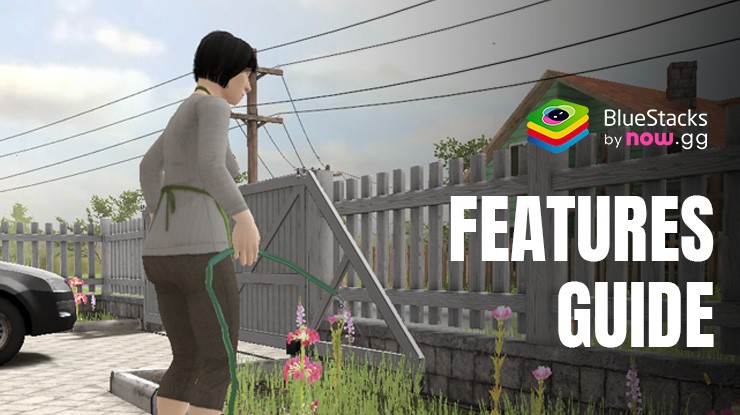
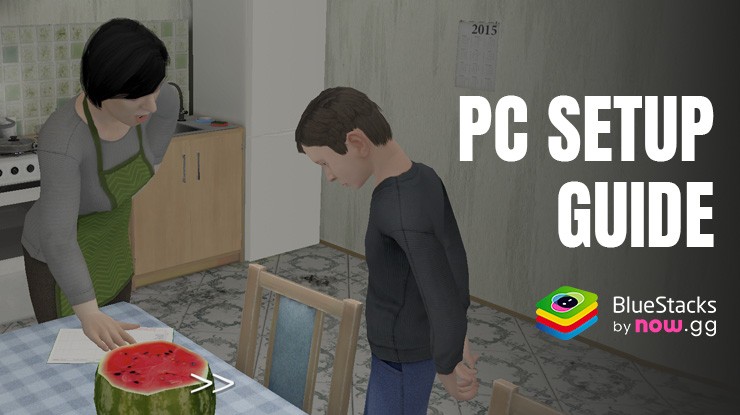
In SCHOOLBOY RUNAWAY – STEALTH, you’re the kid who got grounded—and you’re not staying put. This Arcade stealth caper puts you in a first-person 3D house where mom and dad are on patrol, and every step could give you away. Sneak smart, stay quiet, and piece together a plan to slip out without a trace.

Game Features

  • First-person sneaking: Navigate a 3D home from your own eyes, easing through rooms and hallways while keeping your head down and your nerves steady.
  • Sound matters: Footfalls, slammed doors, careless rummaging—make too much noise and you’ll tip them off. Move slow, think faster.
  • Stealth and hiding: Use hiding spots and smart cover to break line of sight. Sometimes the best move is to wait, listen, and time your next step.
  • Puzzles and riddles: Solve clever little challenges and put together clues. The right idea at the right moment can open a path forward.
  • Find and use items: Scavenge for useful objects, stash them, and combine what you’ve found to build your escape plan.
  • Watchful parents: They notice details—like a cabinet left open or a door that wasn’t before. Clean up after yourself or expect company.
  • Plan the perfect route: Scout, memorize patterns, and commit to a clean run. One mistake means starting over with a better strategy.
  • Play comfortably on PC: Prefer a bigger screen and precise controls? You can also play through BlueStacks for an easy, clean setup.

Start your journey now. Download the game on BlueStacks, invite your friends, and march on a new adventure.

Game Features

Enhancements

  • Macros
  • Multi Instance
  • Multi Instance Sync
  • Script
  • Enhancements
Macros

Macros

Automate the predictable in SCHOOLBOY RUNAWAY - STEALTH and transform your gameplay with Macros. Get access to inventive Macros in the BlueStacks Macro Community
Multi Instance

Multi Instance

Play SCHOOLBOY RUNAWAY - STEALTH on one window. And chat with your friend on the other. Press CTRL + Shift + 8 to open the Multi-Instance Manager. And start creating fresh instances or clone an existing one.
Multi Instance Sync

Multi Instance Sync

Play SCHOOLBOY RUNAWAY - STEALTH with the power of Multi-Instance Sync. Replicate what you are doing on the main instance on all other instances. Level up faster, play more.
Script

Script

Script your way to gaming glory in SCHOOLBOY RUNAWAY - STEALTH with BlueStacks Script. Write and run a set of commands to automate repeated tasks. Trigger the command by assigning it to any key.
Read More

How to Download and Play SCHOOLBOY RUNAWAY - STEALTH on PC or Mac

  • Download and install BlueStacks on your PC or Mac

  • Complete Google sign-in to access the Play Store, or do it later

  • Look for SCHOOLBOY RUNAWAY - STEALTH in the search bar at the top right corner

  • Click to install SCHOOLBOY RUNAWAY - STEALTH from the search results

  • Complete Google sign-in (if you skipped step 2) to install SCHOOLBOY RUNAWAY - STEALTH

  • Click the SCHOOLBOY RUNAWAY - STEALTH icon on the home screen to start playing

video
Watch Video

Minimum System Requirements

With BlueStacks 5, you can get started on a PC that fulfills the following requirements.

  • Operating System

    Microsoft Windows 7 or above, macOS 11 (Big Sur) or above

  • Processor

    Intel, AMD or Apple Silicon Processor

  • RAM

    at least 4GB

  • HDD

    10GB Free Disk Space

Note:

* You must be an Administrator on your PC. Up to date graphics drivers from Microsoft or the chipset vendor.

SCHOOLBOY RUNAWAY - STEALTH - FAQs

  • How to play SCHOOLBOY RUNAWAY - STEALTH on Windows PC & Mac?

    Play SCHOOLBOY RUNAWAY - STEALTH on your PC or Mac by following these simple steps.

    • Click on 'Play SCHOOLBOY RUNAWAY - STEALTH on PC’ to download BlueStacks
    • Install it and log-in to Google Play Store
    • Launch and play the game.
  • Why is BlueStacks the fastest and safest platform to play games on PC?

    BlueStacks respects your privacy and is always safe and secure to use. It does not carry any malware, spyware, or any sort of additional software that could harm your PC.

    It is engineered to optimize speed and performance for a seamless gaming experience.

  • What are SCHOOLBOY RUNAWAY - STEALTH PC requirements?

    Minimum requirement to run SCHOOLBOY RUNAWAY - STEALTH on your PC

    • OS: Microsoft Windows 7 or above MacOS 11 (Big Sur) or above
    • Processor: Intel, AMD or Apple Silicon Processor
    • RAM: Your PC must have at least 4GB of RAM. (Note that having 4GB or more disk space is not a substitute for RAM)
    • HDD: 10GB Free Disk Space.
    • You must be an Administrator on your PC.