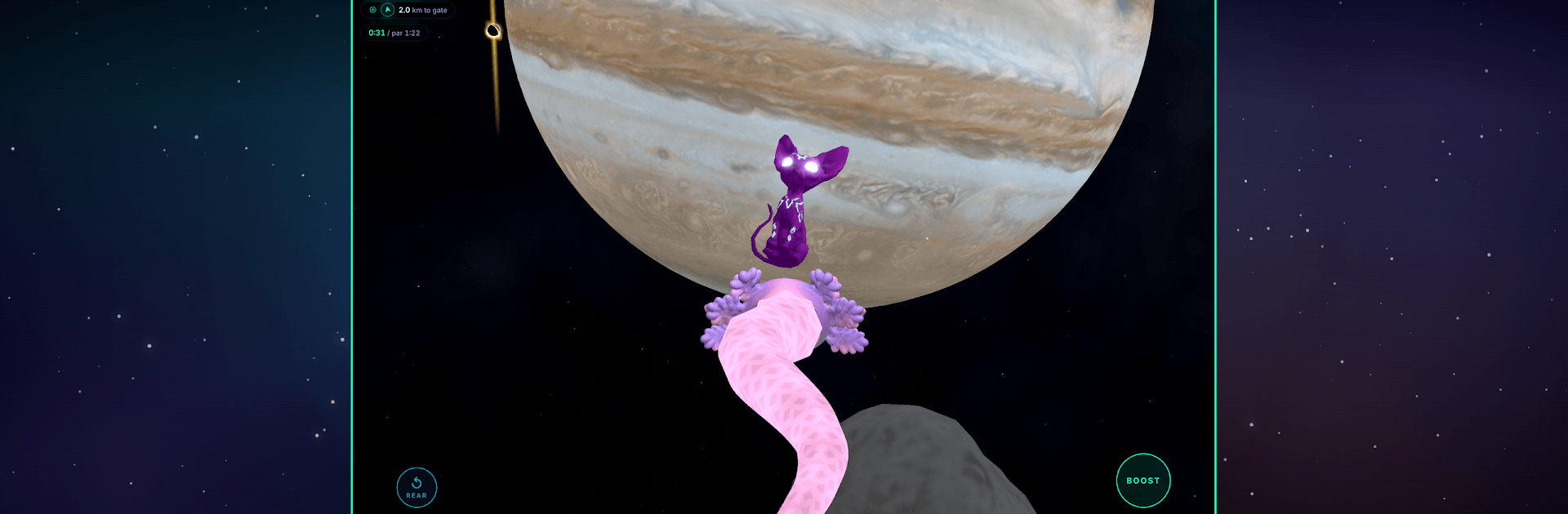
Snake: Cats Lost in Space

Snake: Cats Lost in Space

Arcade

| Bark and Olive

Play on PC with BlueStacks or from our cloud

  • Overview
  • Game Features
  • How to Play

Page Modified On: August 11, 2026

Play Snake: Cats Lost in Space on PC or Mac

Bring your A-game to Snake: Cats Lost in Space, the Arcade game sensation from Bark and Olive. Give your gameplay the much-needed boost with precise game controls, high FPS graphics, and top-tier features on your PC or Mac with BlueStacks.

About the Game

Snake: Cats Lost in Space is a quirky Arcade adventure where you’re a star-snake threading through the cosmos to round up stray cats. You’ll swoop past planets, skim rings, and pull off tight turns as your tail grows with every rescue. It’s equal parts cozy and tense—the kind of game that feels simple at first, then sneaks up on your reflexes.

Game Features

  • Real Star Systems
  • Fly a handcrafted campaign across five distinct star systems, built with real scale and a sense of place—from Earth’s neighborhood to the edge of something massive and ominous.

  • Grow, Then Manage the Chaos

  • Each kitty you save makes your snake longer and quicker, which also makes steering a lot spicier. Earn up to three stars per level and return for a cleaner, smoother run.

  • Space Hazards That Don’t Care

  • Thread your way around asteroids, gravity wells, pulsar beams, radiation storms, and black holes that would love to keep your snake forever.

  • Endless Orbit Challenge

  • “Rescue Mission Earth” is an endless loop around home. How far can you fly and how many cats can you scoop before the void wins?

  • Hidden Golden Cats

  • One legendary cat hides in every level along a risky line. Spot them, plot a route, and snatch the save without tangling yourself.

  • Make It Yours

  • Visit the Pet Store for purely cosmetic serpent styles and astro-cat outfits. No boosts, no pressure—just vibes.

  • Controls That Fit Your Style

  • Play with touch or tilt, and switch on Casual mode if you want a gentler feel without losing the fun.

  • Plays Great Everywhere

  • Portrait or landscape, phone or tablet—and it runs nicely on BlueStacks if you prefer playing on your PC.

  • No Accounts, No Fuss

  • Jump right in. No signups required, and your progress saves automatically.

Get ready for a buttery smooth, high-performance gaming action only on BlueStacks.

Game Features

Enhancements

  • Macros
  • Multi Instance
  • Multi Instance Sync
  • Script
  • Enhancements
Macros

Macros

Automate the predictable in Snake: Cats Lost in Space and transform your gameplay with Macros. Get access to inventive Macros in the BlueStacks Macro Community
Multi Instance

Multi Instance

Play Snake: Cats Lost in Space on one window. And chat with your friend on the other. Press CTRL + Shift + 8 to open the Multi-Instance Manager. And start creating fresh instances or clone an existing one.
Multi Instance Sync

Multi Instance Sync

Play Snake: Cats Lost in Space with the power of Multi-Instance Sync. Replicate what you are doing on the main instance on all other instances. Level up faster, play more.
Script

Script

Script your way to gaming glory in Snake: Cats Lost in Space with BlueStacks Script. Write and run a set of commands to automate repeated tasks. Trigger the command by assigning it to any key.
Read More

How to Download and Play Snake: Cats Lost in Space on PC or Mac

  • Download and install BlueStacks on your PC or Mac

  • Complete Google sign-in to access the Play Store, or do it later

  • Look for Snake: Cats Lost in Space in the search bar at the top right corner

  • Click to install Snake: Cats Lost in Space from the search results

  • Complete Google sign-in (if you skipped step 2) to install Snake: Cats Lost in Space

  • Click the Snake: Cats Lost in Space icon on the home screen to start playing

video
Watch Video

Minimum System Requirements

With BlueStacks 5, you can get started on a PC that fulfills the following requirements.

  • Operating System

    Microsoft Windows 7 or above, macOS 11 (Big Sur) or above

  • Processor

    Intel, AMD or Apple Silicon Processor

  • RAM

    at least 4GB

  • HDD

    10GB Free Disk Space

Note:

* You must be an Administrator on your PC. Up to date graphics drivers from Microsoft or the chipset vendor.

Snake: Cats Lost in Space - FAQs

  • How to play Snake: Cats Lost in Space on Windows PC & Mac?

    Play Snake: Cats Lost in Space on your PC or Mac by following these simple steps.

    • Click on 'Play Snake: Cats Lost in Space on PC’ to download BlueStacks
    • Install it and log-in to Google Play Store
    • Launch and play the game.
  • Why is BlueStacks the fastest and safest platform to play games on PC?

    BlueStacks respects your privacy and is always safe and secure to use. It does not carry any malware, spyware, or any sort of additional software that could harm your PC.

    It is engineered to optimize speed and performance for a seamless gaming experience.

  • What are Snake: Cats Lost in Space PC requirements?

    Minimum requirement to run Snake: Cats Lost in Space on your PC

    • OS: Microsoft Windows 7 or above MacOS 11 (Big Sur) or above
    • Processor: Intel, AMD or Apple Silicon Processor
    • RAM: Your PC must have at least 4GB of RAM. (Note that having 4GB or more disk space is not a substitute for RAM)
    • HDD: 10GB Free Disk Space.
    • You must be an Administrator on your PC.