Space Beads - Retro Invasion

Space Beads - Retro Invasion

Arcade

| jocmania

Play on PC with BlueStacks or from our cloud

  • Overview
  • Game Features
  • How to Play

Page Modified On: July 06, 2026

Play Space Beads - Retro Invasion on PC or Mac

Explore a whole new adventure with Space Beads – Retro Invasion, a Arcade game created by jocmania. Experience great gameplay with BlueStacks, the most popular gaming platform to play Android games on your PC or Mac.

About the Game

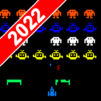
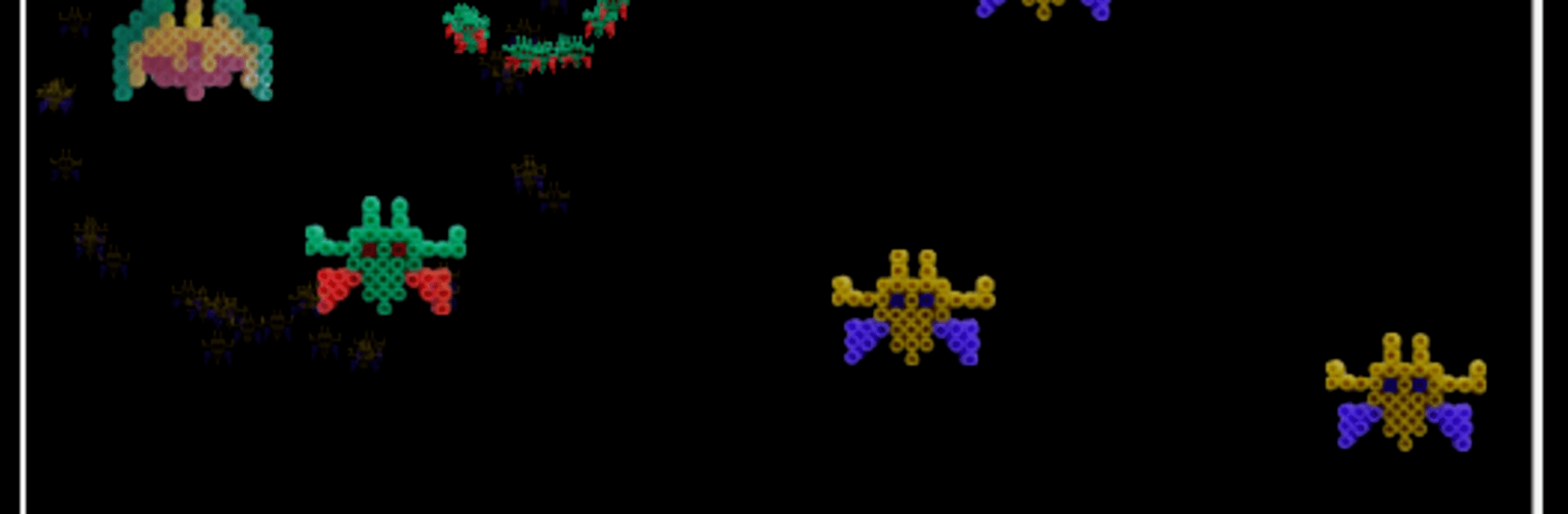
Space Beads – Retro Invasion is a throwback shooter with a quirky twist: every ship, alien, and explosion looks like it was built on a crafting table. You’re defending Earth against a relentless swarm, blasting through waves that feel straight out of an old-school cabinet—only sharper and punchier. It’s pure Arcade energy with a handmade vibe, and it plays great on mobile or with keyboard controls on BlueStacks.

Game Features

  • Handmade Bead Art — The visuals are built from real Hama beads, giving everything a chunky, tactile look that’s hard to forget.
  • Classic Arcade Shooter — Simple move-and-shoot gameplay that’s easy to pick up, with the kind of challenge that keeps you coming back.
  • Evolving Stages — Multiple levels steadily turn up the heat, adding fresh patterns and a faster pace as you advance.
  • Distinct Alien Tactics — Enemies fly in with their own formations and attack styles, so you can’t just park and spray.
  • Ship Upgrades — Snag power-ups and boost your firepower to punch through the tougher waves ahead.
  • Snappy Controls — Smooth, responsive handling that lets you thread through bullets and line up clutch shots.
  • Retro Audio Crunch — Crisp 8-bit-style effects bring that cabinet feel without the quarters.
  • High-Score Hunt — A competitive scoring system rewards clean runs and bold plays—perfect for sharing bragging rights.
  • Endless Pressure — Wave after wave keeps the screen busy, testing your reflexes and nerve as Earth’s last line of defense.

Ready to top the leaderboard? We bet you do. Let precise controls and sharp visuals optimized on BlueStacks lead you to victory.


Game Features

Enhancements

  • Macros
  • Multi Instance
  • Multi Instance Sync
  • Script
  • Enhancements
Macros

Macros

Automate the predictable in Space Beads - Retro Invasion and transform your gameplay with Macros. Get access to inventive Macros in the BlueStacks Macro Community
Multi Instance

Multi Instance

Play Space Beads - Retro Invasion on one window. And chat with your friend on the other. Press CTRL + Shift + 8 to open the Multi-Instance Manager. And start creating fresh instances or clone an existing one.
Multi Instance Sync

Multi Instance Sync

Play Space Beads - Retro Invasion with the power of Multi-Instance Sync. Replicate what you are doing on the main instance on all other instances. Level up faster, play more.
Script

Script

Script your way to gaming glory in Space Beads - Retro Invasion with BlueStacks Script. Write and run a set of commands to automate repeated tasks. Trigger the command by assigning it to any key.
Read More

How to Download and Play Space Beads - Retro Invasion on PC or Mac

  • Download and install BlueStacks on your PC or Mac

  • Complete Google sign-in to access the Play Store, or do it later

  • Look for Space Beads - Retro Invasion in the search bar at the top right corner

  • Click to install Space Beads - Retro Invasion from the search results

  • Complete Google sign-in (if you skipped step 2) to install Space Beads - Retro Invasion

  • Click the Space Beads - Retro Invasion icon on the home screen to start playing

video
Watch Video

Minimum System Requirements

With BlueStacks 5, you can get started on a PC that fulfills the following requirements.

  • Operating System

    Microsoft Windows 7 or above, macOS 11 (Big Sur) or above

  • Processor

    Intel, AMD or Apple Silicon Processor

  • RAM

    at least 4GB

  • HDD

    10GB Free Disk Space

Note:

* You must be an Administrator on your PC. Up to date graphics drivers from Microsoft or the chipset vendor.

Space Beads - Retro Invasion - FAQs

  • How to play Space Beads - Retro Invasion on Windows PC & Mac?

    Play Space Beads - Retro Invasion on your PC or Mac by following these simple steps.

    • Click on 'Play Space Beads - Retro Invasion on PC’ to download BlueStacks
    • Install it and log-in to Google Play Store
    • Launch and play the game.
  • Why is BlueStacks the fastest and safest platform to play games on PC?

    BlueStacks respects your privacy and is always safe and secure to use. It does not carry any malware, spyware, or any sort of additional software that could harm your PC.

    It is engineered to optimize speed and performance for a seamless gaming experience.

  • What are Space Beads - Retro Invasion PC requirements?

    Minimum requirement to run Space Beads - Retro Invasion on your PC

    • OS: Microsoft Windows 7 or above MacOS 11 (Big Sur) or above
    • Processor: Intel, AMD or Apple Silicon Processor
    • RAM: Your PC must have at least 4GB of RAM. (Note that having 4GB or more disk space is not a substitute for RAM)
    • HDD: 10GB Free Disk Space.
    • You must be an Administrator on your PC.