Space Shooter Galaxia Attack

Space Shooter Galaxia Attack

Arcade

| VU KIM THOA

Play on PC with BlueStacks or from our cloud

  • Overview
  • Game Features
  • How to Play

Page Modified On: December 11, 2025

Play Space Shooter Galaxia Attack on PC or Mac

Step into the World of Space Shooter Galaxia Attack, a thrilling Arcade game from the house of VU KIM THOA. Play this Android game on BlueStacks App Player and experience immersive gaming on PC or Mac.

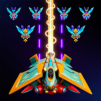
Space Shooter Galaxia Attack plays like a fast, old school arcade shooter, the kind that tosses a screen full of bullets at a tiny ship and dares the player to thread the gaps. Think Galaga or Space Invaders, but quicker and flashier. The ship scoots around while a steady rain of enemy fire keeps the hands busy, and every few seconds another power-up drops that turns pea shots into wide beams or rockets. Bosses are chunky and obvious, with patterns that feel fair once learned, so the loop becomes dodge, collect, blast, repeat. The retro pixel look is clean, with bright colours and little burst effects that make even small wins feel snappy, and the soundtrack has that arcadey bleepy energy that fits.

There is a lot to unlock. Different ships, stronger weapons, shields and little special skills that can bail the player out when a wave gets messy. There are tons of stages, plus quick PvP matches, 1v1 or 2v2, and even tournaments for people who enjoy competing instead of score chasing. Clans are in here too for co-op style goals and extra rewards. Daily tasks and lucky spins feed the upgrade grind, which some will like and some will not, since progress can slow without regular play. On PC with BlueStacks, keyboard or mouse control makes dodging feel tighter and farming stages goes faster, which suits this game’s replay heavy style. If someone enjoys clearing waves, learning boss patterns, and tinkering with builds, this scratches that itch nicely.

Get ready for a buttery smooth, high-performance gaming action only on BlueStacks.

Game Features

Enhancements

  • Macros
  • Multi Instance
  • Multi Instance Sync
  • Script
  • Enhancements
Macros

Macros

Automate the predictable in Space Shooter Galaxia Attack and transform your gameplay with Macros. Get access to inventive Macros in the BlueStacks Macro Community
Multi Instance

Multi Instance

Play Space Shooter Galaxia Attack on one window. And chat with your friend on the other. Press CTRL + Shift + 8 to open the Multi-Instance Manager. And start creating fresh instances or clone an existing one.
Multi Instance Sync

Multi Instance Sync

Play Space Shooter Galaxia Attack with the power of Multi-Instance Sync. Replicate what you are doing on the main instance on all other instances. Level up faster, play more.
Script

Script

Script your way to gaming glory in Space Shooter Galaxia Attack with BlueStacks Script. Write and run a set of commands to automate repeated tasks. Trigger the command by assigning it to any key.
Read More

How to Download and Play Space Shooter Galaxia Attack on PC or Mac

  • Download and install BlueStacks on your PC or Mac

  • Complete Google sign-in to access the Play Store, or do it later

  • Look for Space Shooter Galaxia Attack in the search bar at the top right corner

  • Click to install Space Shooter Galaxia Attack from the search results

  • Complete Google sign-in (if you skipped step 2) to install Space Shooter Galaxia Attack

  • Click the Space Shooter Galaxia Attack icon on the home screen to start playing

video
Watch Video

Minimum System Requirements

With BlueStacks 5, you can get started on a PC that fulfills the following requirements.

  • Operating System

    Microsoft Windows 7 or above, macOS 11 (Big Sur) or above

  • Processor

    Intel, AMD or Apple Silicon Processor

  • RAM

    at least 4GB

  • HDD

    10GB Free Disk Space

Note:

* You must be an Administrator on your PC. Up to date graphics drivers from Microsoft or the chipset vendor.

Space Shooter Galaxia Attack - FAQs

  • How to play Space Shooter Galaxia Attack on Windows PC & Mac?

    Play Space Shooter Galaxia Attack on your PC or Mac by following these simple steps.

    • Click on 'Play Space Shooter Galaxia Attack on PC’ to download BlueStacks
    • Install it and log-in to Google Play Store
    • Launch and play the game.
  • Why is BlueStacks the fastest and safest platform to play games on PC?

    BlueStacks respects your privacy and is always safe and secure to use. It does not carry any malware, spyware, or any sort of additional software that could harm your PC.

    It is engineered to optimize speed and performance for a seamless gaming experience.

  • What are Space Shooter Galaxia Attack PC requirements?

    Minimum requirement to run Space Shooter Galaxia Attack on your PC

    • OS: Microsoft Windows 7 or above MacOS 11 (Big Sur) or above
    • Processor: Intel, AMD or Apple Silicon Processor
    • RAM: Your PC must have at least 4GB of RAM. (Note that having 4GB or more disk space is not a substitute for RAM)
    • HDD: 10GB Free Disk Space.
    • You must be an Administrator on your PC.