STARFIELD – Space Shooter

STARFIELD – Space Shooter

Arcade

| Myrtilos

Play on PC with BlueStacks or from our cloud

  • Overview
  • Game Features
  • How to Play

Page Modified On: May 25, 2026

Play STARFIELD – Space Shooter on PC or Mac

Play STARFIELD – Space Shooter by Myrtilos on PC or Mac with BlueStacks. Use a bigger screen, mouse and keyboard controls, and smoother performance while you play.

About the Game

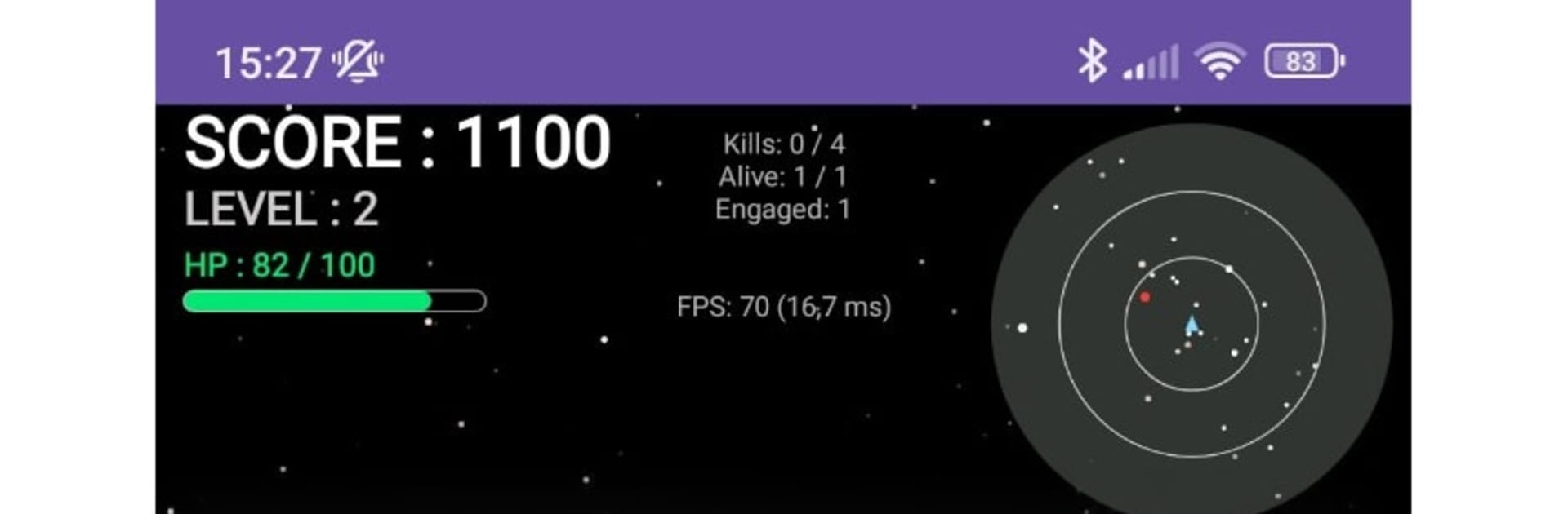
STARFIELD – Space Shooter is a high-velocity Arcade space game about squeezing out longer and better runs, one close call at a time. You pilot a slick little ship through asteroid fields and hostile swarms, scooping up power-ups and stacking points while the pressure keeps climbing. Make it to Level 10 and there’s a seriously tough boss waiting to see if your reflexes and decisions can hold up.

Game Features

  • Pure reflex action: Jump straight into short, punchy runs where precision matters, chaos builds fast, and a single mistake can end it.
  • 360° movement and smooth controls: Glide in any direction and aim freely for that twin-stick vibe—thread through fire, circle threats, and set up clean shots.
  • Worldwide leaderboards: Compare your best runs with players around the globe, chase personal records, and take part in true leaderboard competition.
  • Climbing challenge: Expect smarter foes, nastier patterns, and rising intensity that turns a simple space shootout into a difficult but fair test.
  • Tactical space to maneuver: Open, scrolling arenas let you reposition on the fly—kite enemies, bail out of danger, or press the attack when you’ve got an opening.
  • Weapons that matter: Balance steady blaster fire with limited missiles, time your power-ups, and manage resources so late waves don’t overwhelm you.
  • The Level 10 boss: Survive the gauntlet, prioritize targets, adapt under pressure, then square off with a heavy-hitting capstone fight.
  • Built for score attack fans: Perfect if you’re into arcade shooters, reflex-based gameplay, and pushing a little farther each run.
  • Quick sessions, big replay value: Great for a few minutes or an hour—every attempt plays out differently depending on your choices.
  • Subtle PC-friendly option: Also plays smoothly on BlueStacks if you prefer keyboard-and-mouse control without losing that snappy feel.

Ready to top the leaderboard? We bet you do. Let precise controls and sharp visuals optimized on BlueStacks lead you to victory.


Game Features

Enhancements

  • Macros
  • Multi Instance
  • Multi Instance Sync
  • Script
  • Enhancements
Macros

Macros

Automate the predictable in STARFIELD – Space Shooter and transform your gameplay with Macros. Get access to inventive Macros in the BlueStacks Macro Community
Multi Instance

Multi Instance

Play STARFIELD – Space Shooter on one window. And chat with your friend on the other. Press CTRL + Shift + 8 to open the Multi-Instance Manager. And start creating fresh instances or clone an existing one.
Multi Instance Sync

Multi Instance Sync

Play STARFIELD – Space Shooter with the power of Multi-Instance Sync. Replicate what you are doing on the main instance on all other instances. Level up faster, play more.
Script

Script

Script your way to gaming glory in STARFIELD – Space Shooter with BlueStacks Script. Write and run a set of commands to automate repeated tasks. Trigger the command by assigning it to any key.
Read More

How to Download and Play STARFIELD – Space Shooter on PC or Mac

  • Download and install BlueStacks on your PC or Mac

  • Complete Google sign-in to access the Play Store, or do it later

  • Look for STARFIELD – Space Shooter in the search bar at the top right corner

  • Click to install STARFIELD – Space Shooter from the search results

  • Complete Google sign-in (if you skipped step 2) to install STARFIELD – Space Shooter

  • Click the STARFIELD – Space Shooter icon on the home screen to start playing

video
Watch Video

Minimum System Requirements

With BlueStacks 5, you can get started on a PC that fulfills the following requirements.

  • Operating System

    Microsoft Windows 7 or above, macOS 11 (Big Sur) or above

  • Processor

    Intel, AMD or Apple Silicon Processor

  • RAM

    at least 4GB

  • HDD

    10GB Free Disk Space

Note:

* You must be an Administrator on your PC. Up to date graphics drivers from Microsoft or the chipset vendor.

STARFIELD – Space Shooter - FAQs

  • How to play STARFIELD – Space Shooter on Windows PC & Mac?

    Play STARFIELD – Space Shooter on your PC or Mac by following these simple steps.

    • Click on 'Play STARFIELD – Space Shooter on PC’ to download BlueStacks
    • Install it and log-in to Google Play Store
    • Launch and play the game.
  • Why is BlueStacks the fastest and safest platform to play games on PC?

    BlueStacks respects your privacy and is always safe and secure to use. It does not carry any malware, spyware, or any sort of additional software that could harm your PC.

    It is engineered to optimize speed and performance for a seamless gaming experience.

  • What are STARFIELD – Space Shooter PC requirements?

    Minimum requirement to run STARFIELD – Space Shooter on your PC

    • OS: Microsoft Windows 7 or above MacOS 11 (Big Sur) or above
    • Processor: Intel, AMD or Apple Silicon Processor
    • RAM: Your PC must have at least 4GB of RAM. (Note that having 4GB or more disk space is not a substitute for RAM)
    • HDD: 10GB Free Disk Space.
    • You must be an Administrator on your PC.