Submarine Master: Tik Tok Games

Submarine Master: Tik Tok Games

Arcade

| STUBBORN

Play on PC with BlueStacks or from our cloud

  • Overview
  • Game Features
  • How to Play

Page Modified On: January 09, 2026

Play Submarine Master: Tik Tok Games on PC or Mac

From the innovators and creators at STUBBORN, Submarine Master: Tik Tok Games is another fun addition to the World of Arcade games. Go beyond your mobile screen and play it bigger and better on your PC or Mac. An immersive experience awaits you.

About the Game

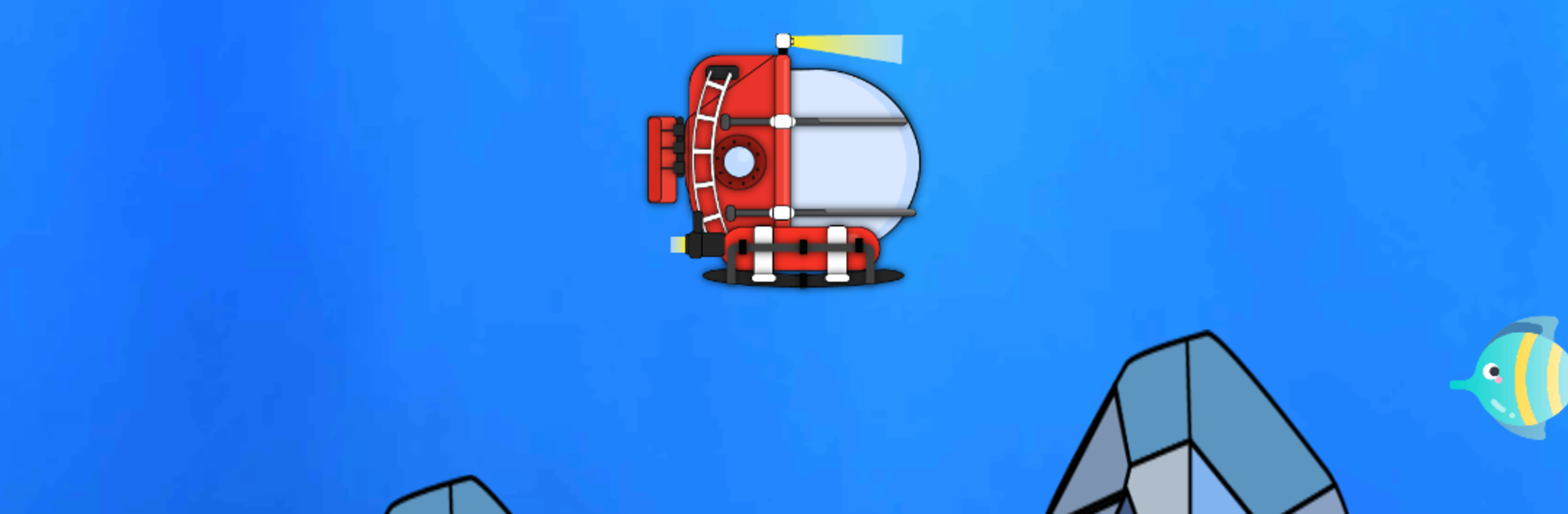
Submarine Master: Tik Tok Games is a quick, skill-based Arcade experience where you pilot a nimble sub through tight underwater passages and see how long you can keep your streak going. It’s all about sharp reflexes, smooth swipes, and that “one more run” feeling as the speed picks up and the hazards stack in. Built by STUBBORN, it expands the viral concept into a polished, score-chasing playground.

Game Features

  • Smooth swipe controls: Steer with a single finger and thread the needle through shifting obstacles without breaking your flow.
  • Endless runs: Courses evolve as you go, ramping up the challenge and pushing you to outscore your last best attempt.
  • Fish = currency: Scoop up fish during each run and spend them in the shop to unlock fresh submarine styles.
  • A roster of subs: Switch between different submarines—pick the look that fits your mood and show it off during your best streaks.
  • Crisp HD look: Clean visuals, fluid animation, and a colorful seabed vibe that keeps the action easy to read at high speed.
  • Big watery playground: Explore sprawling undersea layouts filled with tight turns, tricky patterns, and moments that test your nerve.
  • Score chaser’s dream: Aim for higher titles and bragging rights by mastering cleaner lines, tighter dodges, and longer runs.
  • No setup fuss: Jump straight in—no account required, no hoops to jump through, just tap, play, and improve.
  • Play your way: Prefer a larger screen? It runs smoothly on PC with BlueStacks when you want more room to react.

Make your gaming sessions memorable with precise controls that give you an edge in close combats and visuals that pop up, bringing every character to life.


Game Features

Enhancements

  • Macros
  • Multi Instance
  • Multi Instance Sync
  • Script
  • Enhancements
Macros

Macros

Automate the predictable in Submarine Master: Tik Tok Games and transform your gameplay with Macros. Get access to inventive Macros in the BlueStacks Macro Community
Multi Instance

Multi Instance

Play Submarine Master: Tik Tok Games on one window. And chat with your friend on the other. Press CTRL + Shift + 8 to open the Multi-Instance Manager. And start creating fresh instances or clone an existing one.
Multi Instance Sync

Multi Instance Sync

Play Submarine Master: Tik Tok Games with the power of Multi-Instance Sync. Replicate what you are doing on the main instance on all other instances. Level up faster, play more.
Script

Script

Script your way to gaming glory in Submarine Master: Tik Tok Games with BlueStacks Script. Write and run a set of commands to automate repeated tasks. Trigger the command by assigning it to any key.
Read More

How to Download and Play Submarine Master: Tik Tok Games on PC or Mac

  • Download and install BlueStacks on your PC or Mac

  • Complete Google sign-in to access the Play Store, or do it later

  • Look for Submarine Master: Tik Tok Games in the search bar at the top right corner

  • Click to install Submarine Master: Tik Tok Games from the search results

  • Complete Google sign-in (if you skipped step 2) to install Submarine Master: Tik Tok Games

  • Click the Submarine Master: Tik Tok Games icon on the home screen to start playing

video
Watch Video

Minimum System Requirements

With BlueStacks 5, you can get started on a PC that fulfills the following requirements.

  • Operating System

    Microsoft Windows 7 or above, macOS 11 (Big Sur) or above

  • Processor

    Intel, AMD or Apple Silicon Processor

  • RAM

    at least 4GB

  • HDD

    10GB Free Disk Space

Note:

* You must be an Administrator on your PC. Up to date graphics drivers from Microsoft or the chipset vendor.

Submarine Master: Tik Tok Games - FAQs

  • How to play Submarine Master: Tik Tok Games on Windows PC & Mac?

    Play Submarine Master: Tik Tok Games on your PC or Mac by following these simple steps.

    • Click on 'Play Submarine Master: Tik Tok Games on PC’ to download BlueStacks
    • Install it and log-in to Google Play Store
    • Launch and play the game.
  • Why is BlueStacks the fastest and safest platform to play games on PC?

    BlueStacks respects your privacy and is always safe and secure to use. It does not carry any malware, spyware, or any sort of additional software that could harm your PC.

    It is engineered to optimize speed and performance for a seamless gaming experience.

  • What are Submarine Master: Tik Tok Games PC requirements?

    Minimum requirement to run Submarine Master: Tik Tok Games on your PC

    • OS: Microsoft Windows 7 or above MacOS 11 (Big Sur) or above
    • Processor: Intel, AMD or Apple Silicon Processor
    • RAM: Your PC must have at least 4GB of RAM. (Note that having 4GB or more disk space is not a substitute for RAM)
    • HDD: 10GB Free Disk Space.
    • You must be an Administrator on your PC.